
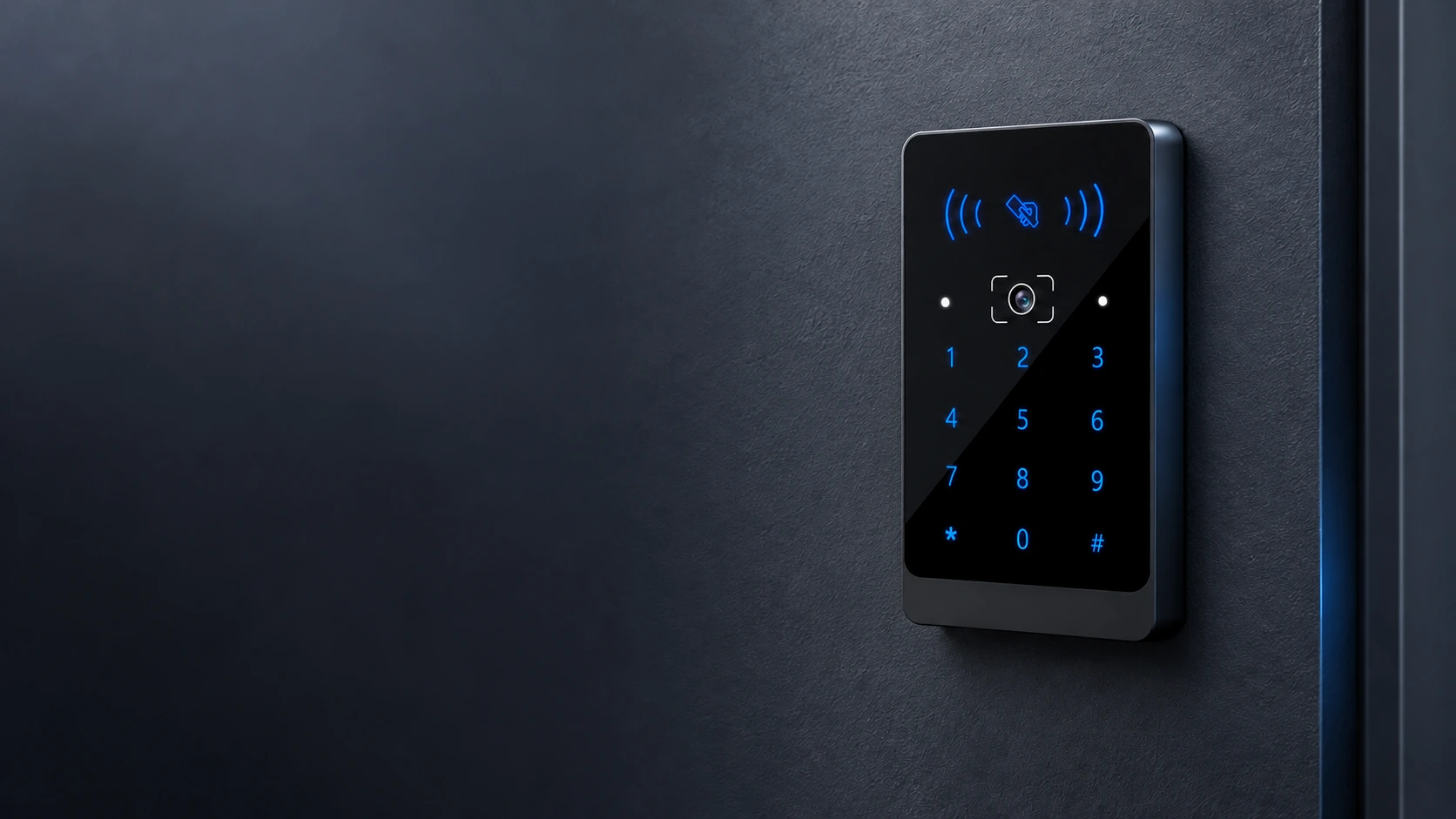
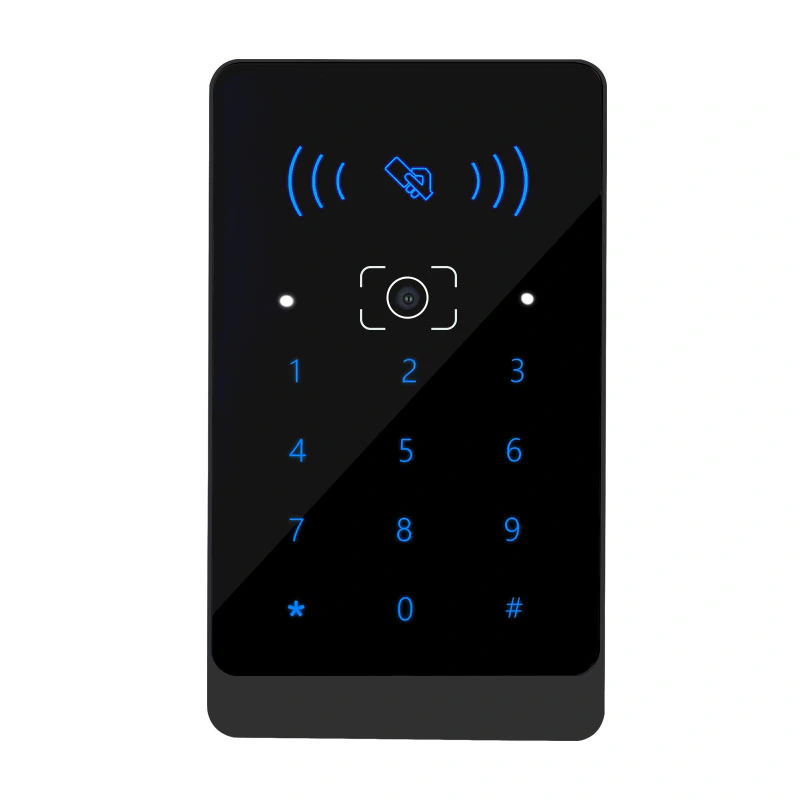
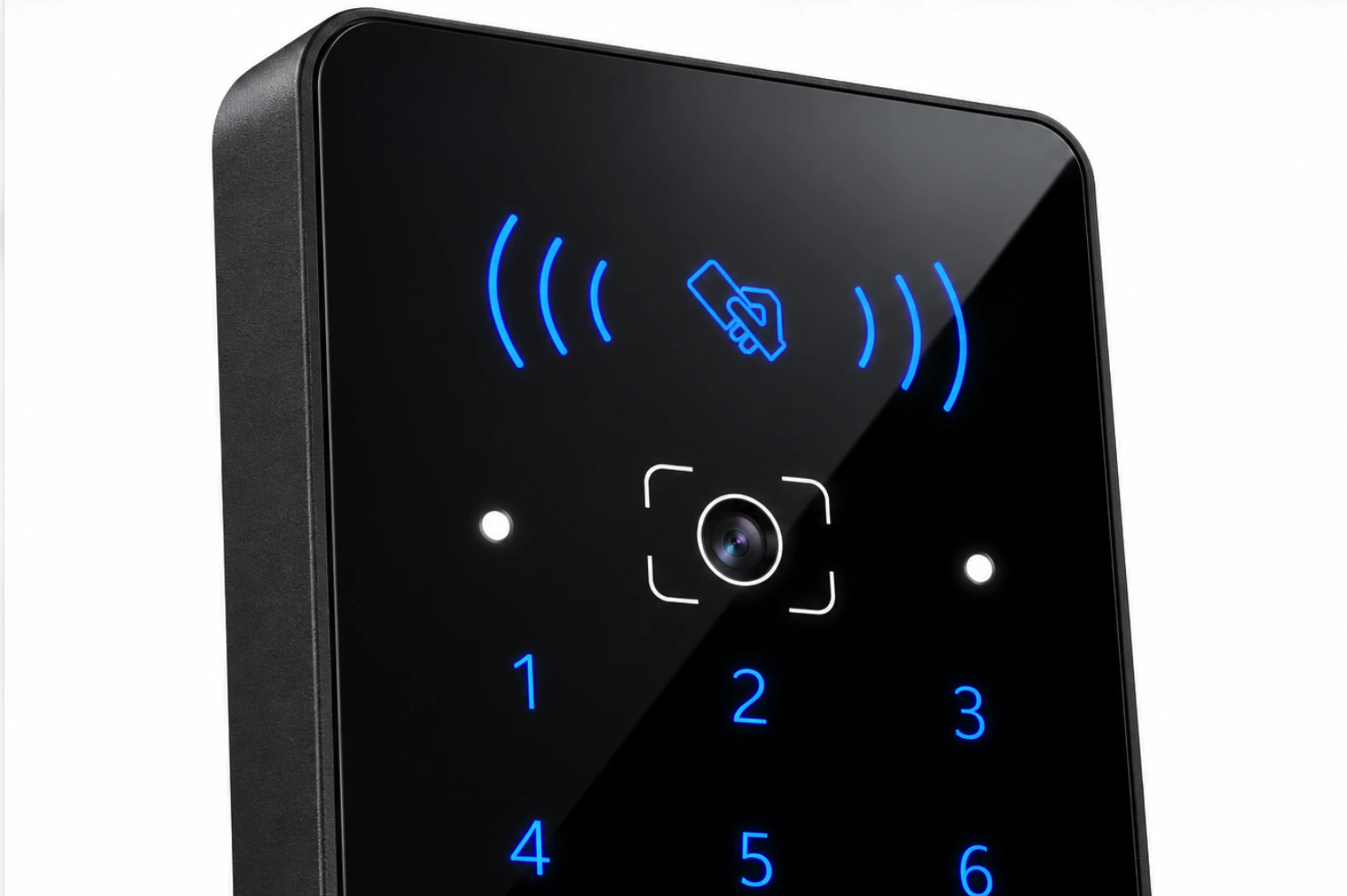
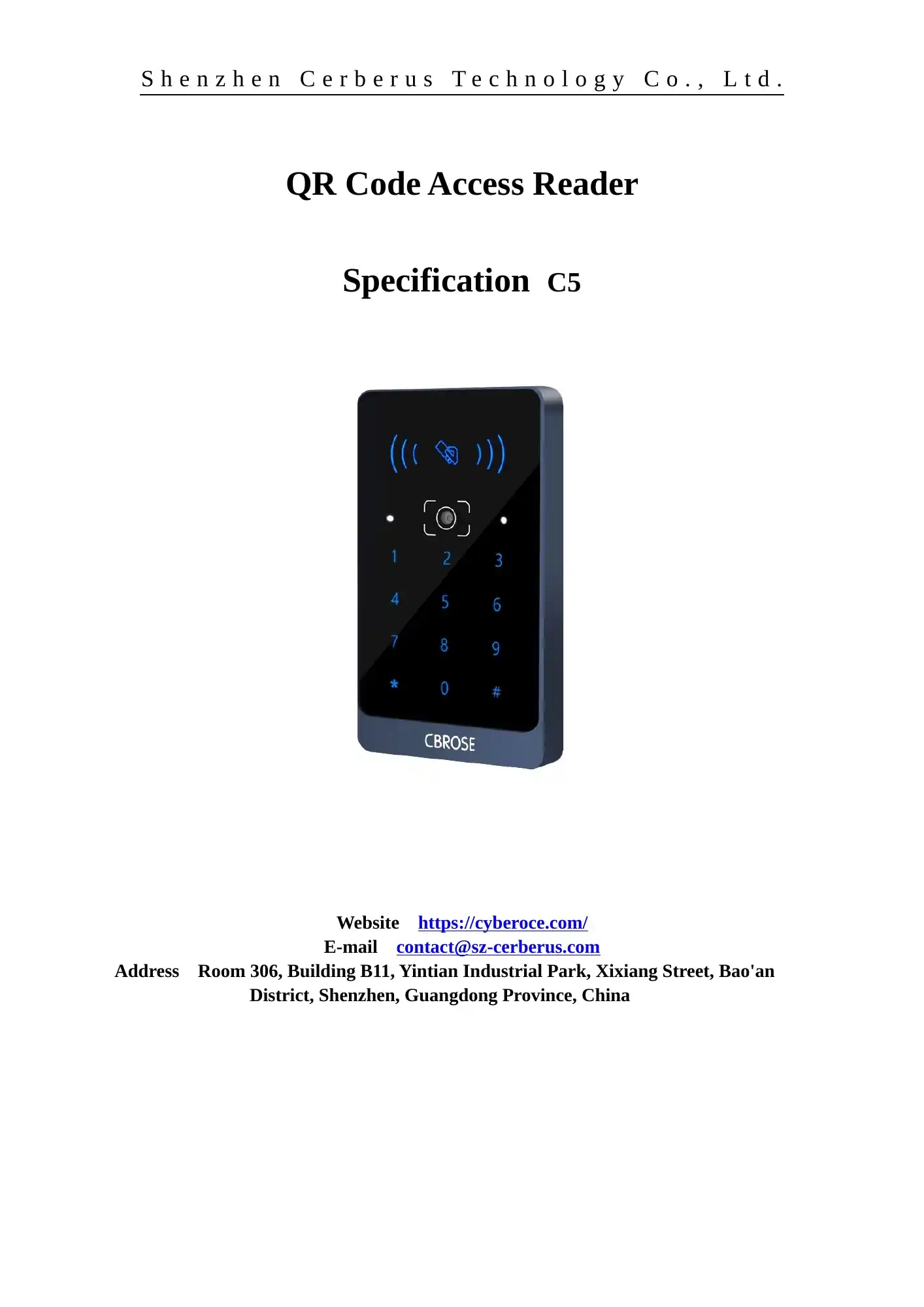
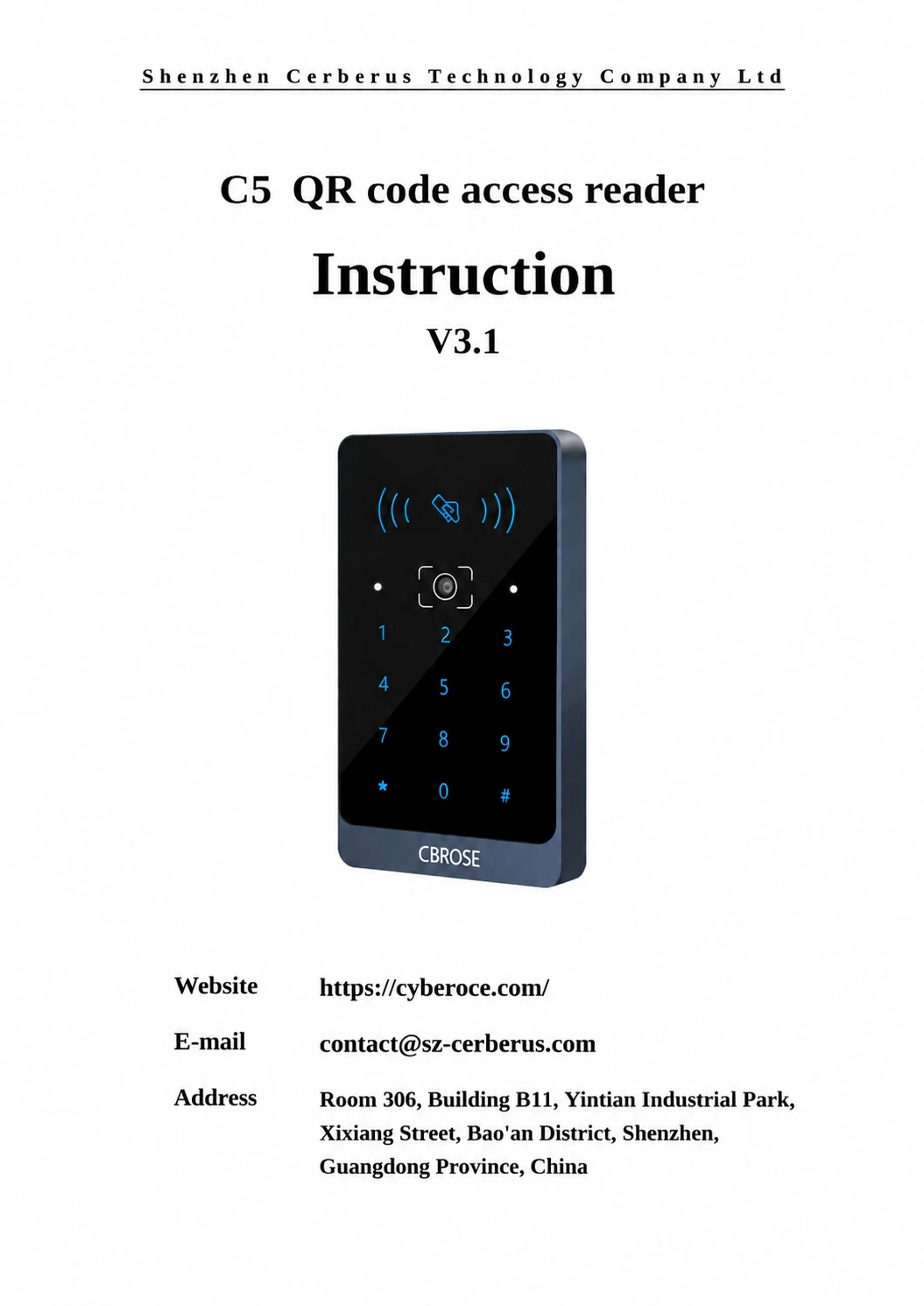
Front view of the C5 QR code access reader with scan area, RFID symbol and PIN keypad

C5 QR Code Access Reader from a Shenzhen Manufacturer

Add QR, barcode, 13.56 MHz RFID card and PIN credentials to a protected entrance without replacing the access decision system behind it. C5 sends credential data through Wiegand or RS-485, giving integration teams a defined reader format to evaluate against their existing controller.

  • QR and selected barcode formats from phone screens or print
  • 13.56 MHz RFID card and PIN entry
  • Wiegand 26/34 or RS-485 output
View C5 Specifications

C5 at a Glance

C5 is a credential reader for access projects that already have a controller or management system. It reads the presented code, card or PIN and outputs the corresponding data; the connected system determines whether access is granted.

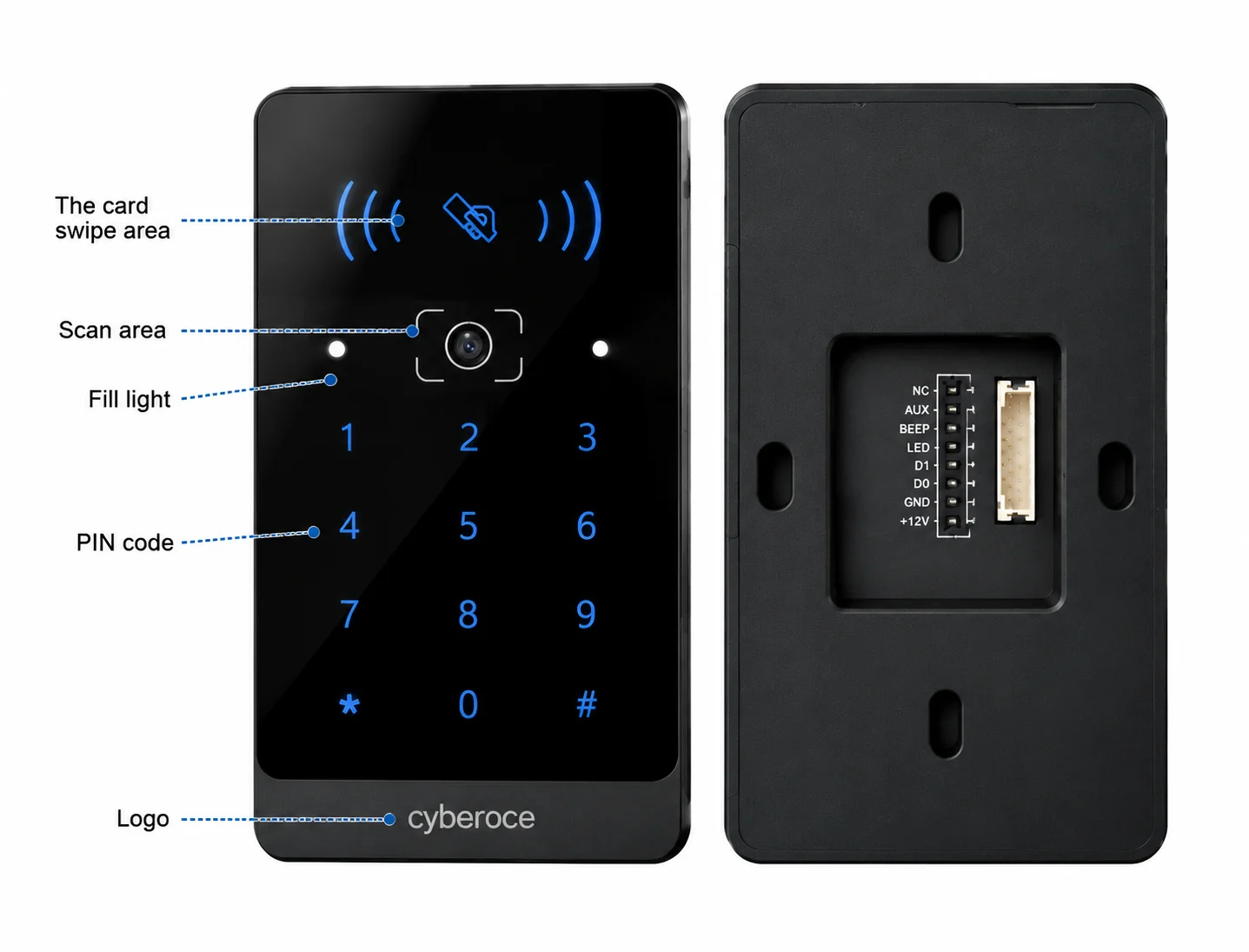
Front view of the C5 QR code access reader with scan area, RFID symbol and PIN keypad
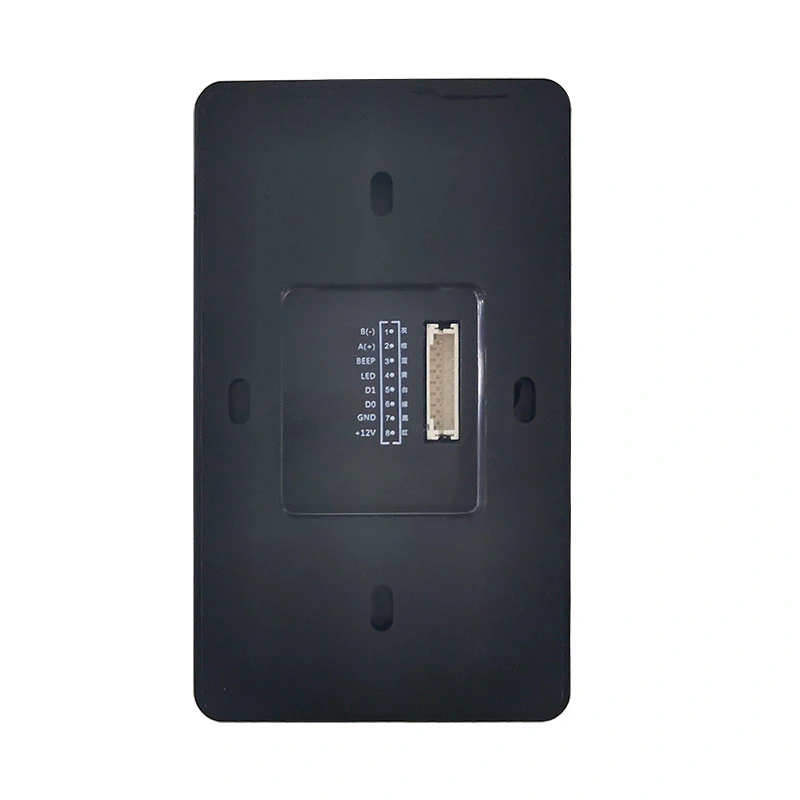
Rear view of the C5 reader showing the connector area
Specification C5
Credential methods QR code, supported 1D and 2D barcodes, 13.56 MHz RFID card and PIN
Selected 2D formats QR Code, PDF417, Data Matrix, MicroPDF417 and Aztec
Selected 1D formats Code 39, Code 128 and EAN formats
Controller outputs Wiegand 26/34 and RS-485
Operating voltage DC 9–15 V
Working current 150 mA at 12 V
Dimensions 108.8 × 63.8 × 15.2 mm
Housing ABS and tempered glass
Reference QR reading distance 5–20 cm under the specification’s stated code condition; confirm with project samples
RFID card reading distance Less than 3 cm
Operating temperature −20°C to 60°C
Ingress protection No waterproof rating stated for C5

Check the delivered hardware revision, controller input and credential samples before finalizing the installation drawing or output configuration.

One Reader for the Credentials Your Entrance Already Uses

A visitor may present a phone code, a staff member may use a card, and a service team may use a PIN. C5 brings these credential inputs to one reader while leaving permission rules with the access system already responsible for the door.

Mixed credentials at one entrance

Use QR or supported barcode formats alongside 13.56 MHz RFID cards and PIN entry. Test the actual code and card samples planned for the site.

A controller with a defined reader input

Select Wiegand 26/34 or RS-485 according to the controller interface and the data format it expects. Matching the connector alone is not enough; the credential output must also match.

An entrance exposed to glare or moisture

Place C5 where users can present a code clearly and the device remains protected. C5 has no stated waterproof rating, so an exposed outdoor position calls for a separately specified reader.

Front view of the C5 QR code access reader with scan area, RFID symbol and PIN keypad
QR / 13.56 MHz RFID Card / PIN
C5 (Wiegand 26/34 or RS-485)
Controller
Access Decision

Match the Reader Output to the Controller

The key integration decision is how the existing controller receives and interprets credential data. Review the output route, code format and access logic together before specifying the reader.

Project condition C5 route Check during integration
Controller expects a Wiegand reader Wiegand 26 or 34 Bit format, credential number mapping and controller input settings
Controller accepts serial credential data RS-485 Communication mode, baud rate, data framing and parsing
Visitors present QR or printed tickets C5 code-reading function Actual symbology, code length, print quality and phone-screen presentation
Staff also use cards or PINs RFID and PIN inputs Card type, PIN output format and permission mapping
Reader is planned for an exposed location Reassess device selection Moisture protection, glare, mounting position and a model with an applicable ingress rating

C5 is the reader in this architecture. The controller or connected platform issues permissions and makes the access decision, so QR-code security depends on the full credential and system workflow—not the scan window alone.

Rear view of the C5 reader showing the connector area
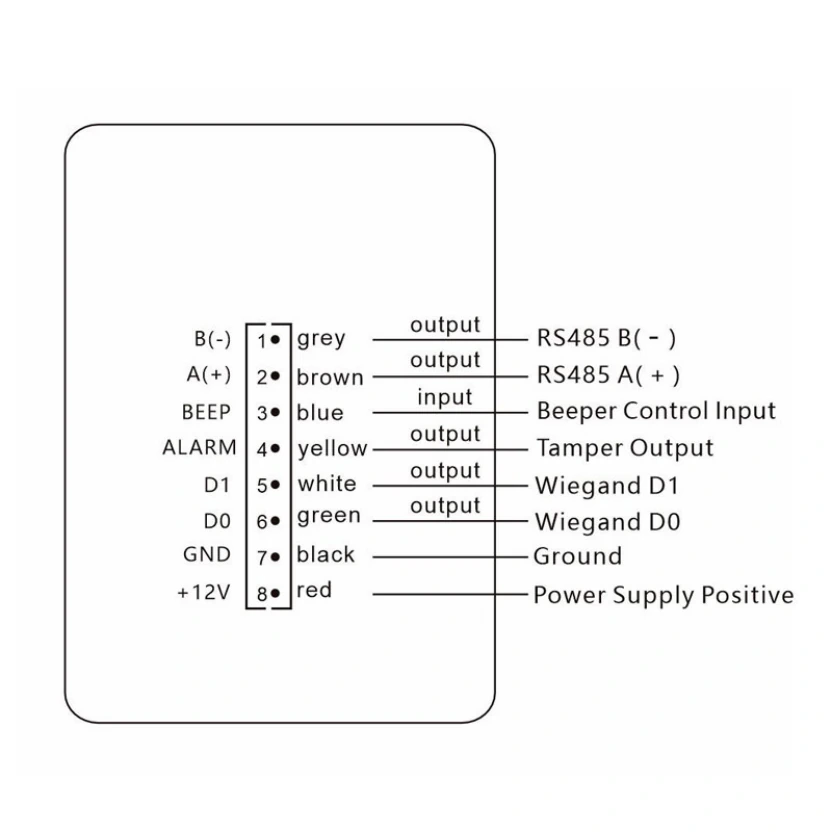
Power Input: DC 9–15 V (150 mA at 12 V)
Output Option 1: Wiegand 26 / 34
Output Option 2: RS-485

Plan the Mounting Position Around Real Credentials

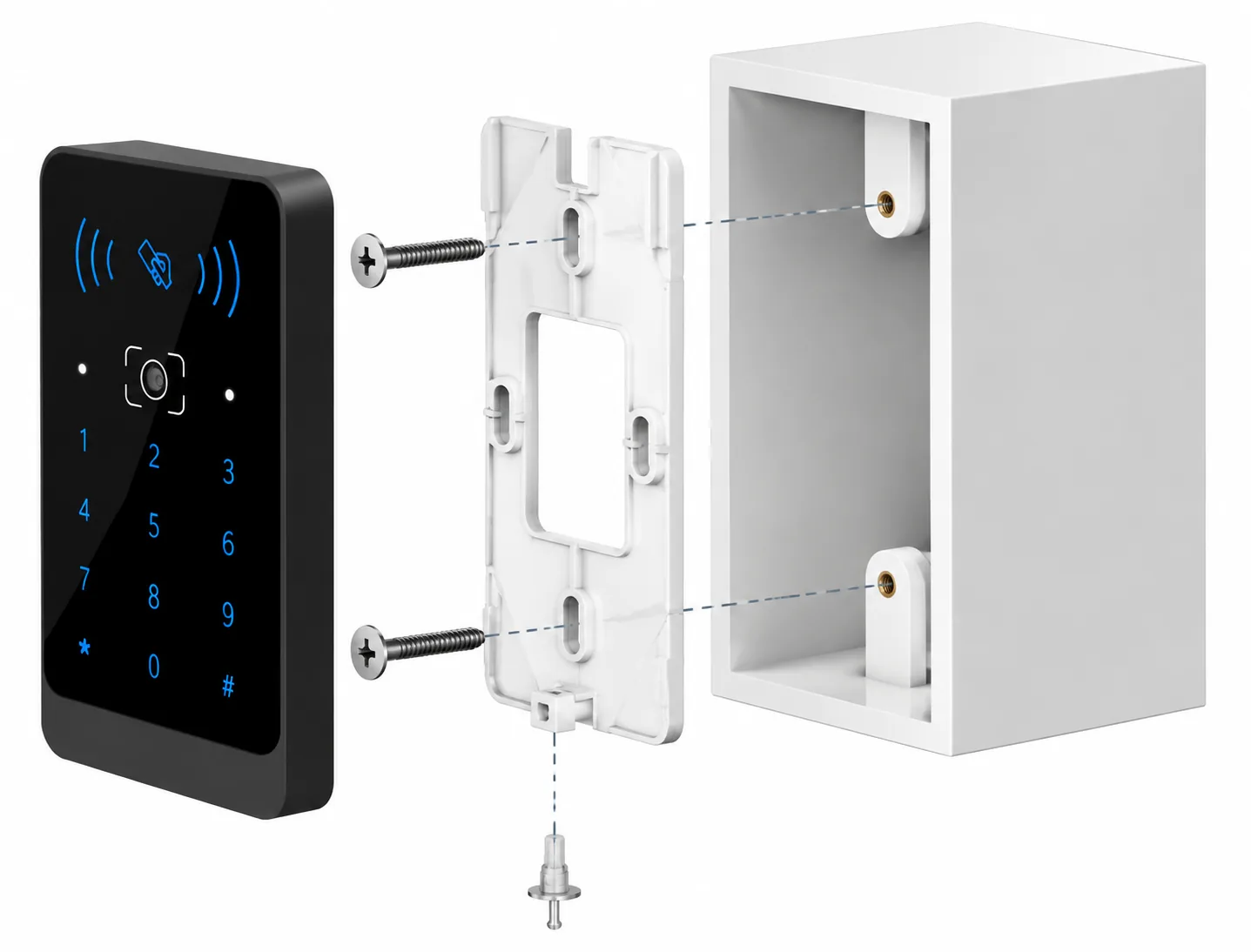
C5 can be mounted on a wall or suitable bracket at a protected entrance. Position the scan area where a phone or printed code can be presented naturally, then check the working distance with the project’s own code samples. Keep the reading window clean and reduce direct glare or reflections at the installation point.

Power the reader within its specified DC 9–15 V range and connect it to a compatible controller through the selected output. Confirm the delivered unit and mounting drawing before preparing openings or wiring. Disconnect power during installation.

  • ■ Office and visitor entrances — combine issued QR credentials with existing staff card or PIN workflows.
  • ■ Gyms and shared spaces — evaluate phone codes and member cards against the same controller permissions.
  • ■ Protected commercial entry points — check presentation height, cable route and environmental exposure before installation.
Front view of the C5 QR code access reader with scan area, RFID symbol and PIN keypad
QR Reference Distance 5–20 cm
RFID Distance Less than 3 cm

Why Consider C5 for an Existing Access System?

Credential flexibility in one housing

QR codes, selected barcodes, 13.56 MHz RFID cards and PIN input give a project several ways to present a credential at the same entrance.

A clear controller boundary

Wiegand 26/34 and RS-485 output options let the integration discussion start with the controller’s actual input and data expectations.

A defined physical and electrical specification

The stated housing dimensions and DC 9–15 V input give the project team concrete checks for mounting space and power design.

C5 QR code access reader hardware overview
108.8 × 63.8 × 15.2 mm | DC 9–15 V | ABS and tempered glass

Our Shenzhen team develops and supplies QR access hardware and supports project discussions around credential samples, output formats and OEM/ODM requirements. The final configuration should be matched to the delivered hardware and the access system it joins.

Product Details for a More Specific Technical Review

C5 has a model specification and installation instruction that can support discussions about its credential inputs, electrical range, physical fit and controller output. Reviewing these points alongside real QR or barcode samples is more useful than choosing a reader by appearance alone.

For access projects, our team can discuss code samples and interface settings with the customer’s integration requirements. This helps define what must be checked on the reader, the controller and the credential-management side before deployment.

Front view of the C5 QR code access reader with scan area, RFID symbol and PIN keypad
Front view of the C5 QR code access reader with scan area, RFID symbol and PIN keypad - Enlarged
Rear view of the C5 reader showing the connector area
Rear view of the C5 reader showing the connector area - Enlarged

C5 Selection Guide

Will C5 work with my access controller?

Start with the controller’s reader input and expected credential format. C5 specifies Wiegand 26/34 and RS-485 outputs, but a matching interface does not automatically confirm that the controller will interpret every QR, card or PIN value as intended. Check bit format or serial parsing with actual samples before deployment.
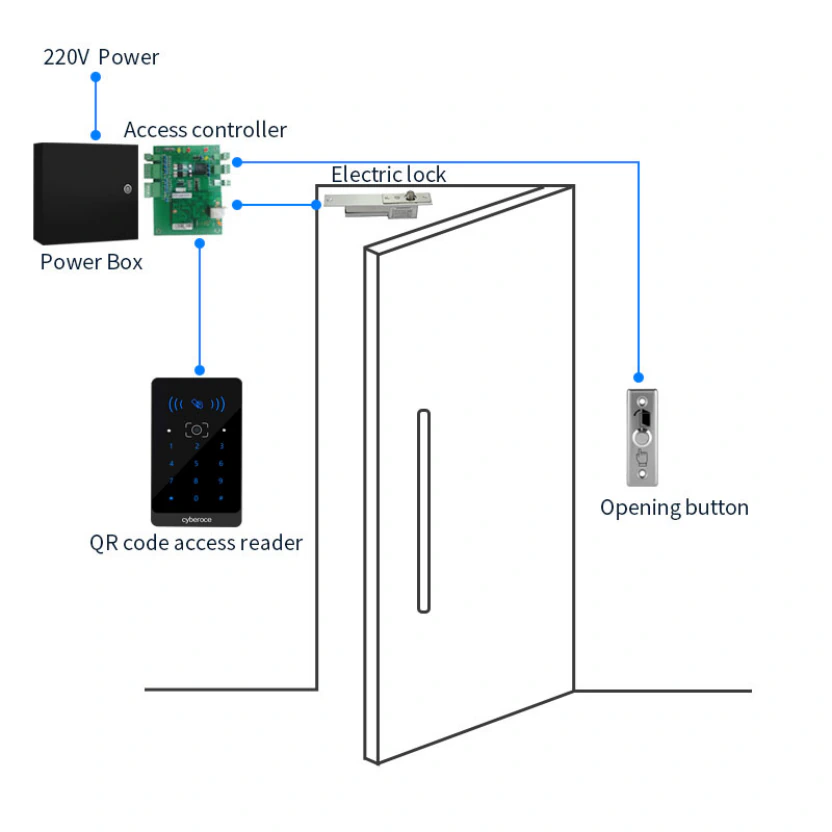
Does C5 unlock a door by itself?

No. C5 reads a credential and outputs its data. A connected controller or platform applies the access rules and operates the compatible door or gate hardware. If the project needs a networked device with local verification and relay control at the entrance, evaluate a QR code access control terminal instead of treating C5 as a standalone controller.

C5 QR code reader conceptual diagram

What should be checked before installing C5 in a commercial building?

Check the mounting space against the 108.8 × 63.8 × 15.2 mm housing, provide DC 9–15 V power, select the controller output, and place the scan area where users can present real phone or printed codes. Review glare, moisture exposure, cable routing and the delivered mounting hardware before making the final opening or connection.

Dimensions: 108.8 × 63.8 × 15.2 mm
Operating voltage: DC 9–15 V
Controller outputs: Wiegand 26/34 and RS-485

What makes a QR-code entry workflow secure?

The reader is only one part of the workflow. The system must control who receives a credential, when it is valid, which entrance accepts it and how a reused or revoked code is handled. C5 supplies the scanned data to the connected system; the project’s credential issuance and controller rules determine the access decision.

When should I choose a different reader for an exposed entrance?

Choose the reader by the actual installation environment. C5 has no stated waterproof rating, so an entrance directly exposed to rain requires a model with an applicable, verified ingress rating and an installation design suited to the site. Scan-window glare and phone-screen presentation still need checking even when the enclosure has an ingress rating.

Discuss Your C5 Configuration

Share the entrance type, controller interface and credentials your project will use. A sample QR or barcode and the controller’s input specification can make the C5 configuration review more specific.

Address: Room 306, Building B11, Yintian Industrial Park, Xixiang Street, Bao'an District, Shenzhen, Guangdong Province, China

Supported formats: PDF, JPG, PNG, STEP, IGES, STL, DWG (Max 20MB)