
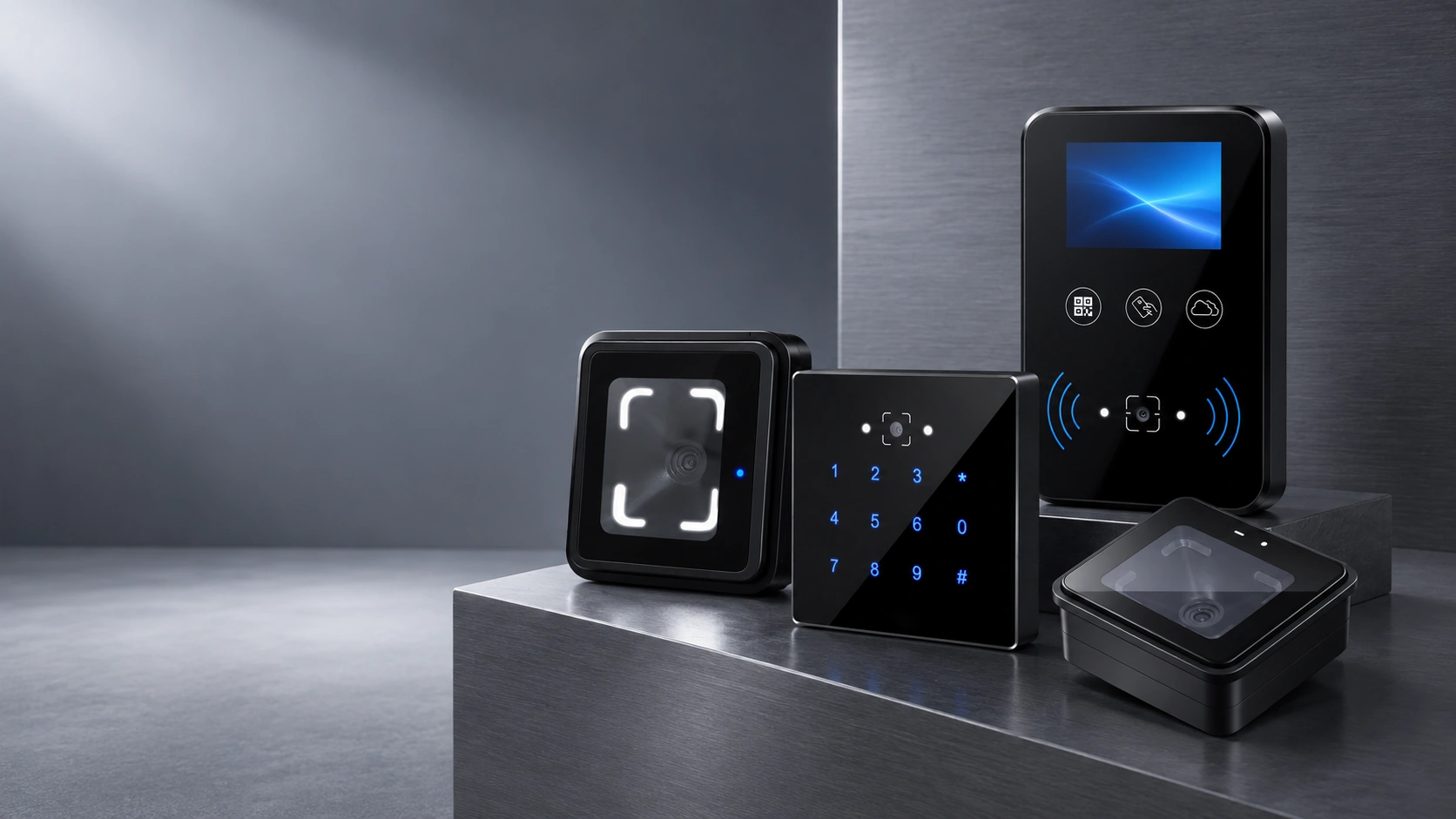
QR Code Access Control Manufacturer for Readers and Networked Terminals
Choose controller-connected QR readers or networked access terminals for doors, turnstiles, visitor entry and ticket-verification projects.
Match the device to your existing control architecture, required interfaces, installationspace and operating environment.
- Wall-mounted and embedded QR code readers
- Ethernet terminals with relay control
- QR, barcode and RFID options by model
- OEM/ODM and system-integration support
Choose the QR Code Access Control Hardware That Fits Your System
The first decision is whether your project needs a reader that sends credential data to an existing controller, or a networked terminal that can validate credentials and control a lock or gate through its relay. Start with the four product families below.
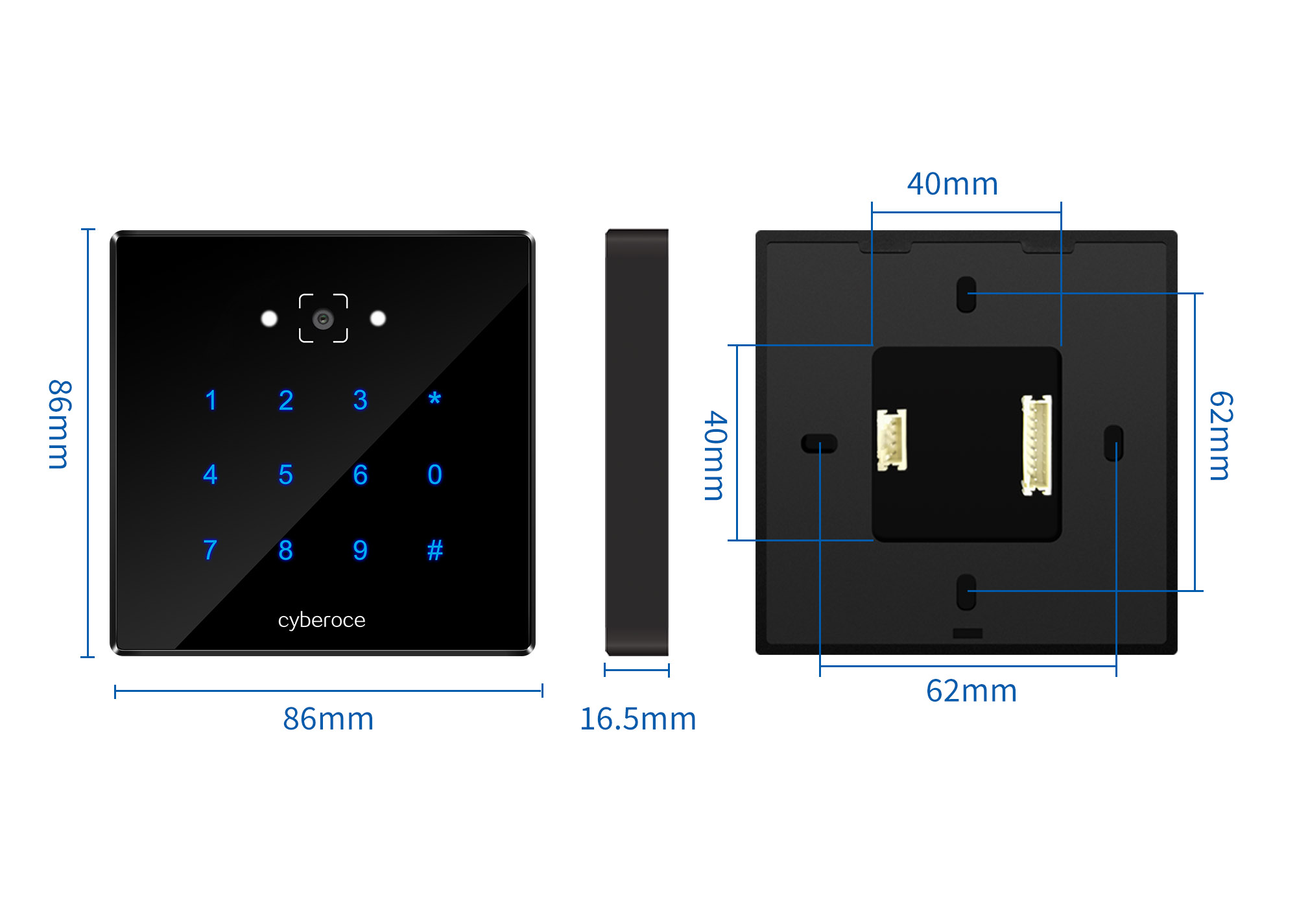
Wall-Mounted QR Code Access Readers
Controller-connected readers for standard door and wall-mount projects. The range combines QR and barcode scanning with RFID, while selected models add a keypad. Choose by panel size, housing, keypad requirement, power range and ingress protection.
Models: C3, C5, C6 and C6NK
Selection note: C3 and C5 use a 108.8 × 63.8 mm format. C6 and C6NK use an 86 × 86 × 16.5 mm format; C6 includes keypad input, while C6NK is the no-keypad version. Confirm the exact interface and protection rating by model.
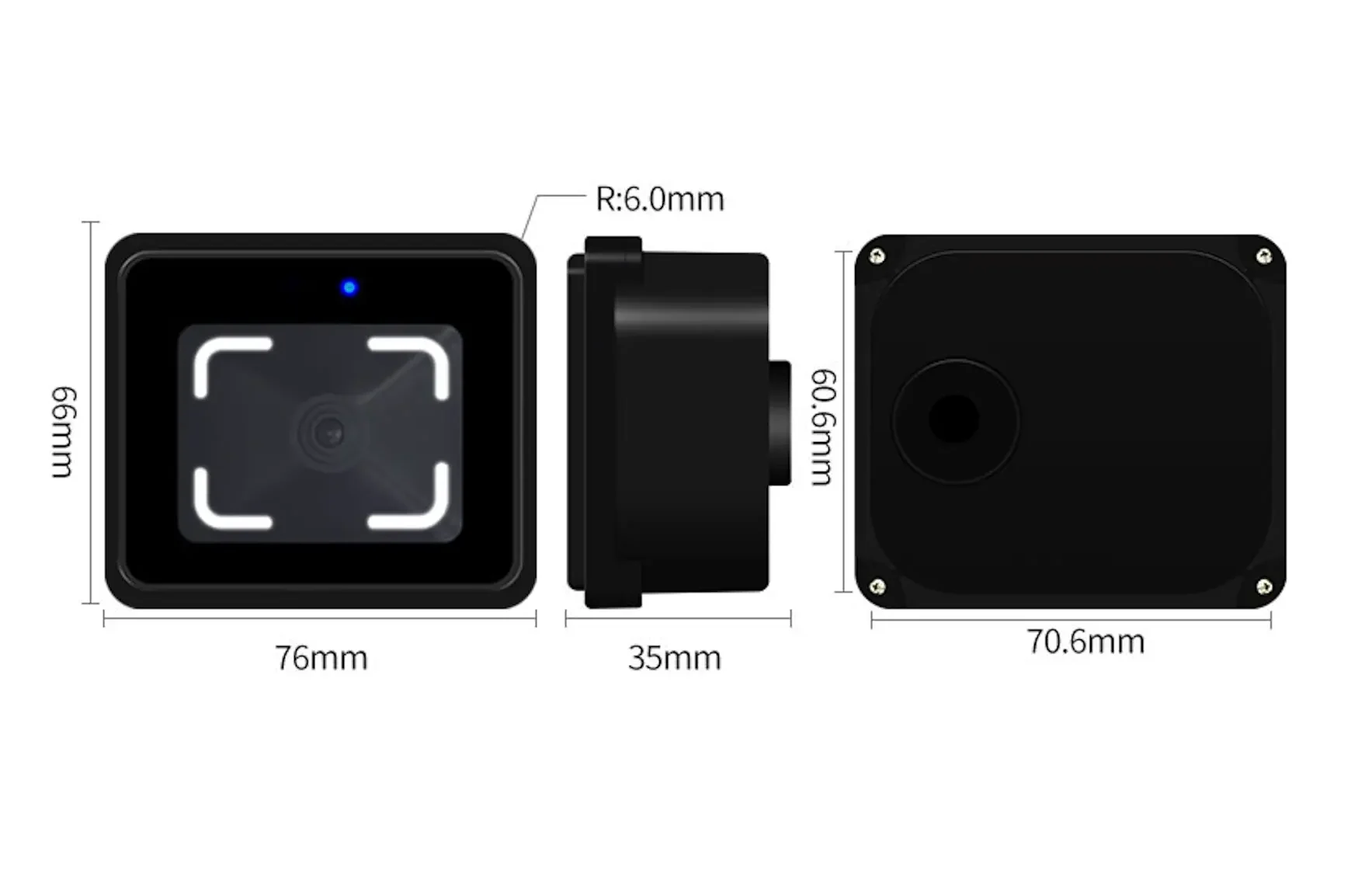
Embedded QR Code Readers for Turnstiles & Gates
Compact reader hardware for turnstiles, gates and embedded control panels. Choose CR10 when a project needs multiple controller-interface options, or CR20 when an RS-485 reader with an IP66 enclosure is the better fit.
Models: CR10 and CR20
Selection note: CR10 supports Wiegand, RS-232 and RS-485 by configuration. CR20 is an RS-485 reader; it has no Ethernet connection, relay output or independent online validation.
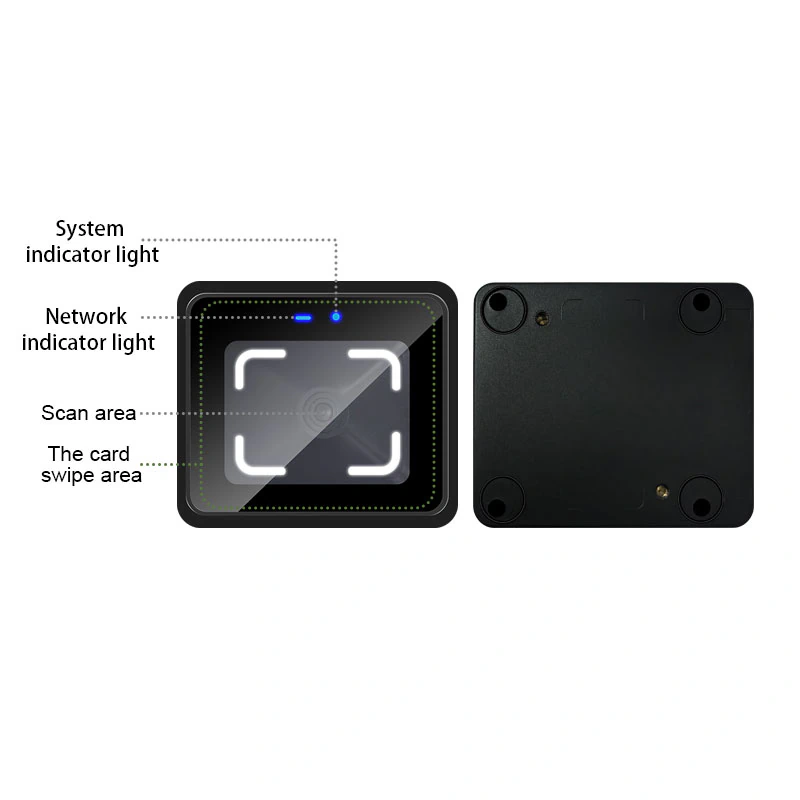
Compact Networked QR Code Access Terminals
Screenless networked terminals with Ethernet communication, local credential and record functions, relay control and HTTP, HTTPS or MQTT integration. Use this family when the device needs to communicate with a platform and control a lock or gate without a separate access controller.
Models: CR10E, CR20E and CR20EW
Selection note: CR20E adds an IP66 enclosure, while CR20EW combines Ethernet with optional 2.4 GHz Wi-Fi. Network, storage and output details must be confirmed against the selected model and suffix.
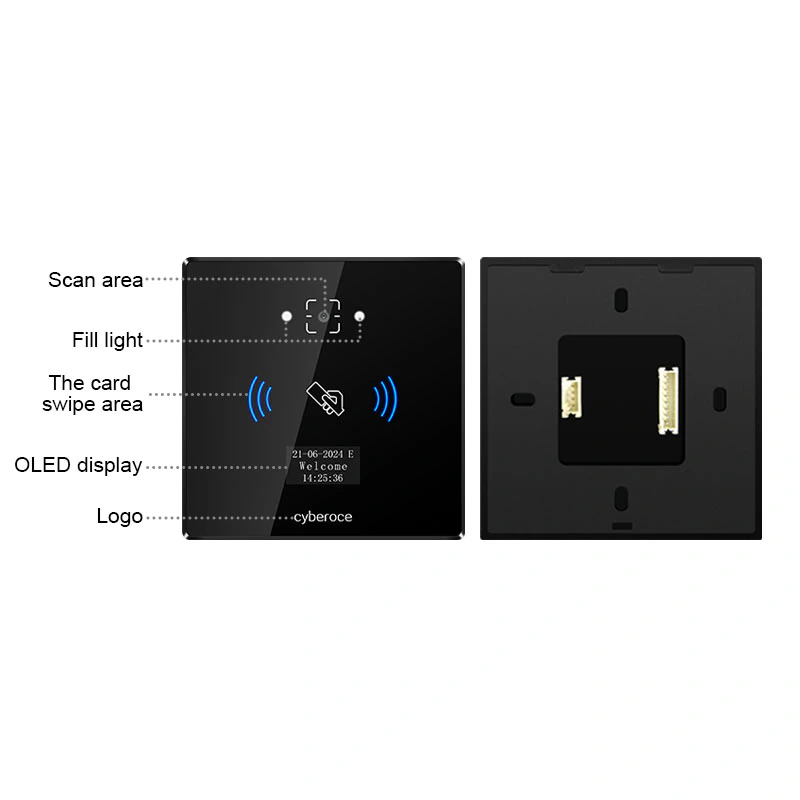
Display QR Code Access Control Terminals
Networked access terminals with a 0.96-inch or 2-inch display for status feedback, prompts and project-specific screen content. Models combine Ethernet, relay control and HTTP, HTTPS or MQTT; selected configurations add Wi-Fi, Cat-1 4G, EM cards or keypad input.
Models: CR02EN, CR03EU, CR06 series, CR07EUP, CR08EUP and CR09EUP
Selection note: choose by display size, network method, credential mix, enclosure, ingress protection and installation environment. Suffix-specific options must be confirmed before ordering.
Reader or Networked Terminal: Start with the System Architecture
A QR code is only the credential carrier. The access decision still depends on where the credential is validated and which device operates the lock or gate. Choose the hardware architecture before comparing secondary features.
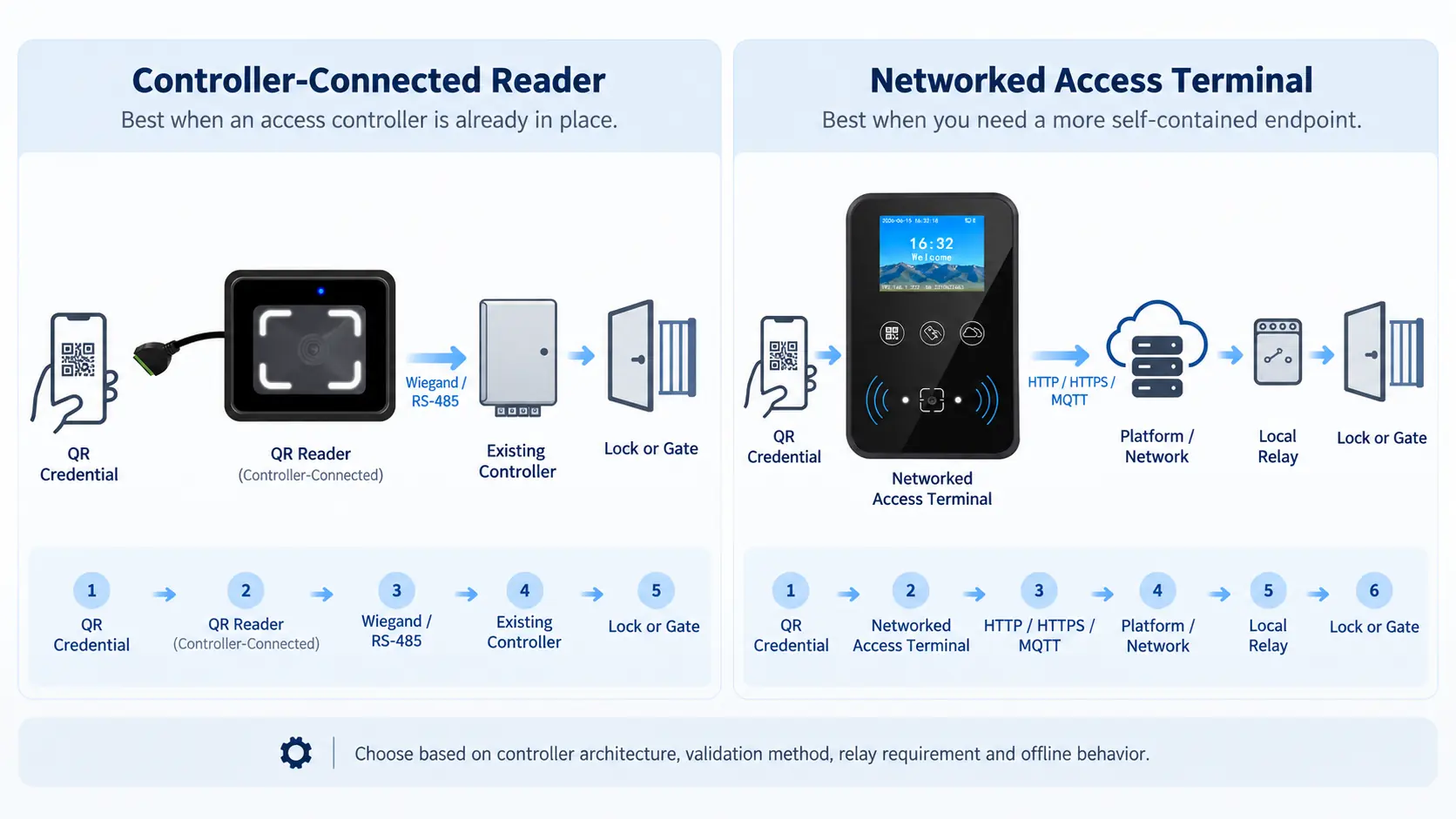
Callout: Do not select only by appearance. Confirm the controller, output format, validation method, relay requirement, network path and required offline behavior before locking the model.
| Decision | Controller-Connected Reader | Networked Access Terminal |
|---|---|---|
| Best fit | An access controller or host system is already in place | The endpoint needs network communication and local relay control |
| Typical product families | C3, C5, C6, C6NK, CR10, CR20 | CR02EN, CR03EU, CR06 series, CR07/08/09 EUP series, CR10E, CR20E/EW |
| Data path | Reader sends decoded credential data to the controller or host | Terminal communicates with the platform and can operate the lock or gate through its relay |
| Common interfaces | Wiegand and/or RS-485; CR10 may also use RS-232 | Ethernet; selected Wi-Fi or Cat-1 4G configurations; HTTP, HTTPS or MQTT |
| Offline behavior | Determined mainly by the connected controller or host | Selected terminals store users and records locally; confirm capacity and validation logic by model |
| Choose this when | You want to retain an existing controller architecture | You want a more self-contained networked endpoint |
Compare Key Models by Installation, Interface and Environment
Use this matrix for initial selection, then confirm the exact suffix, firmware and project configuration against the current datasheet before ordering.
| Model / family | Form and size | Credentials | Interface or network | Display / control | Protection | Practical selection cue |
|---|---|---|---|---|---|---|
| C3 | Wall reader, 108.8 × 63.8 × 12.65 mm | QR/barcode, RFID, PIN | Wiegand 26/34, RS-485 | No display; controller-connected | IPX7 | Metal-bodied wall reader where keypad input is required |
| C5 | Wall reader, 108.8 × 63.8 × 15.2 mm | QR/barcode, RFID, PIN | Wiegand 26/34, RS-485 | No display; controller-connected | No published IP rating | ABS wall reader for protected installation areas |
| C6 / C6NK | 86 × 86 × 16.5 mm wall reader | QR/barcode, RFID; PIN on C6 | Wiegand, RS-485 | No display; controller-connected | IPX7 | Standard 86-type format; choose C6 for keypad or C6NK without keypad |
| CR10 | Embedded reader, 76 × 66 × 33 mm | QR/barcode, MIFARE; EM optional | Wiegand, RS-232, RS-485 by config | No network or relay | No published IP rating | Compact embedded projects requiring several interface choices |
| CR20 | Embedded reader, 76 × 66 × 35.4 mm | QR/barcode, MIFARE | RS-485 only | No network, relay or online validation | IP66 | Compact embedded use where RS-485 and higher protection are required |
| CR10E | Screenless networked terminal, 76 × 66 × 33 mm | QR/barcode, IC/EM card options | Ethernet; HTTP/HTTPS/MQTT | Relay; Wiegand/RS-485 output option | No published IP rating | Protected indoor networked installation where a compact relay terminal is preferred |
| CR20E / CR20EW | Screenless networked terminal, 76 × 66 × 35.4 mm | QR/barcode, MIFARE | Ethernet; CR20EW adds 2.4 GHz Wi-Fi; HTTP/HTTPS/MQTT | Relay; Wiegand/RS-485 output option | IP66 | Compact outdoor-facing or exposed projects that need a networked endpoint |
| CR02EN / CR03EU / CR06 series | Networked terminal with 0.96-inch display | QR plus RFID options; selected keypad/EM | Ethernet; selected Wi-Fi; HTTP/HTTPS/MQTT | Relay | Model-specific; CR03EU/CR06 list IPX7 | Small status display for doors, visitor entry and access points |
| CR07EUP / 08EUP / 09EUP | Networked terminal with 2-inch IPS display | QR/barcode, MIFARE; selected EM options | Ethernet; selected Wi-Fi/Cat-1 4G; HTTP/HTTPS/MQTT | Relay; configurable screen and voice | IPX7 on CR07/08; IPX5 on CR09EUP | Larger feedback area and broader network options for integrated projects |
Wiegand and RS-485 outputs may be configuration-dependent or mutually exclusive on some terminals. Wi-Fi, Cat-1 4G, EM cards and keypad input are not universal. Confirm the exact model suffix and I/O requirement in the project specification.
Resolve the Integration Risks Before Deployment
Existing controller compatibility
A reader must output data in the format expected by the existing controller. Select Wiegand or RS-485 only after confirming the controller input, credential format, cable route and configuration method. CR10 adds an RS-232 option for projects that require it.
Network and relay architecture
A networked terminal is the better fit when the endpoint must communicate with a platform and operate a lock or gate through its relay. Confirm Ethernet, optional wireless connectivity, server protocol, I/O and offline behavior as one architecture—not as isolated features.
Outdoor and exposed installation
Ingress protection is model-specific. CR20 and CR20E/CR20EW are listed as IP66, while selected wall and display products are rated IPX5 or IPX7. A protected indoor model should not be promoted as an outdoor substitute.
Mixed visitor and staff credentials
QR codes can support visitors and temporary users, while RFID cards or PIN input can remain available for staff on selected models. The visitor or access platform must still define validity periods, permissions and reuse rules.
Match the Device to the Access Point
The same QR credential can be used in very different access architectures. Select the endpoint by installation space, control path, user feedback, environmental exposure and the system that validates the credential.
| Application | Recommended starting point | Why | Confirm before selection |
|---|---|---|---|
| Office or commercial door | Wall reader when an access controller already exists; compact or display terminal for a networked endpoint | Supports QR entry while preserving either a controller-based or terminal-based architecture | Controller input, relay logic, mounting surface, visitor platform and indoor/outdoor exposure |
| Visitor management | QR + RFID reader or terminal | Visitors can receive digital or printed credentials while staff retain cards on selected models | Who generates the QR code, validity rules, anti-reuse logic, credential length and event records |
| Turnstile or ticket gate | CR10/CR20 reader or compact networked terminal | Compact form supports embedded installation; terminal models add network and relay functions | Panel cutout, scan angle, interface, lighting, throughput test and ticket-code format |
| School, laboratory, gym or shared facility | Wall reader or display terminal | Display and voice options can provide clearer user feedback; hybrid credentials support regular users and visitors | Required credential types, access schedule, offline operation and mounting environment |
| Outdoor-facing gate or exposed entrance | CR20 reader or CR20E/EW terminal as the initial IP66 options | Provides a documented higher ingress-protection option in compact form | Cable sealing, shelter, direct sunlight, operating conditions and the exact network architecture |
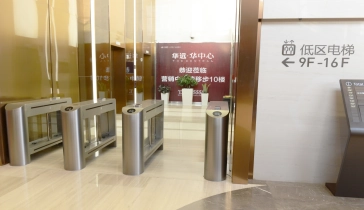
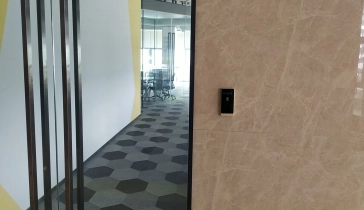
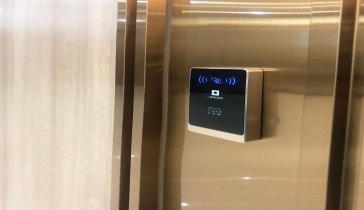
Application images illustrate installation context only. Final compatibility depends on the selected model, controller or platform, site wiring and validation rules.
From Sample Validation to Project Configuration
Hardware selection is only one part of a QR access project. The credential sample, interface, network path, relay logic and user feedback should be checked together before a batch configuration is finalized.
Share the system architecture
Identify the existing controller or platform, access point, validation method and network environment.
Validate codes and interfaces
Check sample QR or barcode content, controller input, Wiegand or RS-485 format, server protocol and relay requirement.
Confirm the device configuration
Select the model suffix, credential options, enclosure, screen content, voice prompt and required OEM branding.
Test before locking configuration
Verify scanning, wiring, network communication, access decisions and event records in the intended workflow.
Customization note
Available project customization includes front-panel logos, device labels, display backgrounds, voice files and software configuration. The exact scope and order requirements are confirmed for each project.
A Hardware Range Built for Integration Choices
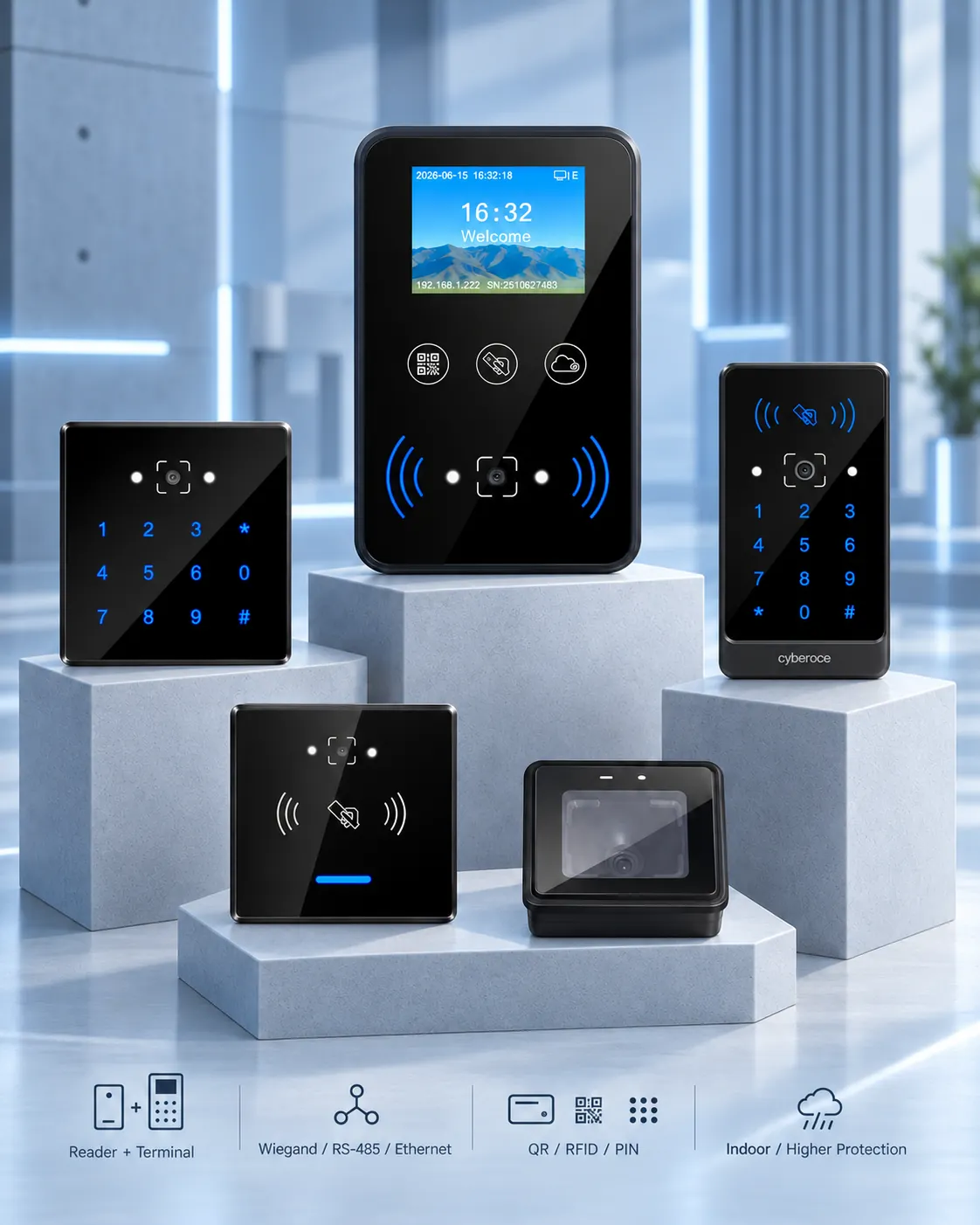
Two hardware architectures
Select a controller-connected reader or a networked terminal with relay control instead of forcing every project into one topology.
Interfaces matched to existing systems
The portfolio covers Wiegand and RS-485 readers, an RS-232 option on CR10, and Ethernet terminals using HTTP, HTTPS or MQTT. Exact combinations remain model-specific.
Credentials for mixed access workflows
QR and barcode recognition can be combined with MIFARE, selected EM-card configurations or PIN input, allowing projects to plan different credentials for visitors and regular users.
Indoor and higher-protection options
The range spans protected indoor products and documented IPX5, IPX7 or IP66 models, enabling a more accurate match to the installation environment.
Project-level customization and validation
OEM branding, labels, display backgrounds, voice files, configuration and sample-code validation can be reviewed as part of the integration process.
QR Code Access Control Buyer Guide
Use these questions to evaluate the complete access workflow—not only the QR scanner. The credential source, validation rules, controller or relay, network path and installation environment all affect the final hardware choice.
How does QR code access control integrate with an existing security system?
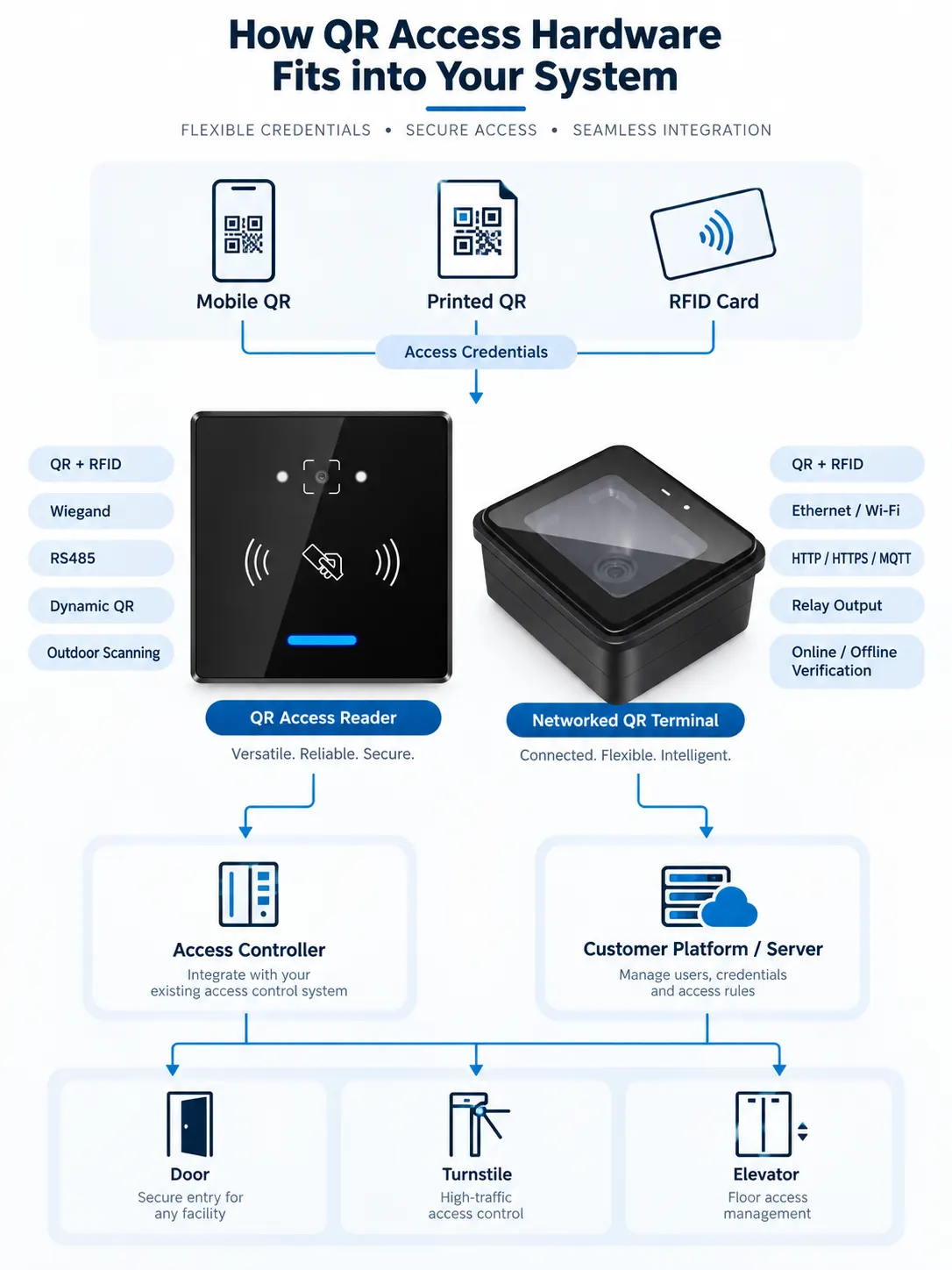
If the existing system already uses an access controller, a QR reader can decode the credential and send the result through Wiegand or RS-485. The controller then applies the access rules and operates the door or gate. CR10 can also be configured with RS-232 for projects that require that interface.
If the endpoint needs its own network connection and relay, select a networked terminal. The terminal can communicate with a customer platform through HTTP, HTTPS or MQTT and operate the connected lock or gate. Confirm the exact data format, validation flow and I/O before integration.
How can QR codes support building and visitor access?
QR credentials can be delivered digitally or printed, which reduces the need to issue a physical card to every visitor. The visitor or access platform can associate a code with a person, visit, area or time window, while the reader or terminal captures the credential at the entrance.
Security does not come from the QR image alone. The project should define expiration, reuse rules, identity checks, permission scope, revocation, event records and the action taken when the network is unavailable. The hardware must be selected to match that validation design.
What are the advantages and trade-offs compared with keycards?
| Consideration | QR credential | Physical keycard |
|---|---|---|
| Distribution | Can be sent digitally or printed | Must be issued and physically handed over |
| Temporary access | Can support time-limited or one-time rules when the platform provides them | Usually requires card issuance and later return or revocation |
| User device | May depend on a phone screen or printed code | Uses a dedicated credential |
| Operational risk | Screen brightness, damaged print, copied codes and validation design must be considered | Lost, shared or unreturned cards must be managed |
| Hybrid option | Selected products read QR plus RFID, allowing visitors and staff to use different credentials | RFID remains available for regular users |
The practical choice is often a hybrid workflow rather than replacing every card. Select a QR + RFID model when staff credentials need to remain in service while visitor access moves to digital or printed codes.
Which solution is suitable for a small office or a single access point?
Use an existing-controller reader when the office already has a compatible access controller. Consider a compact networked terminal when the endpoint needs Ethernet communication and relay control without adding a separate controller. A display terminal is useful when visible status prompts are important.
The project size does not remove the need to confirm lock type, exit input, door sensor, credential lifecycle, power, network, mounting and event records. Cost should be evaluated from the complete access point rather than the scanner alone.
What affects the cost of implementing QR code access control?
The hardware model is only one cost component. The main variables are the number of access points, reuse of existing controllers and locks, reader versus terminal architecture, Ethernet or wireless networking, enclosure and protection level, credential types, platform integration, cabling, installation and project-specific customization.
For a useful quotation, define the access-point quantity, existing controller or platform, preferred interface, network condition, relay requirement, indoor or outdoor environment, code sample and required branding. Do not publish a generic price that ignores these differences.
What should be validated before ordering samples or starting a project?
- Sample QR and barcode formats, length and print or screen conditions
- Existing controller input or required server protocol
- Reader output, network and relay requirements
- Indoor, outdoor or exposed installation conditions
- Panel opening, mounting dimensions and cable route
- RFID, EM-card or PIN requirements by user group
- Offline credential and record expectations
- Logo, label, display background, voice or configuration requirements
A sample-stage validation can expose credential, wiring, network and workflow mismatches before the batch configuration is finalized.
Send Your QR Access Control Requirements
Share the access-point type, existing controller or platform, preferred interface, network method, indoor or outdoor environment, credential options and estimated quantity. This information helps identify a suitable reader or terminal configuration for technical and commercial review.
If the model is not yet clear, describe the door, turnstile or gate workflow and include a sample QR or barcode format in the discussion.