
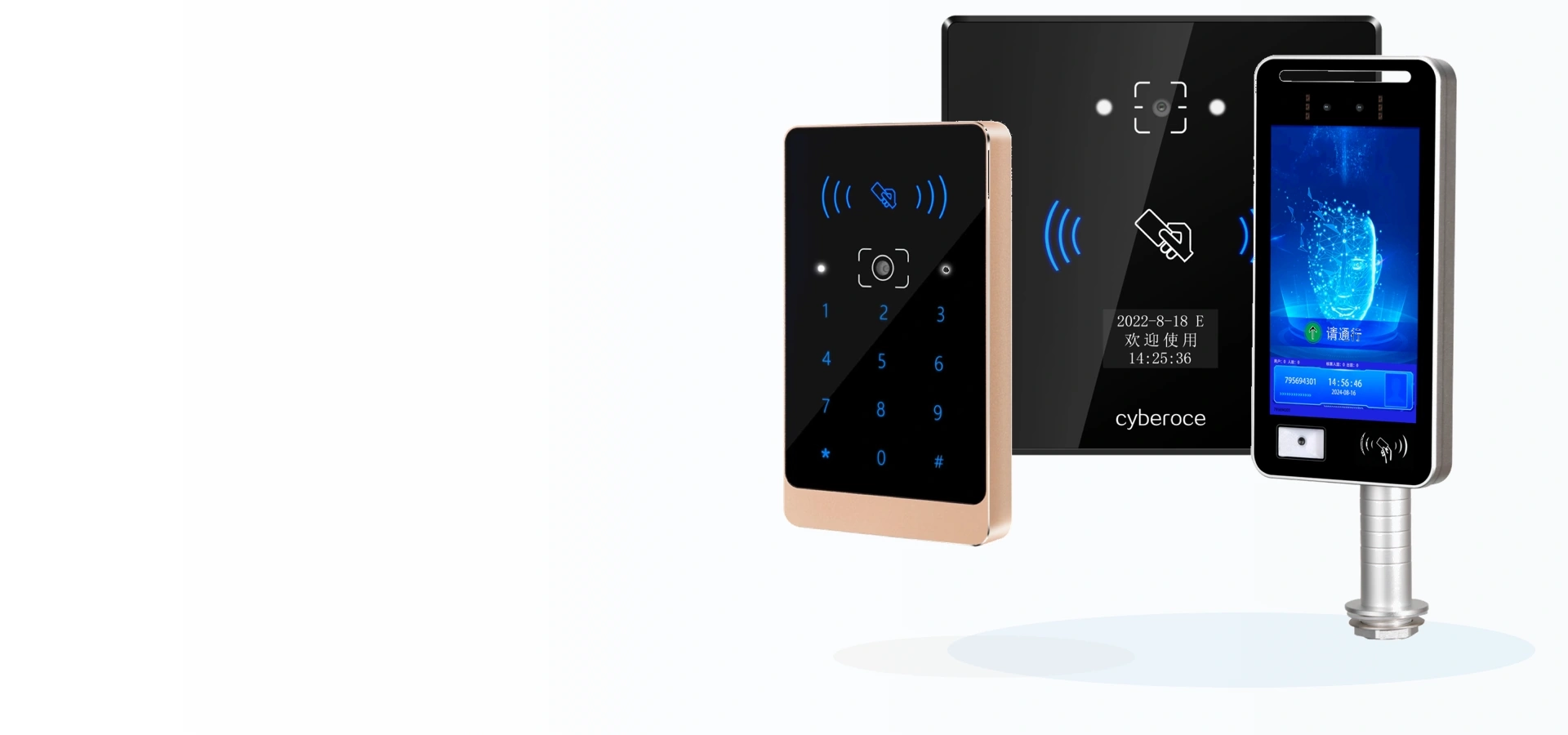
Access Control Readers and Terminals from Cyberoce, a Shenzhen Manufacturer
Explore controller-connected QR code readers, networked access control terminals and facial recognition devices. Choose by credential type, control architecture and installation site, then discuss the model and integration details with our team.
Explore Our Access Control Products
The first decision is where credential verification and access control will take place. Our product families cover external-controller projects, networked device-side control and facial recognition.
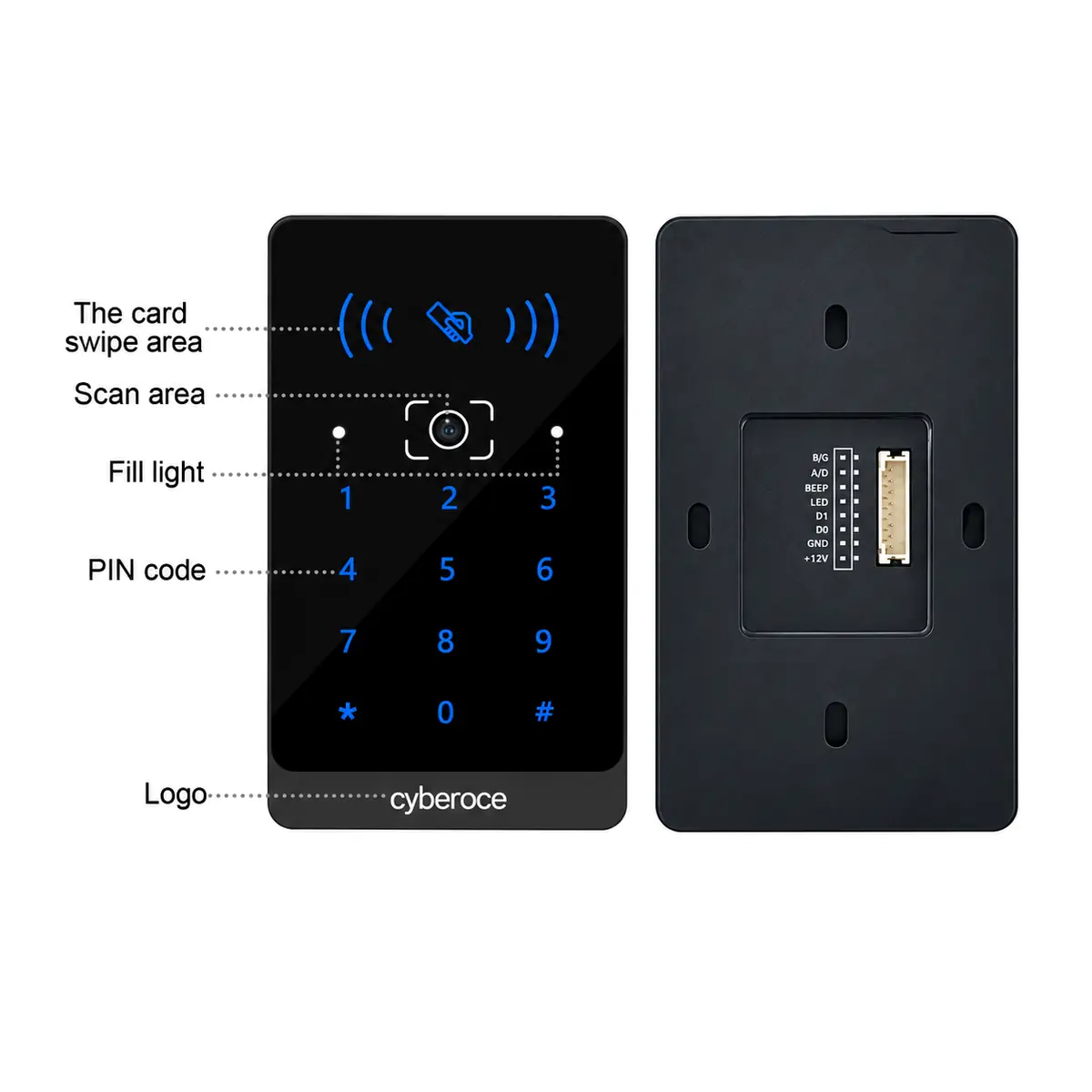
Qr Code Access Control Reader
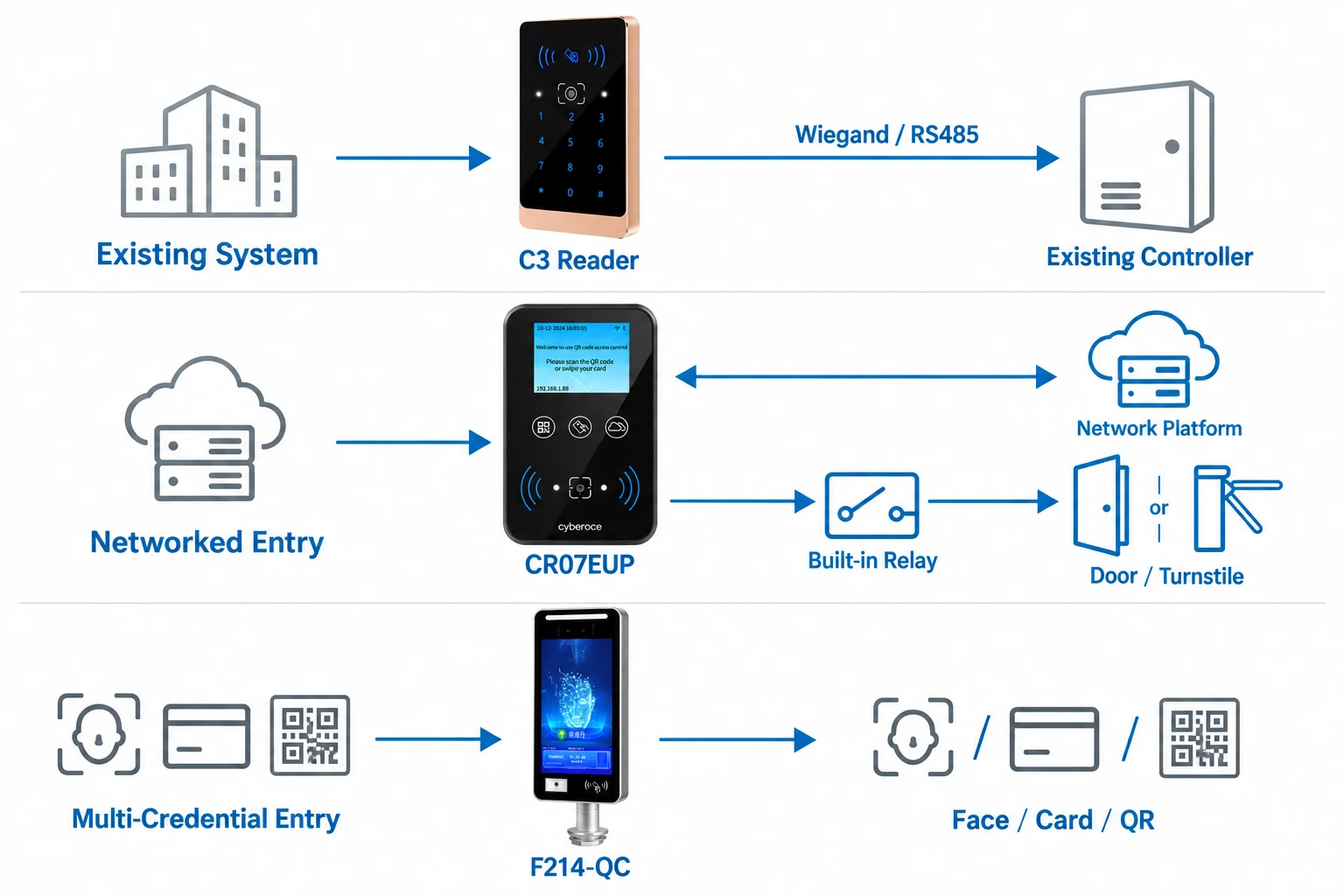
Connect a QR reader to an existing access control architecture. The C3 supports Wiegand 26/34 and RS485 output, while the C7 series is designed for elevator access. Select the reader by controller interface, mounting position and required credential types.
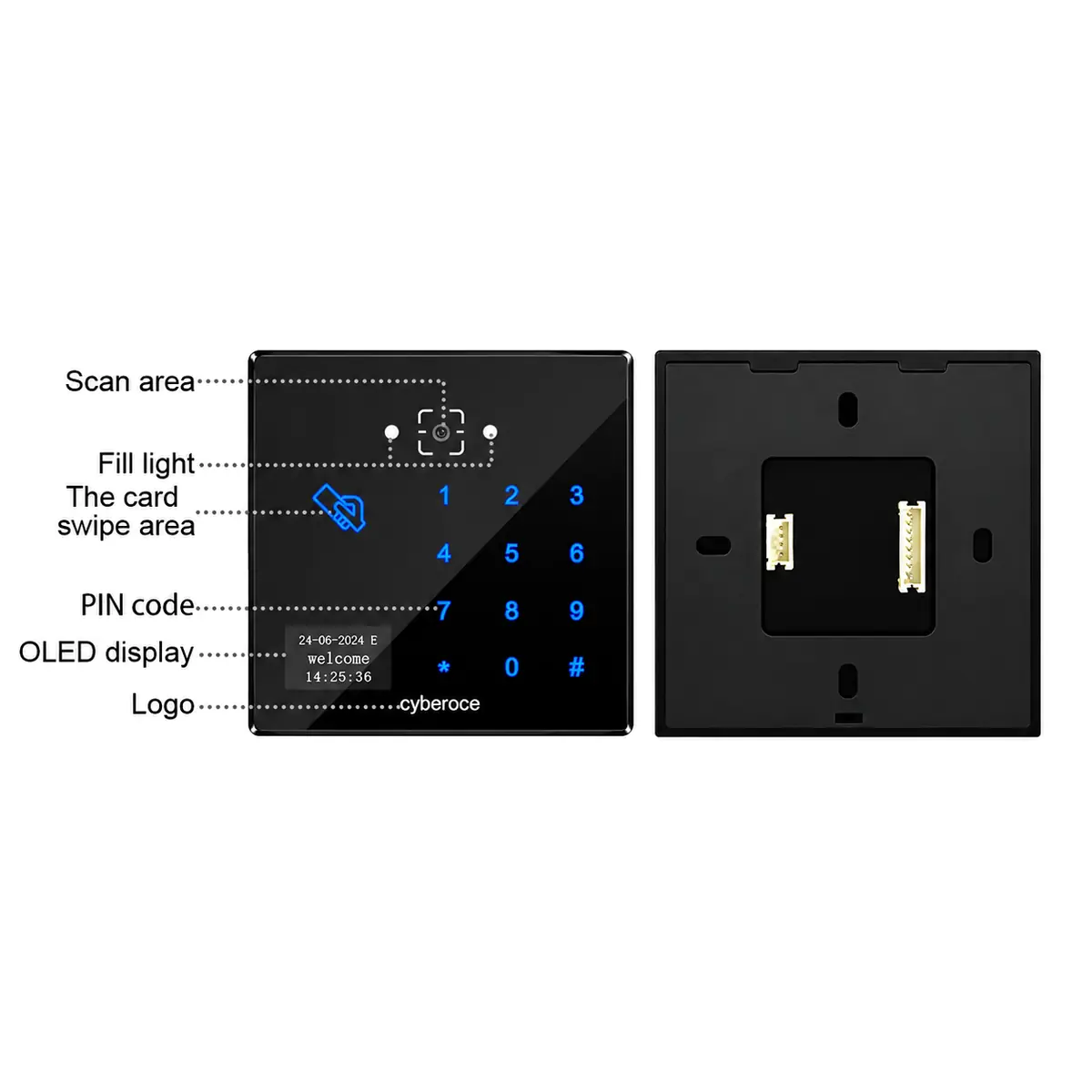
QR Code Access Control Terminals
Choose a terminal when the device needs to handle verification and control a door or gate through its own output. For example, CR07EUP supports Ethernet communication, HTTP/HTTPS and MQTT, online or offline verification, and a built-in relay. Functions and interfaces must be checked against the selected model.
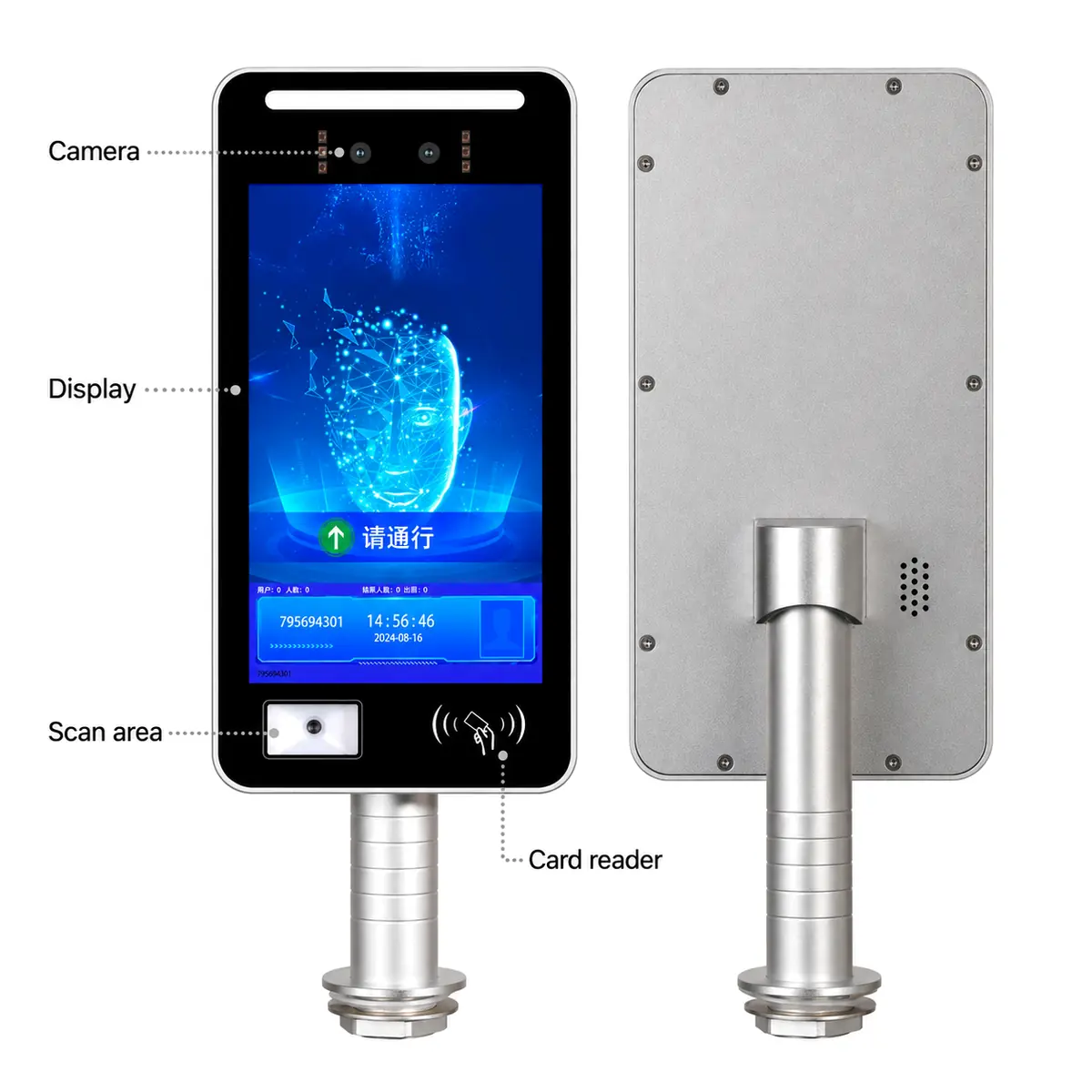
Facial Recognition Terminals
The F214 series provides an 8-inch display with facial recognition and card access. Choose F214-QC when QR code scanning is also required; F214-C and F214W-C are specified for face and card recognition. Column and wall-mounted versions serve different installation needs.
Which Product Architecture Fits Your Project?
| Project requirement | Starting point | Why it fits |
|---|---|---|
| An existing access controller handles access decisions | Qr Code Access Control Reader | A reader such as C3 sends credential data through its specified Wiegand or RS485 interface. |
| The device needs network communication and a local relay | QR Code Access Control Terminal | A model such as CR07EUP supports network protocols, device-side verification and relay output. |
| The project needs face recognition at the entry point | Facial Recognition Terminal | Select the F214 variant by mounting method and credential combination; QR scanning is specified for F214-QC. |
Interfaces, credential formats and optional functions vary by model. Match the datasheet to the controller, lock, turnstile or platform before final selection.
Start with the Installation and Control Point
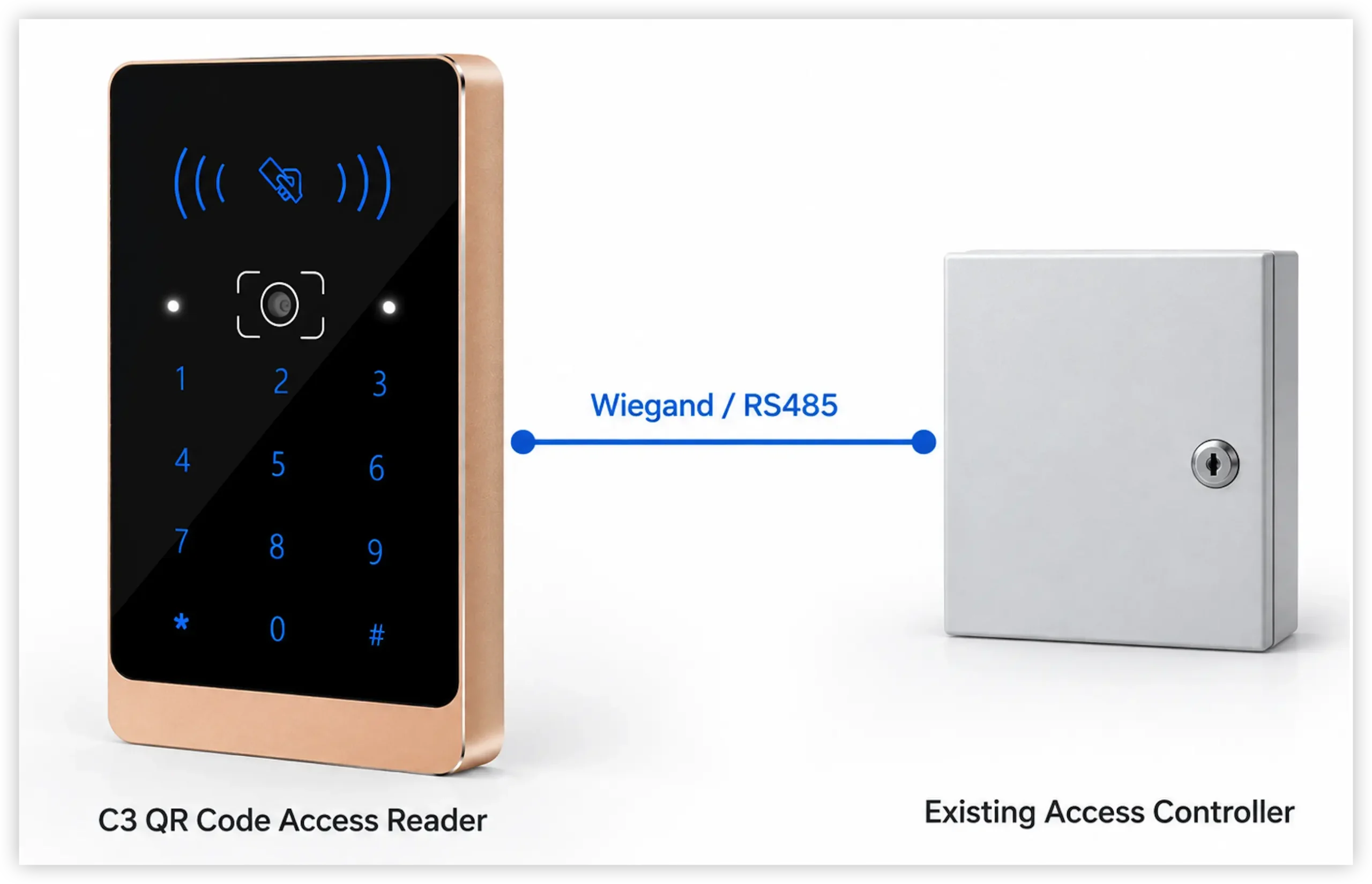
Existing door controller
If the access decision remains with an existing panel, begin with a controller-connected reader. Check the panel’s accepted data format and compare it with the selected reader’s output. C3 offers Wiegand 26/34 and RS485.
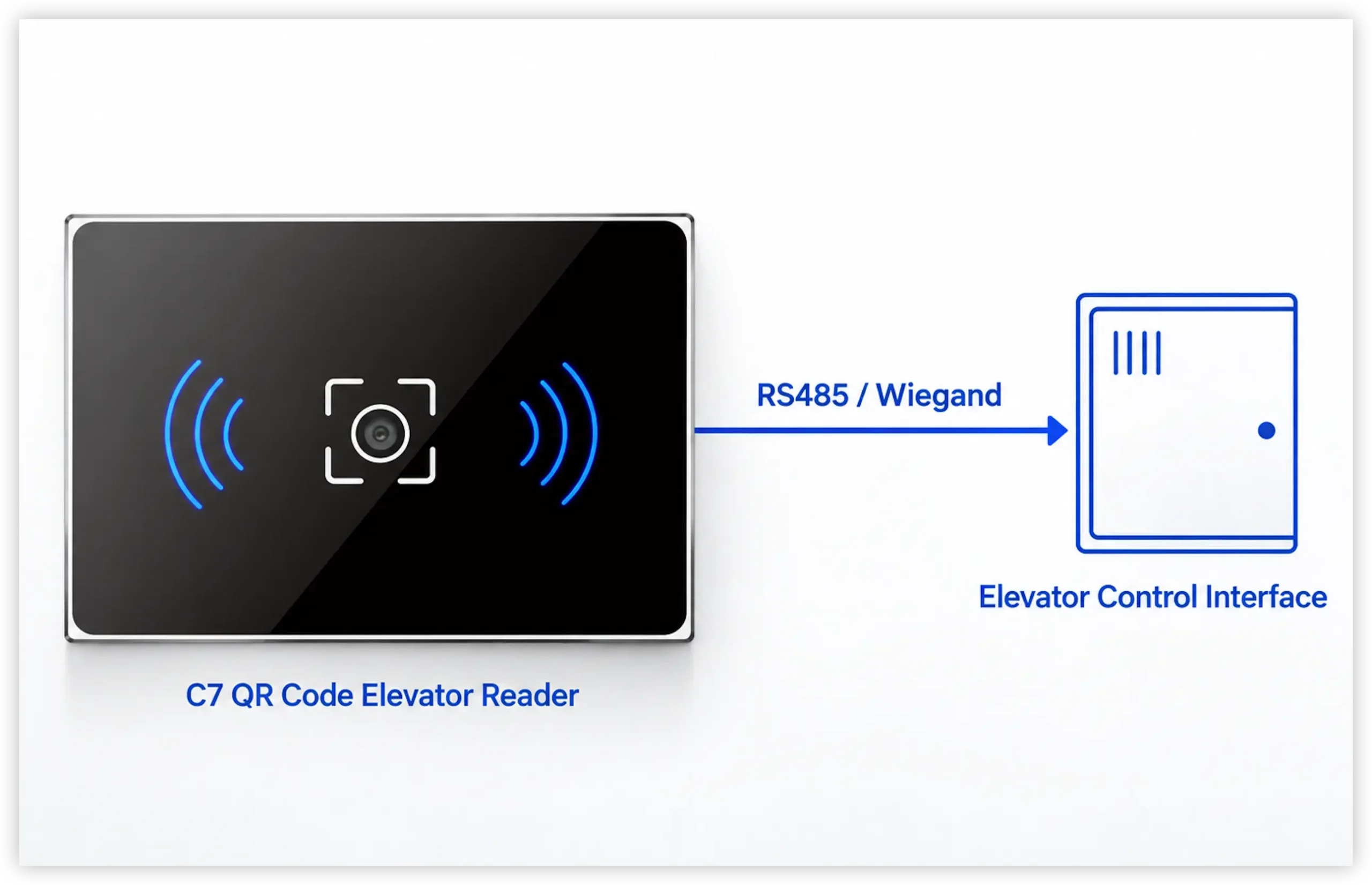
Elevator access
The C7 series was developed for elevator access. Its reader specification includes RS485 and Wiegand communication. Confirm mounting space, credential rules and the elevator-control interface during project review.
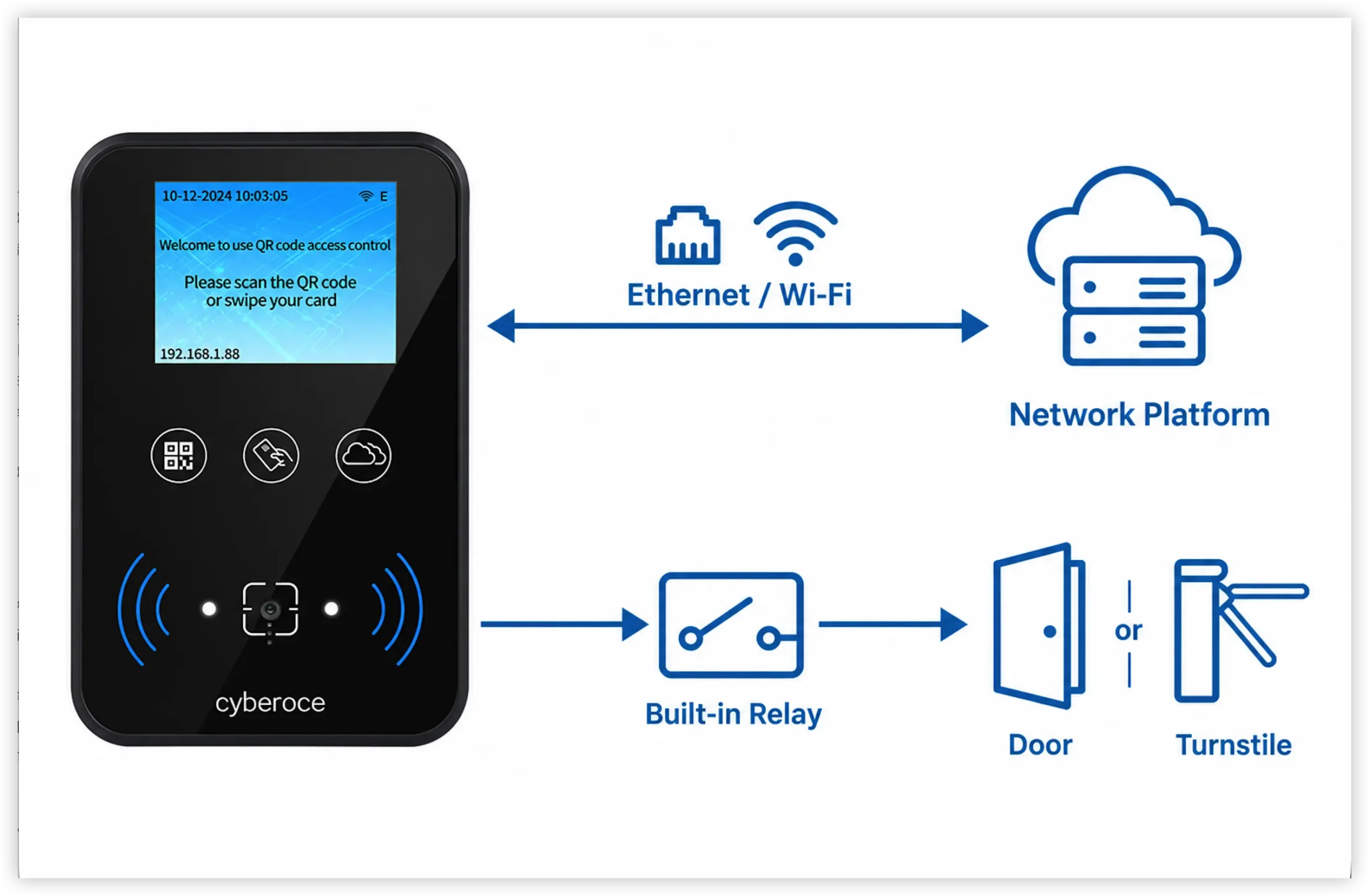
Networked door or turnstile
CR07EUP offers a built-in relay, Ethernet communication and online or offline verification options. CR10E is another compact terminal documented for networked access and turnstile integration. Confirm the verification workflow and physical installation for the chosen model.
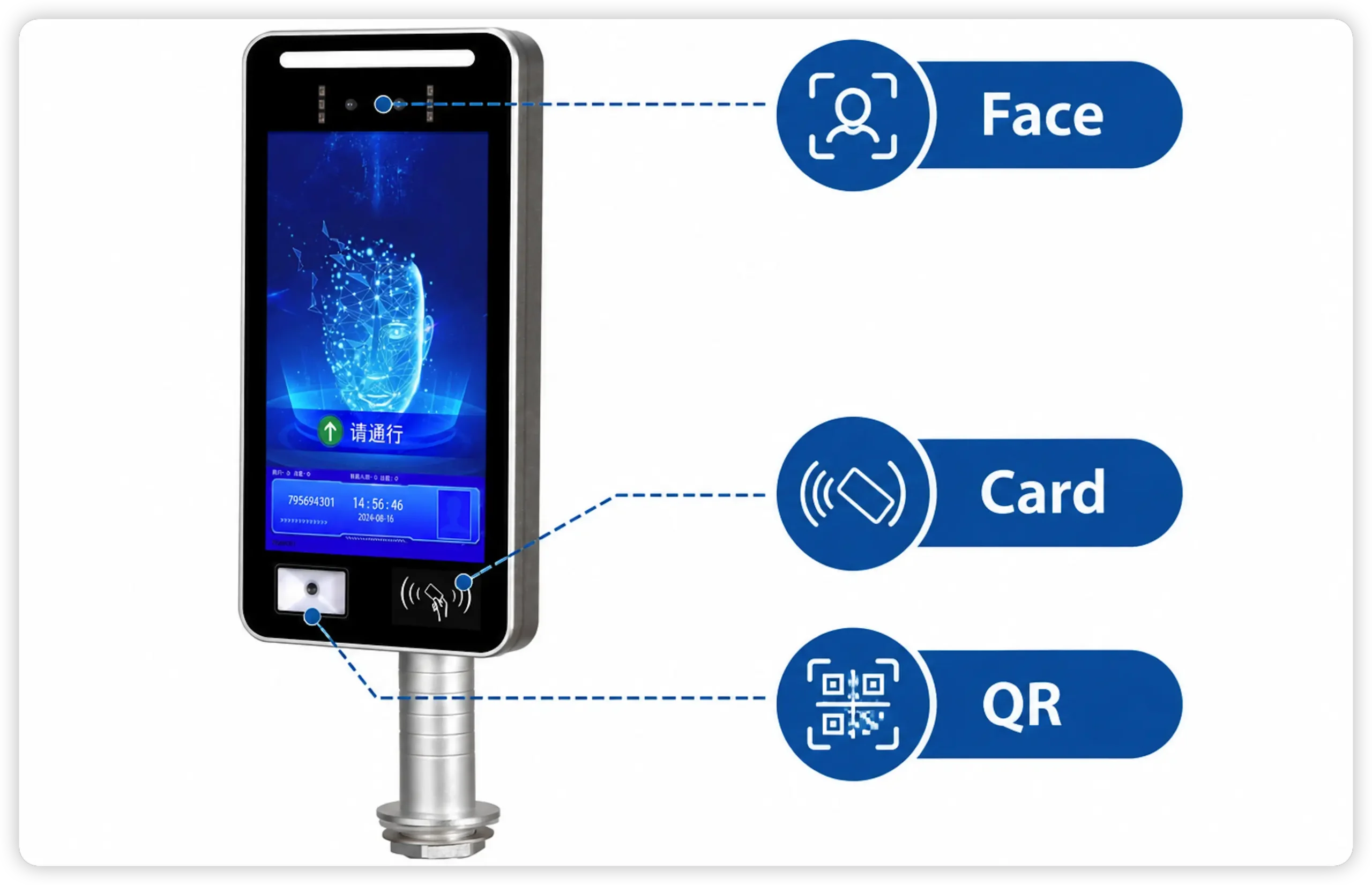
Face and QR at one entry point
F214-QC combines face recognition, card access and QR code scanning in one terminal. Do not assume the same credential combination applies to every F214 variant.
Plan the Device Around the Existing System
A QR reader and a networked terminal solve different integration tasks. Adding QR credentials to an established controller calls for a compatible reader output. Moving verification and gate control to the entry device calls for a terminal with the required network, validation and relay functions. Projects that also require facial recognition should be reviewed against the exact F214 variant, especially when QR scanning is part of the specification.
Select the control architecture first. Then check credentials, interfaces, mounting and environmental conditions at model level.
A Product Range Built for Integration Choices
More than one control path
Cyberoce offers both controller-connected QR readers and networked access terminals, allowing the device choice to follow the project’s existing control architecture.
Model-level technical review
Specifications for products including C3, C7, CR07EUP, CR10E and F214 describe their credential methods, interfaces and installation requirements. These details provide a practical starting point for system matching.
OEM and project customization
Cyberoce supports OEM and custom development. Discuss the required device configuration, integration interface and installation conditions against an existing model before defining the project scope.
Product Documentation and Manufacturing in Shenzhen
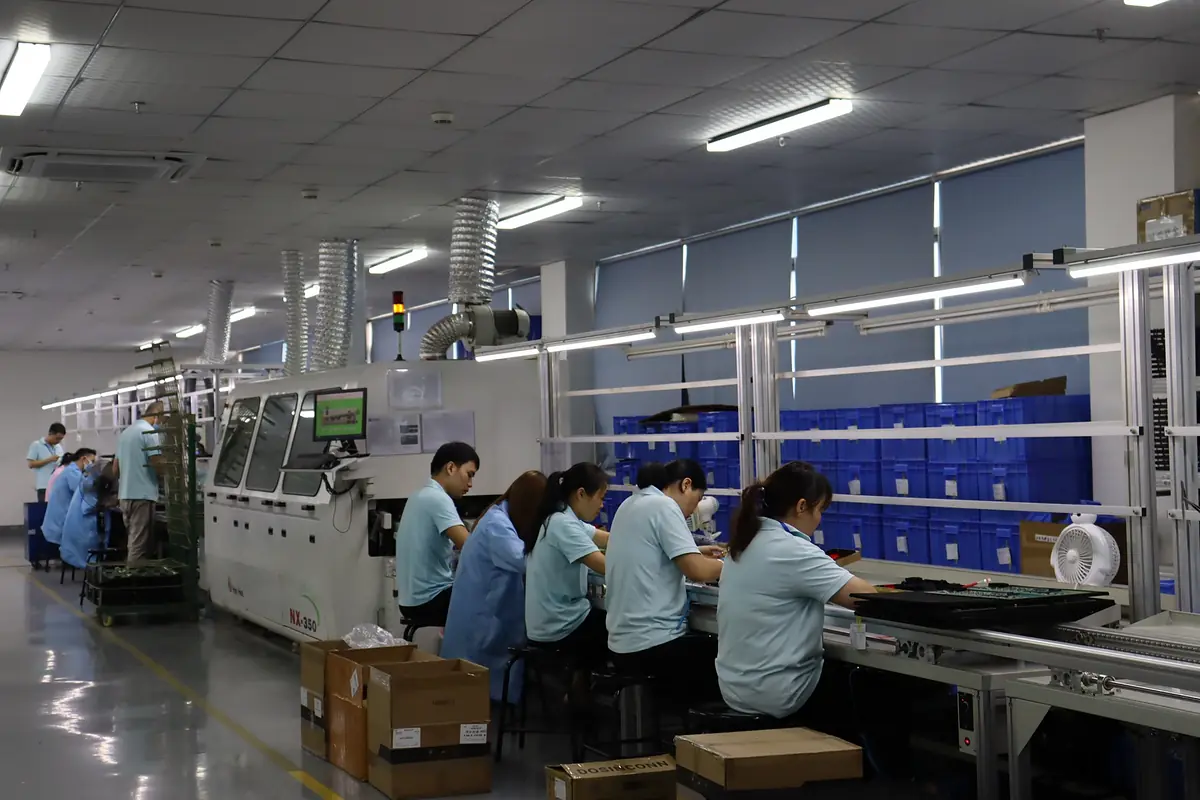
Cyberoce is the brand of Shenzhen Cerberus Technology Co., Ltd., established in 2014. The company develops and manufactures access control devices in Shenzhen. Product specifications help integration teams review model-level functions and connections before selecting hardware for a project.
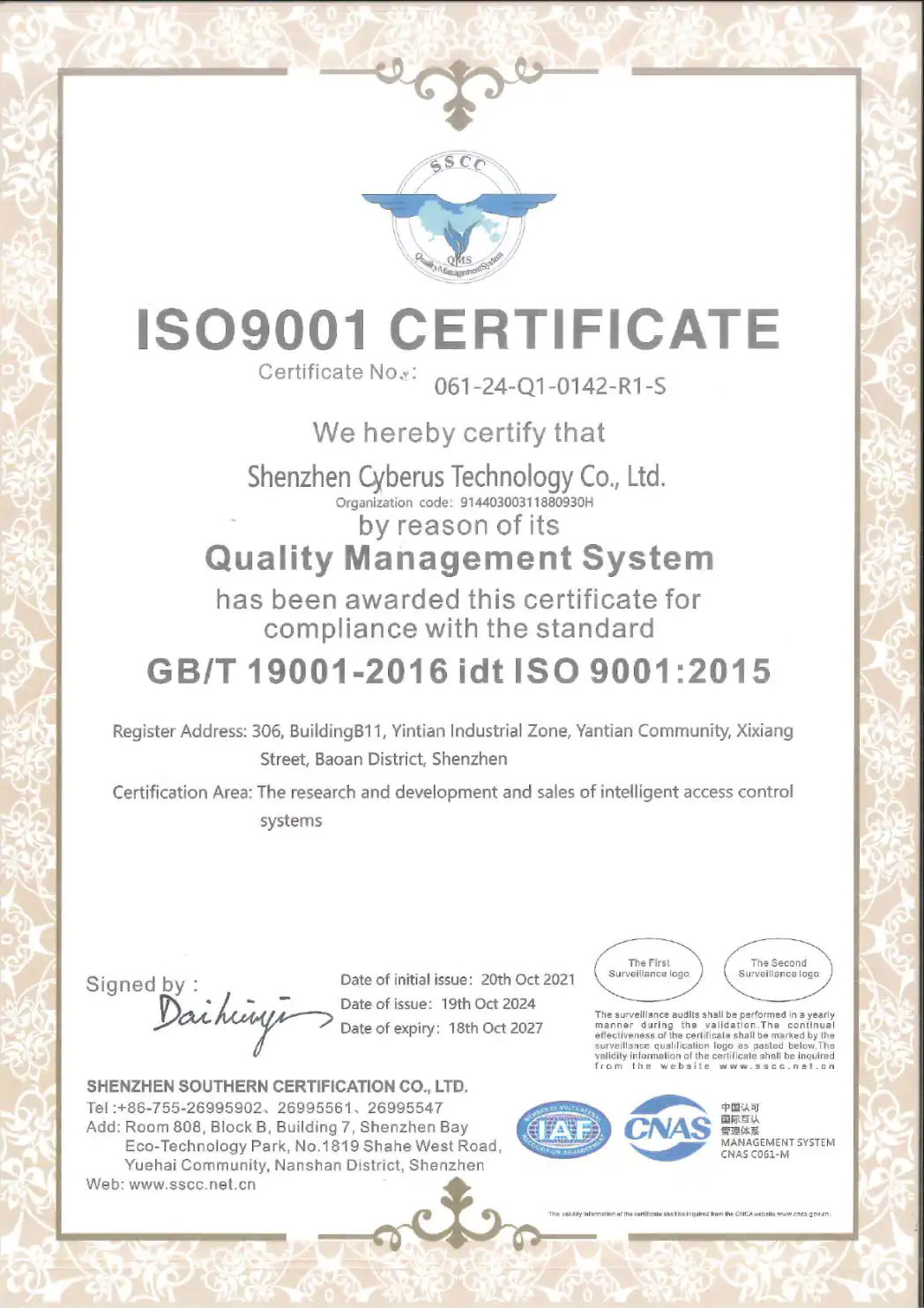
The company’s ISO 9001 certificate covers the research, development and sales of intelligent access control systems. Product-specific compliance documents should be checked against the exact model and intended market.
Access Control Product Selection Guide
Does a QR code reader replace an access controller?
Which products support online and offline verification?
Does every F214 facial recognition terminal scan QR codes?
What should be checked before connecting a device to a door or turnstile?
Find the Right Device for Your Entry Point
Share the product family or model you are considering and the system it needs to connect to. We can review the credential method, interface and installation requirements with you.