
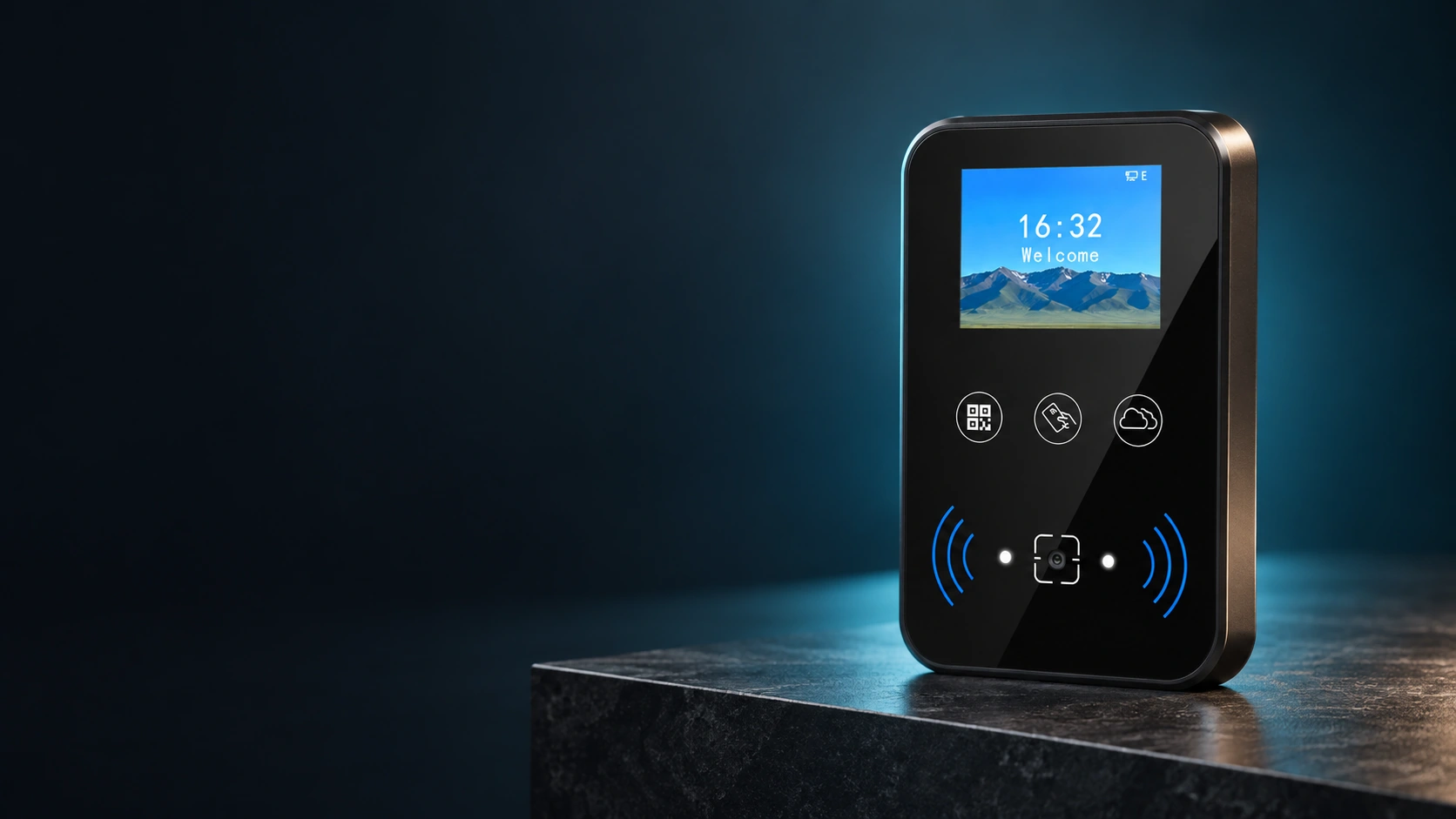
CR07EU QR Code Access Control Terminal Manufacturer
Bring QR codes, barcodes and MIFARE cards to one networked entry point. CR07EU combines a 2-inch status display, Ethernet communication, local access functions and relay control for doors or turnstiles.
Online and offline verification · HTTP/HTTPS and MQTT · Optional Wi-Fi and 125 kHz EM card configurations
CR07EU Specification
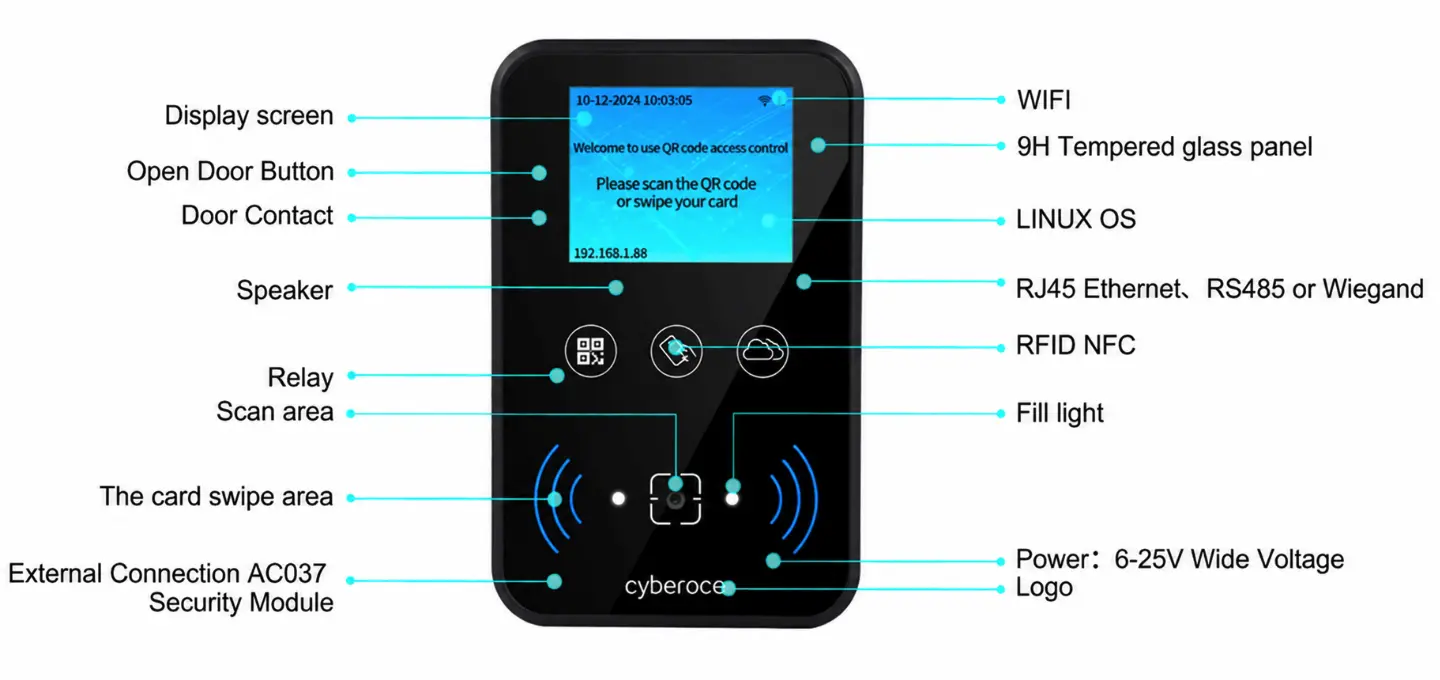
CR07EU is a networked QR code access terminal with an ABS housing and tempered glass panel. It reads QR codes, selected barcodes and 13.56 MHz MIFARE cards, then works with the configured access logic to provide status feedback and operate a compatible lock or gate through its relay.
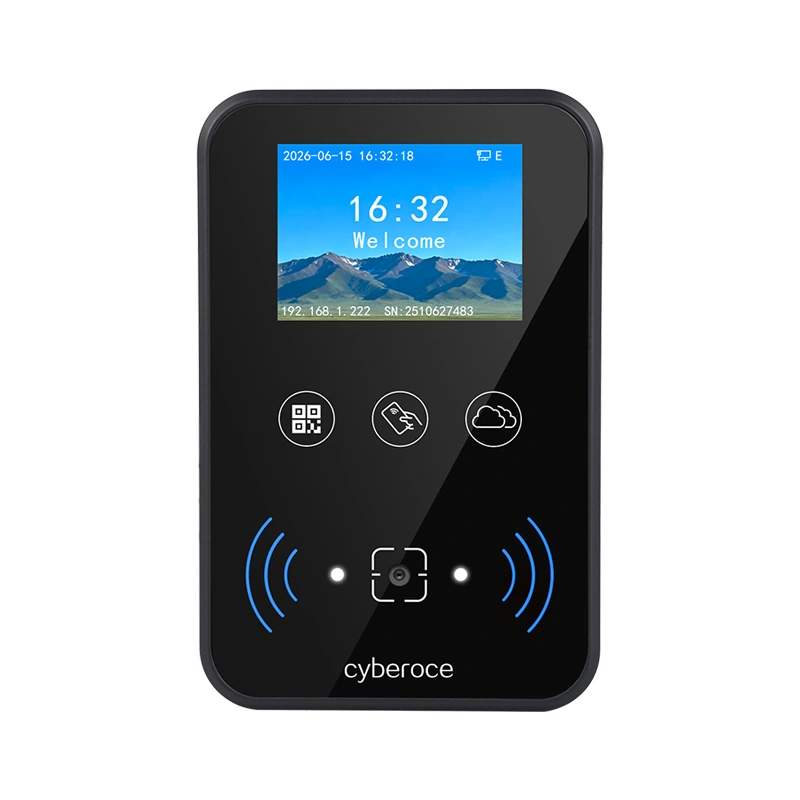
| Specification | CR07EU |
|---|---|
| Display | 2.0-inch IPS, 320 × 240 |
| Standard credentials | QR code, supported barcodes and 13.56 MHz MIFARE card |
| Optional credential | 125 kHz EM card, by configuration |
| Network | Wired Ethernet; Wi-Fi on supported configurations |
| Communication protocols | HTTP/HTTPS and MQTT |
| Access operation | Online and offline verification with local record caching |
| Local capacity | 100,000 offline users and 100,000 offline records |
| Control and inputs | One relay output; two inputs for functions such as an exit button or door sensor |
| Extended interface | Wiegand output or RS-485, mutually exclusive; Wiegand output is the default |
| Relay load capacity | 1 A |
| QR code reading distance | 5–20 cm |
| Power | DC 6–25 V |
| Dimensions | 115 × 75 × 15.5 mm |
| Housing and protection | ABS and tempered glass; IPX7 |
| Operating temperature | −20°C to 60°C |
Wi-Fi, 125 kHz EM card reading and text-to-speech broadcasting depend on the selected configuration. Confirm the exact hardware version and project settings before ordering.
Make Each Entry Point Easier to Operate
Mixed credentials at one entrance
Visitors may arrive with a QR code on a phone or printed ticket, while regular users carry cards. CR07EU supports QR and barcode scanning alongside 13.56 MHz MIFARE reading, so the credential mix can be assessed around one terminal. Validate the actual code formats and card types during integration.
Unclear feedback at the door
A failed scan and a denied access decision need different attention. The 2-inch display and built-in voice prompts can show the result at the device, helping users and on-site staff respond to the correct condition. Screen backgrounds and audio files can be adapted to project requirements.
A network interruption during access
CR07EU supports online and offline verification with local user and record storage. The operating rules, permission updates and record synchronization still need to be defined and tested with the connected platform before deployment.
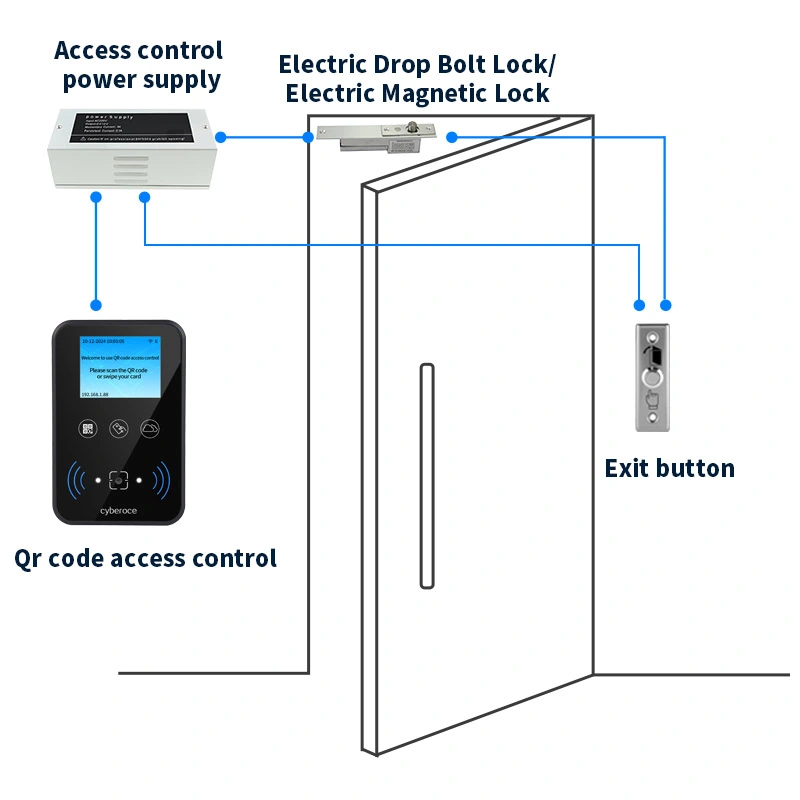
How CR07EU Fits into an Access System
A user presents a QR code, barcode or supported card at the terminal. CR07EU reads the credential, applies the configured online or offline verification process, displays the result and can send a relay signal to a compatible door lock or turnstile. The connected access, visitor or ticketing platform remains responsible for the project’s credential rules and authorization design.
Plan the Integration Around the Actual Interfaces
Ethernet provides the standard network path. CR07EU lists HTTP/HTTPS and MQTT for platform communication, while Wiegand output and RS-485 are alternative extended-interface configurations. A successful integration depends on matching the credential format, API fields, validation rules, network settings and door-control wiring to the chosen hardware and firmware.
Compatibility with a named third-party platform should be verified through its interface requirements and a sample integration; protocol support alone does not establish certified plug-and-play compatibility.
Check the Site Before Selecting the Configuration
| Project condition | CR07EU capability | What to verify on site |
|---|---|---|
| Credential mix | QR code, supported barcodes and MIFARE; optional EM card | Real phone codes, printed codes, card type and code format |
| Network path | Ethernet; optional Wi-Fi configuration | Available cabling, network reachability and selected hardware version |
| Door or gate control | Built-in 1 A relay | Control-input type, lock power and any need for an intermediate relay |
| Controller interface | Wiegand output or RS-485 | Which single interface and data format the receiving system requires |
| User feedback | 2-inch IPS display and voice prompts | Screen content, audio content and language needed at the entrance |
| Exposure | IPX7 device rating | Mounting position, sun exposure, cable sealing and the site’s environmental requirements |
| Offline operation | Local users and records | Permission distribution, outage behavior and later record synchronization |
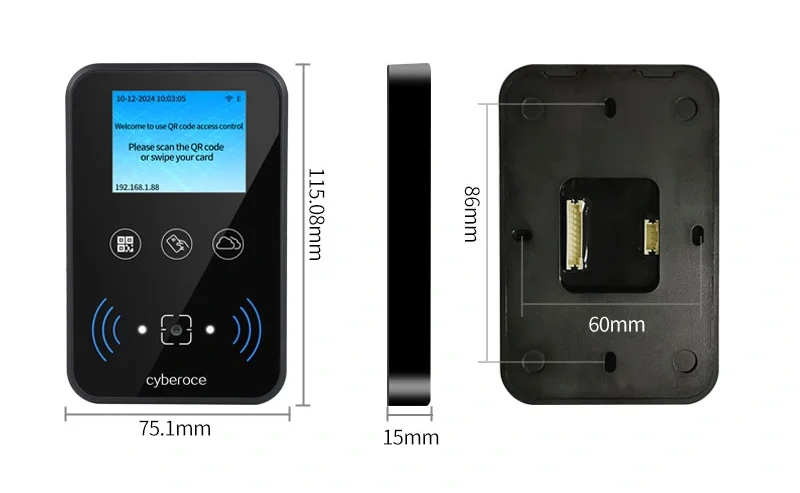
Position the device so users can present a code within its specified 5–20 cm reading distance without awkward movement. Avoid strong reflections across the scanning area. Final mounting and wiring must follow the manual and drawings supplied for the delivered CR07EU hardware version.
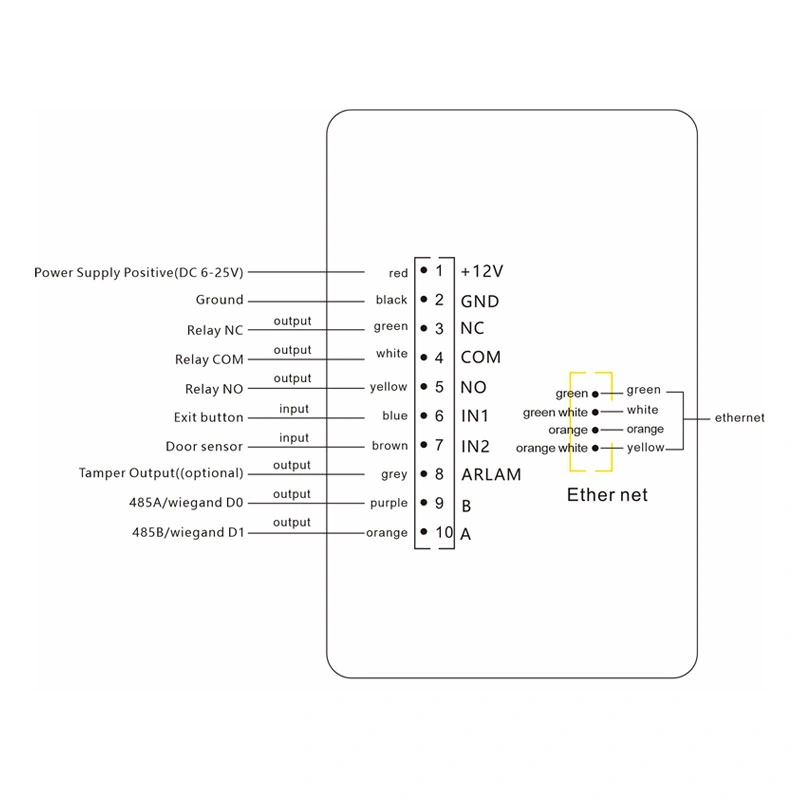
A Terminal Designed for Credential and System Integration
One device for several entry credentials. QR, supported barcodes and MIFARE cards cover common visitor, ticket and regular-user workflows; an EM card option is available on the appropriate configuration.
Status people can see and hear. The 2-inch IPS screen, result prompts and customizable background and audio content help adapt the terminal to the entry experience required by the project.
Defined paths into an existing system. Ethernet, HTTP/HTTPS, MQTT, relay control and the selectable Wiegand or RS-485 interface give integrators concrete starting points for technical review.
Support beyond the device enclosure. Our team can discuss sample-code validation, interface documentation, screen and audio requirements, and OEM/ODM details as part of a project review. The exact customization and integration scope is agreed for the selected configuration.
Where CR07EU Makes Sense
Self-service access
For facilities such as gyms, sports spaces and shared work areas where an authorized code or card needs to operate a door with clear on-device feedback.
Visitor and event entry
For entrances that accept phone-based or printed QR credentials and need to connect verification results to an existing visitor or ticketing platform.
Managed doors and turnstiles
For projects that need a networked terminal with relay control, local access functions and a visible status display.
QR Codes or Cards? Match the Credential to the User Journey
QR codes can suit visitors, bookings and tickets issued through a connected system, including codes presented on a phone or on paper. Cards can suit repeat users who already carry a physical credential. CR07EU supports both QR scanning and 13.56 MHz MIFARE reading, so the choice can be based on how credentials are issued, revoked and verified rather than on the door hardware alone. Neither credential type is automatically more secure; the access rules and implementation determine that outcome.
CR07EU Selection and Integration Questions
Contents
Is CR07EU suitable for a small facility?
What should be checked before installation?
Does CR07EU keep working without a network connection?
Which software can CR07EU connect to?
How does CR07EU differ from a simple card reader?
How should CR07EU be compared with other terminal models?
How can a buyer source CR07EU for a US project?
Work with a Team Focused on QR Access Hardware
We develop and supply QR access readers and terminals from Shenzhen and support project discussions that extend from the device specification to credential samples, interface requirements and selected OEM/ODM details. For CR07EU, begin with the model specification, the intended access workflow and the hardware version required at the entrance. That gives both teams a clear basis for sample evaluation and integration planning.
Product drawings and integration details can be reviewed for the selected project configuration.
Discuss the CR07EU Configuration for Your Entrance
Tell us where the terminal will be installed, which QR codes or cards it must read, and how it should communicate with your existing system. If you have a wiring drawing, API outline or sample credential, attach it so the product and integration discussion can begin with the right details.
Direct Contact Information
- contact@sz-cerberus.com
- +86 137 2888 0920
- Room 306, Building B11, Yintian Industrial Park, Xixiang Street, Bao'an District, Shenzhen, Guangdong Province, China