Select CR10 when:
- • The controller requires Wiegand, RS-232 or RS-485.
- • The reader will be installed in a protected enclosure or indoor equipment position.
- • A 125 kHz EM card option may be required.

Integrate QR codes, supported barcodes and 13.56 MHz MIFARE credentials into turnstiles, elevator panels and access-control equipment. Choose CR10 for controller interface flexibility or CR20 for RS-485 integration with a documented IP66 enclosure.
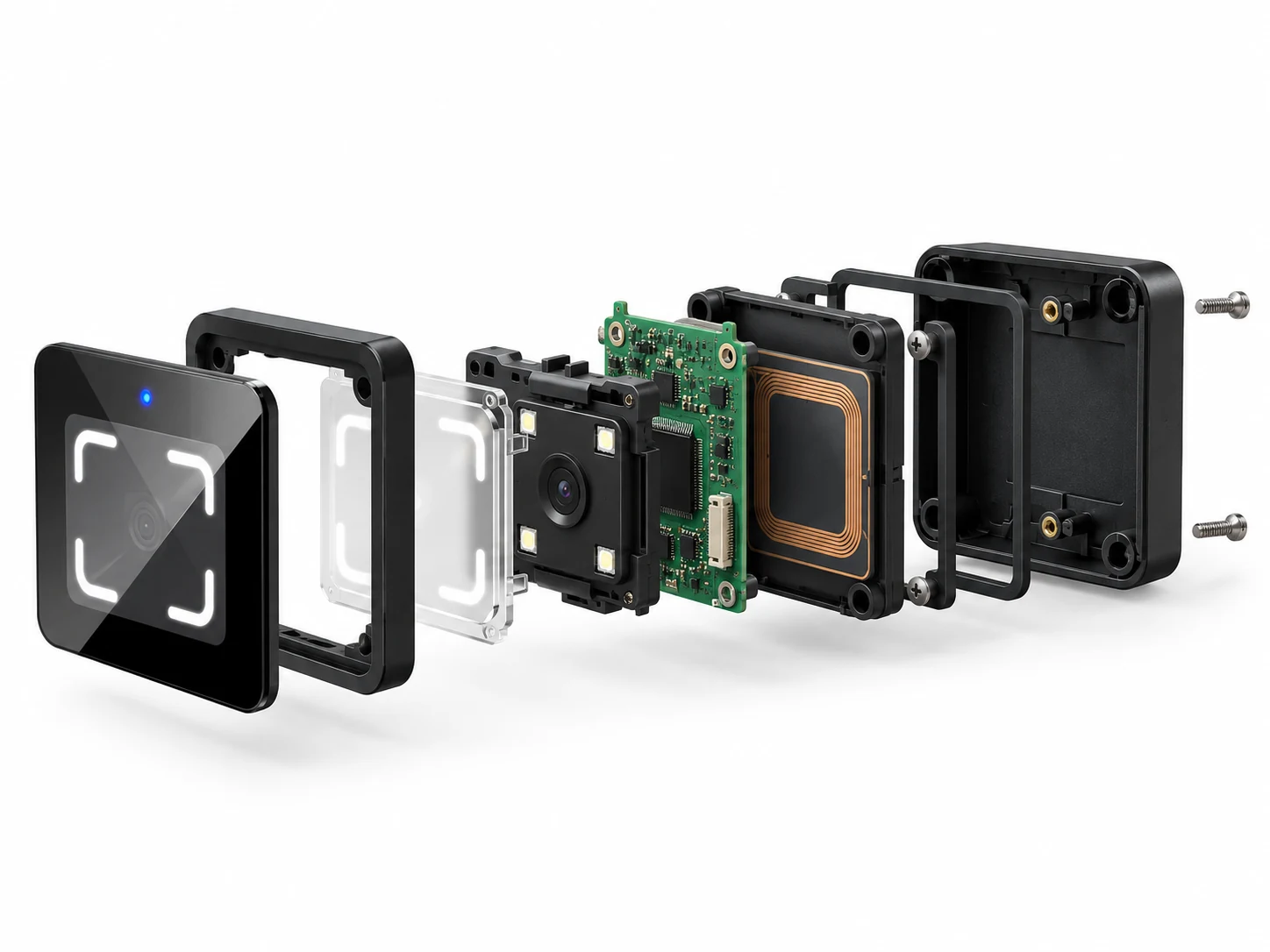
CR10 and CR20 are complete, housed access readers designed for installation in access-control equipment. They combine QR and supported barcode recognition with 13.56 MHz MIFARE card reading, then pass decoded credential data to an external controller.
They are different from exposed camera boards or bare decoding engines. They are also different from networked access terminals: door logic, user permissions, relay control and online verification remain functions of the connected controller or access platform.
ABS and tempered-glass construction provides a defined product enclosure and mounting footprint for equipment integration.
Use one front-facing reader position for supported QR codes, barcodes and contactless card credentials.
Select the model according to the interface accepted by the host controller and the environmental protection required at the installation point.
The two readers share a compact front profile but serve different interface and installation requirements. Start with the host controller connection, then confirm enclosure protection, power and mounting conditions.
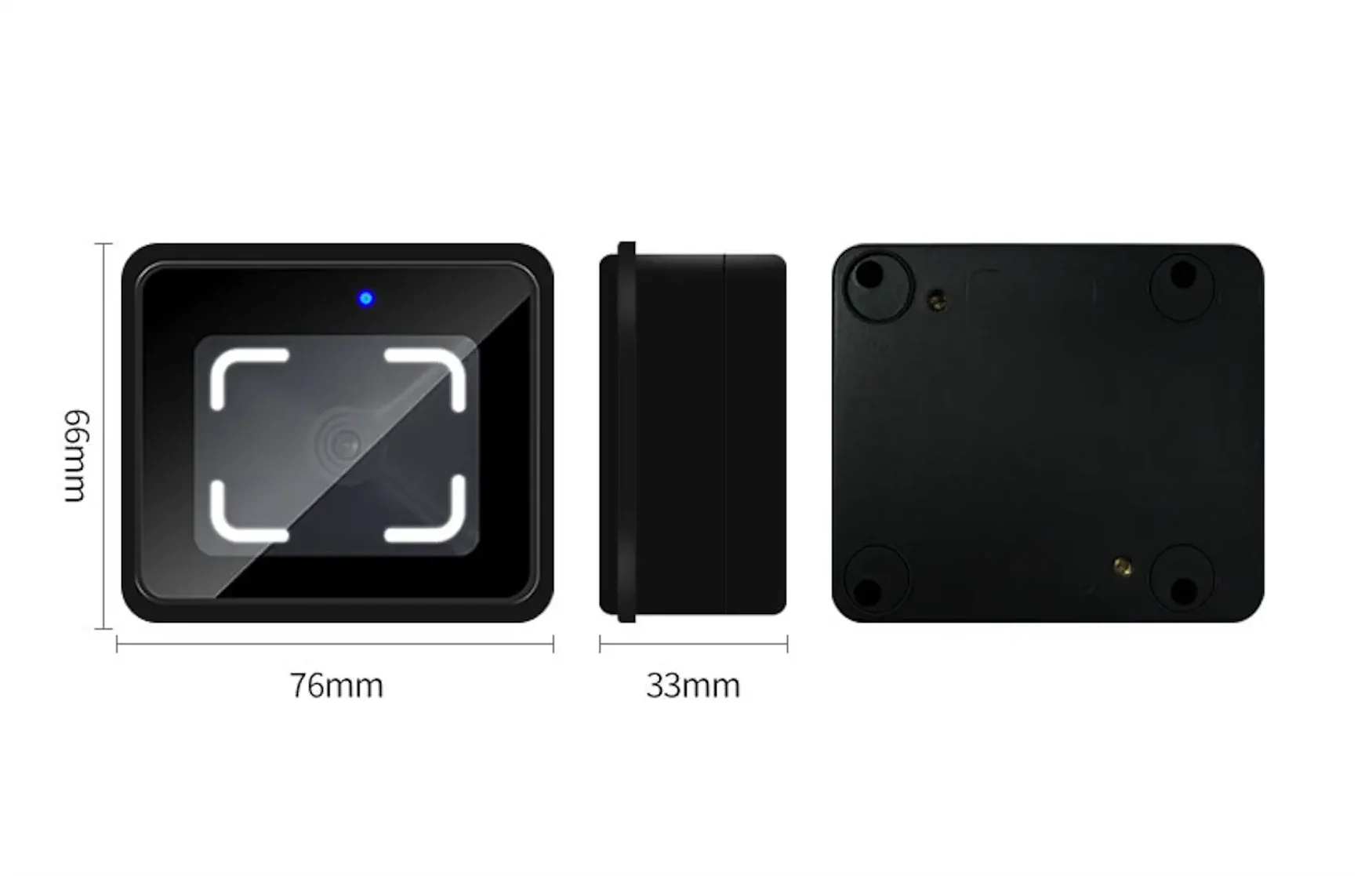
Use CR10 when the host controller may require Wiegand, RS-232 or RS-485. Its compact ABS and tempered-glass housing reads QR codes, supported barcodes and 13.56 MHz MIFARE cards. A 125 kHz EM card option is available by configuration.
Choose CR10 for interface flexibility and install it in a suitably protected equipment position. Confirm the required output format and the current delivery documentation before wiring.
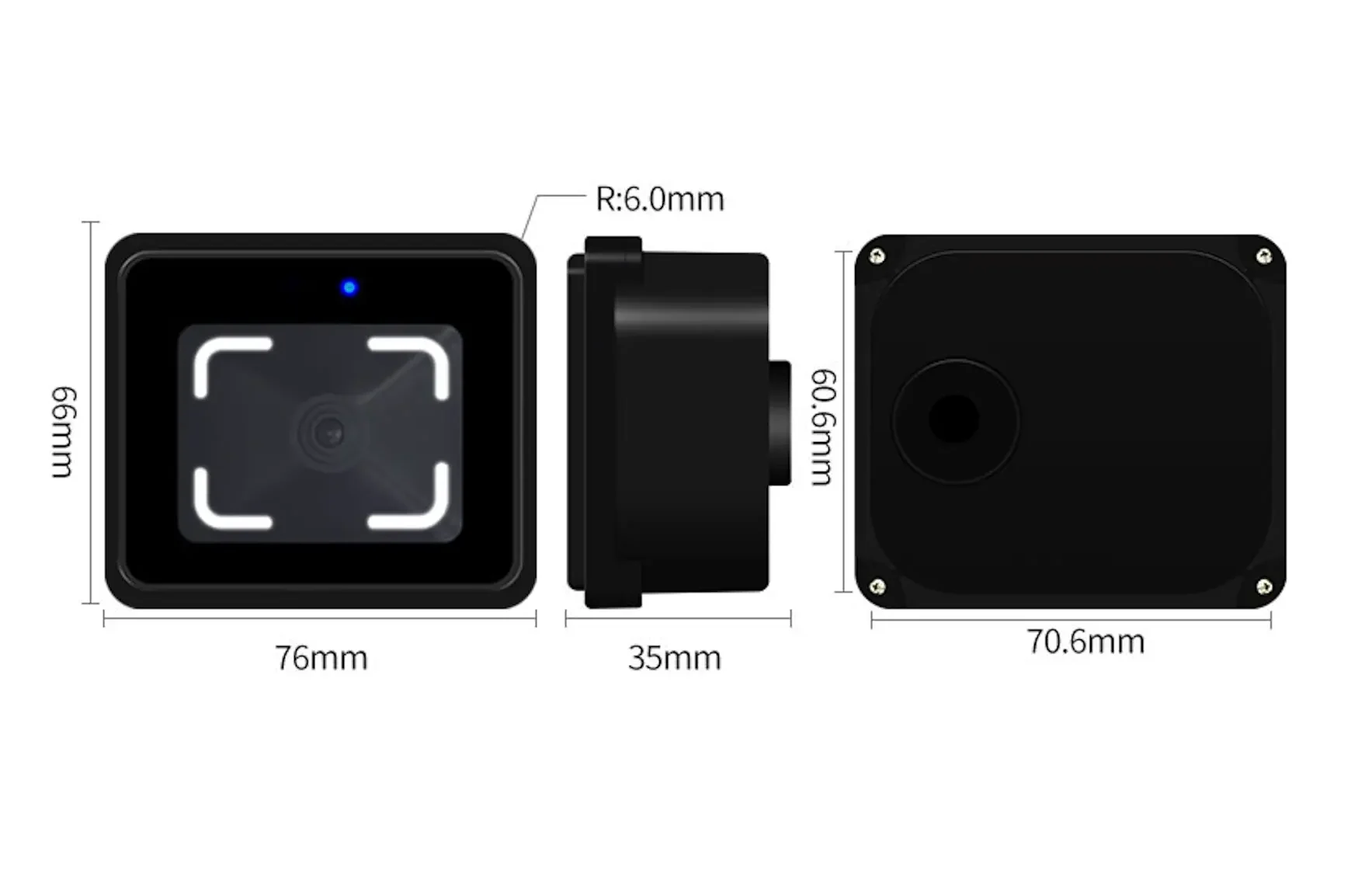
Use CR20 when the equipment architecture is based on RS-485 and the installation benefits from a documented IP66 enclosure. The reader handles QR codes, supported barcodes and 13.56 MHz MIFARE cards, then sends credential data to the host controller.
Choose CR20 for an RS-485 integration path and a higher documented enclosure-protection requirement. For long-term outdoor exposure, include a suitable protective shield in the installation design.
| Specification | CR10 | CR20 |
|---|---|---|
| Recommended selection basis | Multiple controller interface options | RS-485 with documented IP66 enclosure |
| Credential types | QR codes, supported 1D/2D barcodes, 13.56 MHz MIFARE; optional 125 kHz EM | QR codes, supported 1D/2D barcodes, 13.56 MHz MIFARE |
| Host interface | Wiegand, RS-232 or RS-485 by configuration | RS-485 |
| Dimensions | 76 × 66 × 33 mm | 76 × 66 × 35.4 mm |
| Power input | DC 5–30 V | DC 6–25 V |
| QR reading distance | 2–20 cm | 2–20 cm |
| Card reading distance | Less than 5 cm | Less than 5 cm |
| Minimum code resolution | 7 mil or higher | 7 mil or higher |
| Documented recognition figure | Fastest recognition: 10 ms | Recognition: less than 200 ms |
| Field of view | 72° horizontal, 54° vertical, 84° diagonal | 72° horizontal, 54° vertical, 84° diagonal |
| Reading angle | Roll 360°; pitch and yaw ±55° | Roll 360°; pitch and yaw ±55° |
| Operating temperature | −20°C to 60°C | −20°C to 60°C |
| Ingress protection | No published IP rating | IP66 |
| Independent network or relay control | No | No |
Recognition figures come from separate model documentation and should not be treated as a direct speed benchmark. Actual field performance depends on code quality, display brightness, print quality, reading angle, ambient light and host-system handling.
A bare scan engine and a finished access reader require different mechanical and electrical designs.
CR10 and CR20 provide a finished front-facing enclosure with known overall dimensions, helping equipment developers plan the reader position without treating the product as an exposed camera module.
A reader cannot compensate for an incompatible controller input.
Use CR10 when Wiegand, RS-232 or RS-485 may be required. Use CR20 only where the host architecture supports RS-485. Confirm baud rate, output format and controller handling before deployment.
Ingress protection must be selected at model level.
CR20 has a documented IP66 enclosure. CR10 has no published IP rating and requires suitable protection from water and exposed outdoor conditions. A protective shield remains advisable for long-term exposed installations.
Glare, low screen brightness, oversized codes and poor reader positioning can reduce scan reliability.
Validate the real mobile screens, printed credentials, ambient light and presentation angle used in the project. Position the reader where users can present a code naturally without strong reflection or direct glare.
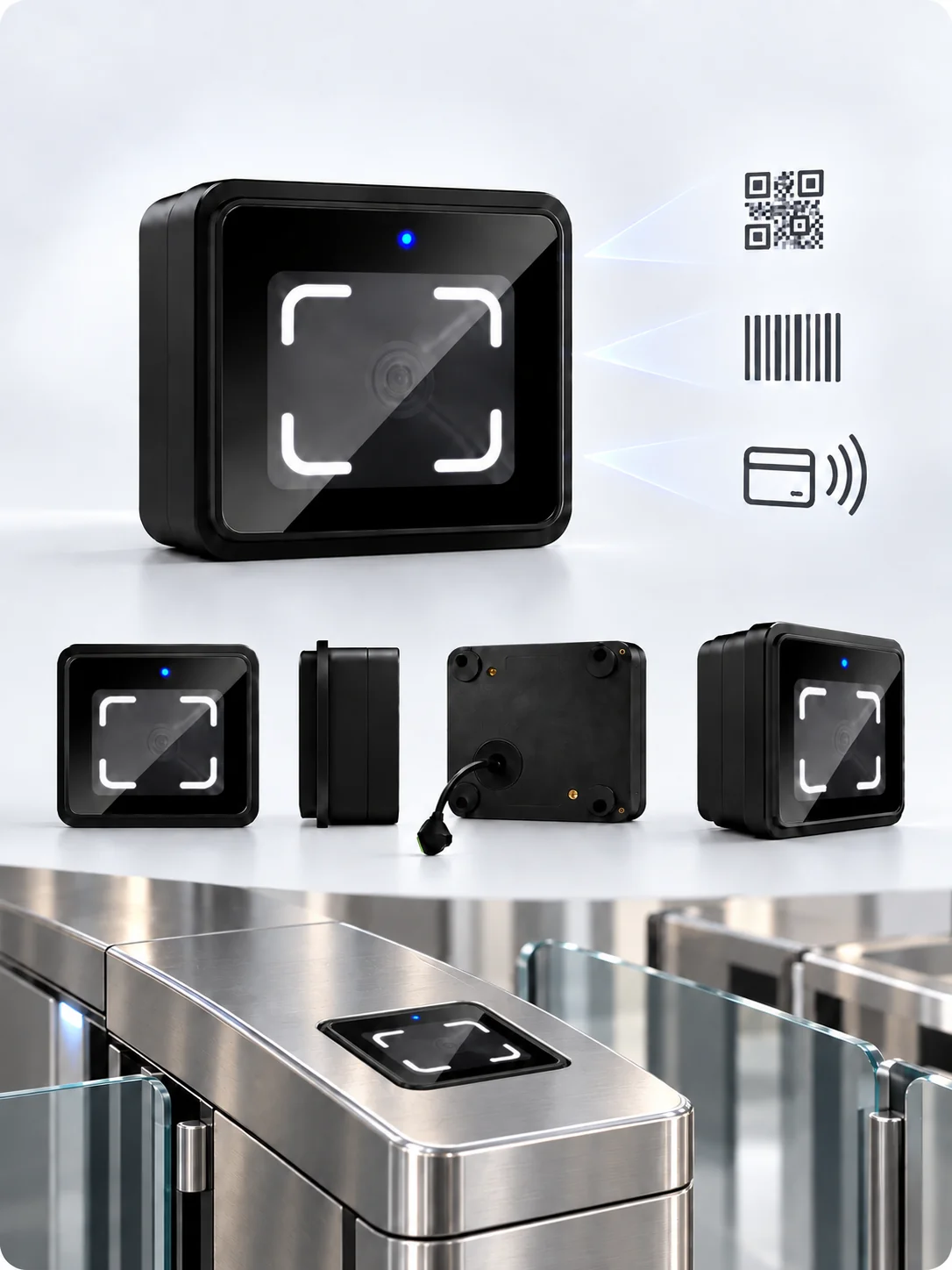
The two models share a 76 × 66 mm front profile, making it easier to compare them within one equipment family while retaining model-specific depth and interface requirements.
Read supported mobile-screen or printed codes and 13.56 MHz MIFARE cards from one reader position. CR10 can also be configured with a 125 kHz EM card option.
CR10 supports projects that need a choice of Wiegand, RS-232 or RS-485. CR20 supports projects that require selection of RS-485 and Wiegand.
Supported reader settings can be adjusted through model-specific configuration codes, including applicable communication and output options. Configuration codes and passwords must remain in controlled product documentation rather than being published on the page.
Model datasheets and operating manuals support dimensional review, wiring preparation, configuration and commissioning discussions.
A reliable embedded-reader project begins with the controller and installation conditions—not with the product name alone. Use the following checks before confirming the model and panel design.
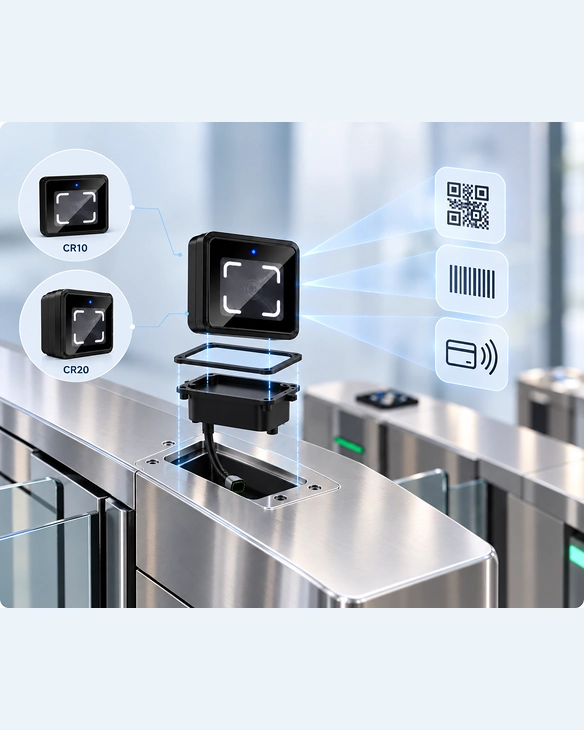
Identify whether the host controller accepts Wiegand, RS-232 or RS-485. If it supports multiple interfaces, select CR10; if it only supports RS-485 and Wiegand, select CR20. Do not assume that interface types are interchangeable.
Match the supplied voltage to the selected model and evaluate voltage drop over the actual cable run. Power off the system before wiring, and verify the current product label and delivery documentation before commissioning.
For CR20, connect the RS-485 A and B lines with the correct polarity and use a suitable twisted pair. Multiple devices should follow the project’s RS-485 topology, with termination applied at the end of the bus when required. Long cable runs must be reviewed for communication quality and power loss.
Allow sufficient space for the reader body, cable routing and future maintenance. Keep the reader away from positions where metal, adjacent readers or cable stress may interfere with installation. For CR20 installations, maintain at least 3 cm from nearby metal and at least 5 cm from another reader where practical.
Test the mobile phones, printed codes and card types used by the project. Avoid direct glare and strong reflection. Mobile screens should be bright enough for recognition, and the code should fit naturally within the reader’s viewing area.
Verify reader recognition, communication settings, controller receipt and access-platform handling as separate steps. If a code is recognized but no access event follows, inspect the interface settings and controller logic before treating it as a reader failure.
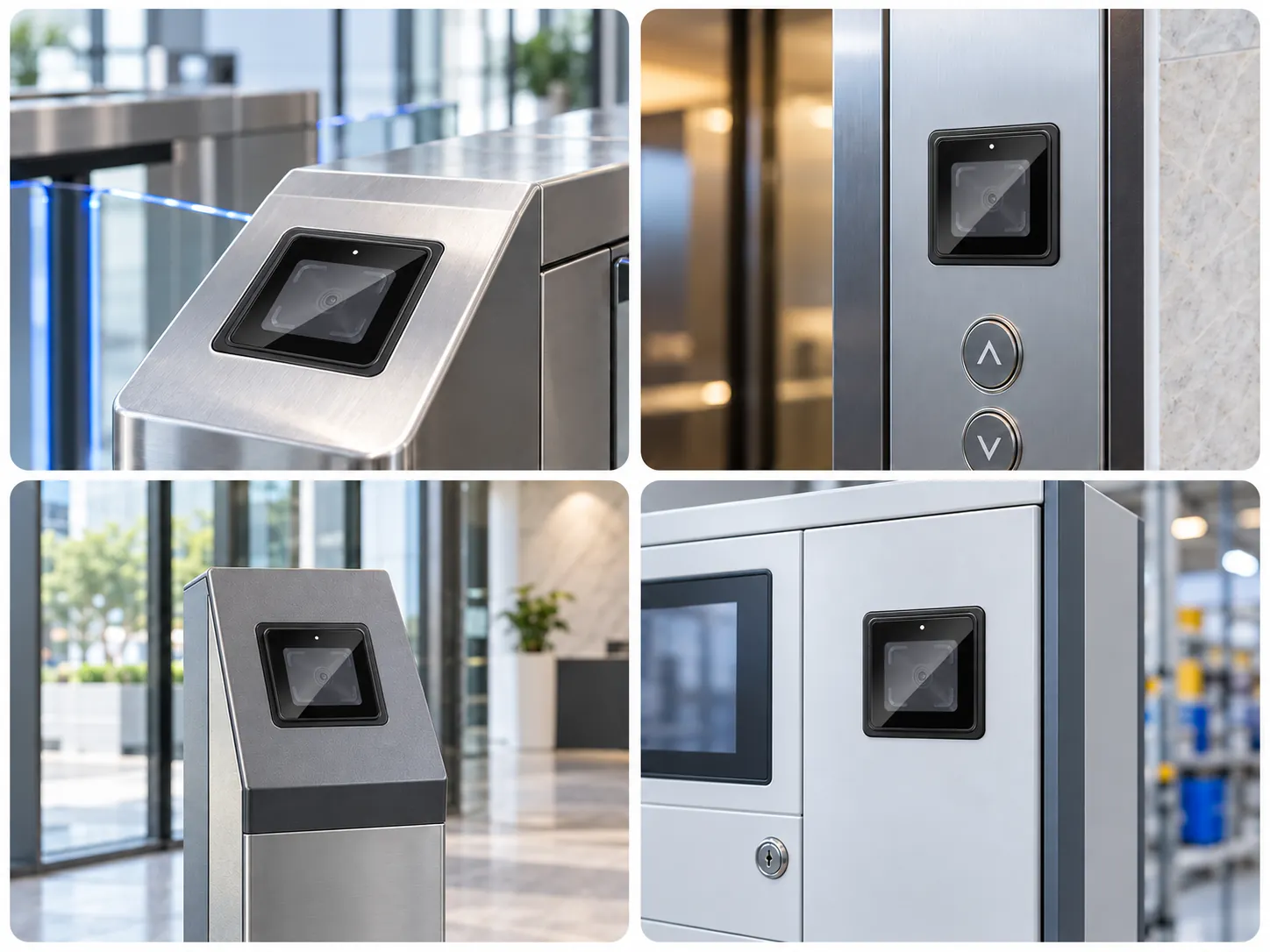
Install the reader where users can present a mobile or printed credential naturally, then pass the decoded result to the gate controller for access processing.
Recommendation: CR10 or CR20, selected by controller interface and exposure level.
Use the compact reader format within an elevator or access-control panel after confirming the opening, installation depth, power and controller interface.
Recommendation: CR10 for interface flexibility; CR20 for RS-485 and documented IP66 enclosure protection.
Combine QR or barcode credentials with MIFARE card reading while leaving user permissions, event handling and door logic to the connected access-control system.
Recommendation: Select by host interface and project environment.
The products may be evaluated for other equipment only after the mounting space, reader orientation, power, interface, credential format and operating environment are reviewed. They should not be presented as drop-in POS, payment or bare kiosk scan-engine modules.
Related Access Control Resources:
Established in Shenzhen in 2014, Cerberus develops and supplies QR access readers and networked access-control devices for system integrators, equipment brands and project partners.
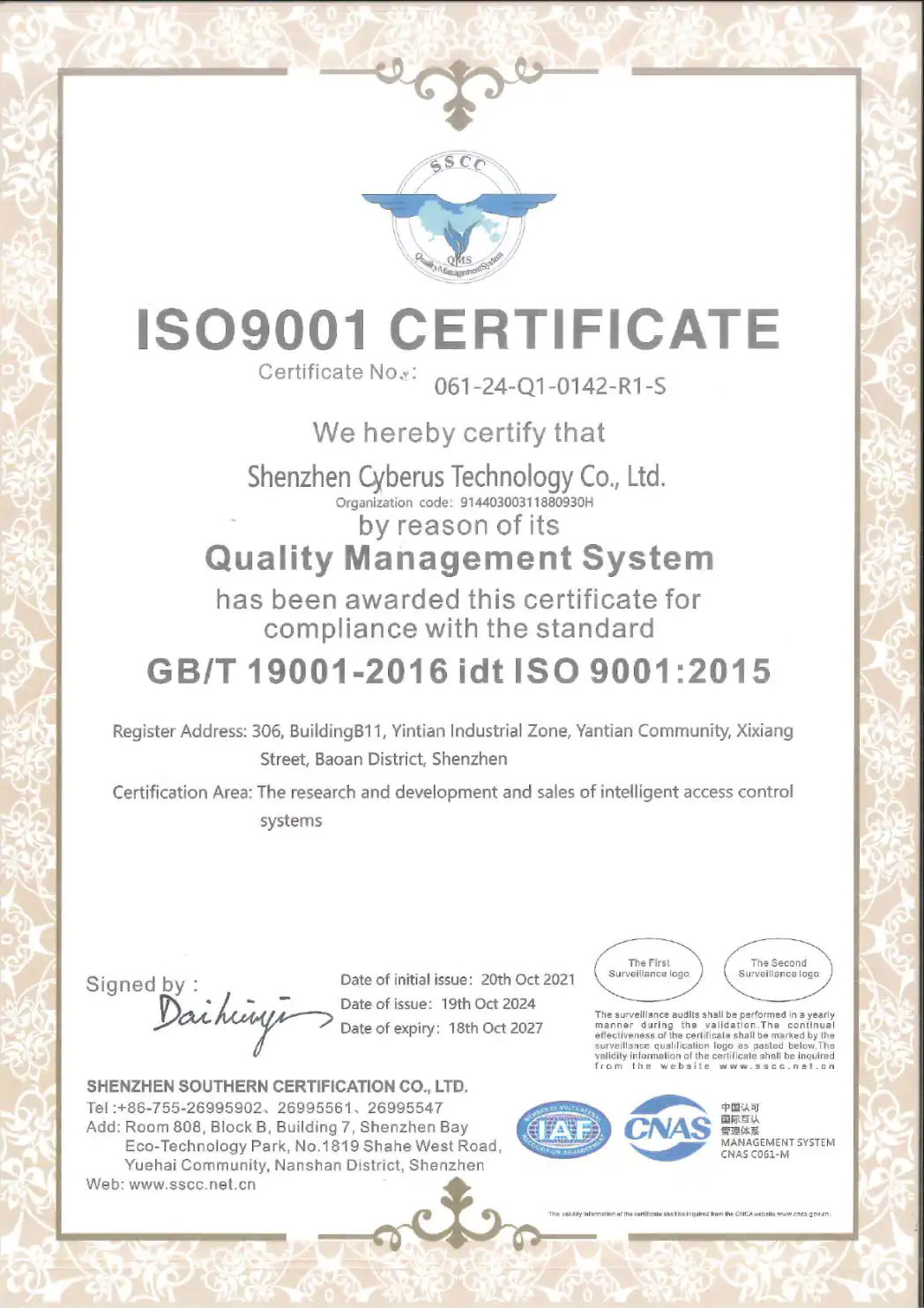
The company’s quality management system is certified to ISO 9001:2015 for the R&D and sales of intelligent access-control systems. The current certificate is valid through October 18, 2027, subject to annual surveillance.
For embedded-reader projects, model datasheets and operating manuals support product selection, dimensional review, wiring and commissioning discussions. OEM and ODM requirements are reviewed against the selected model, interface, installation environment and project scope.
Share your equipment type, controller interface, available mounting space, supply voltage, credential formats and installation environment. We will use these details to review whether CR10 or CR20 is the more suitable starting point for your project.
If available, include the code samples, controller model, expected cable distance and required quantity in your message.