
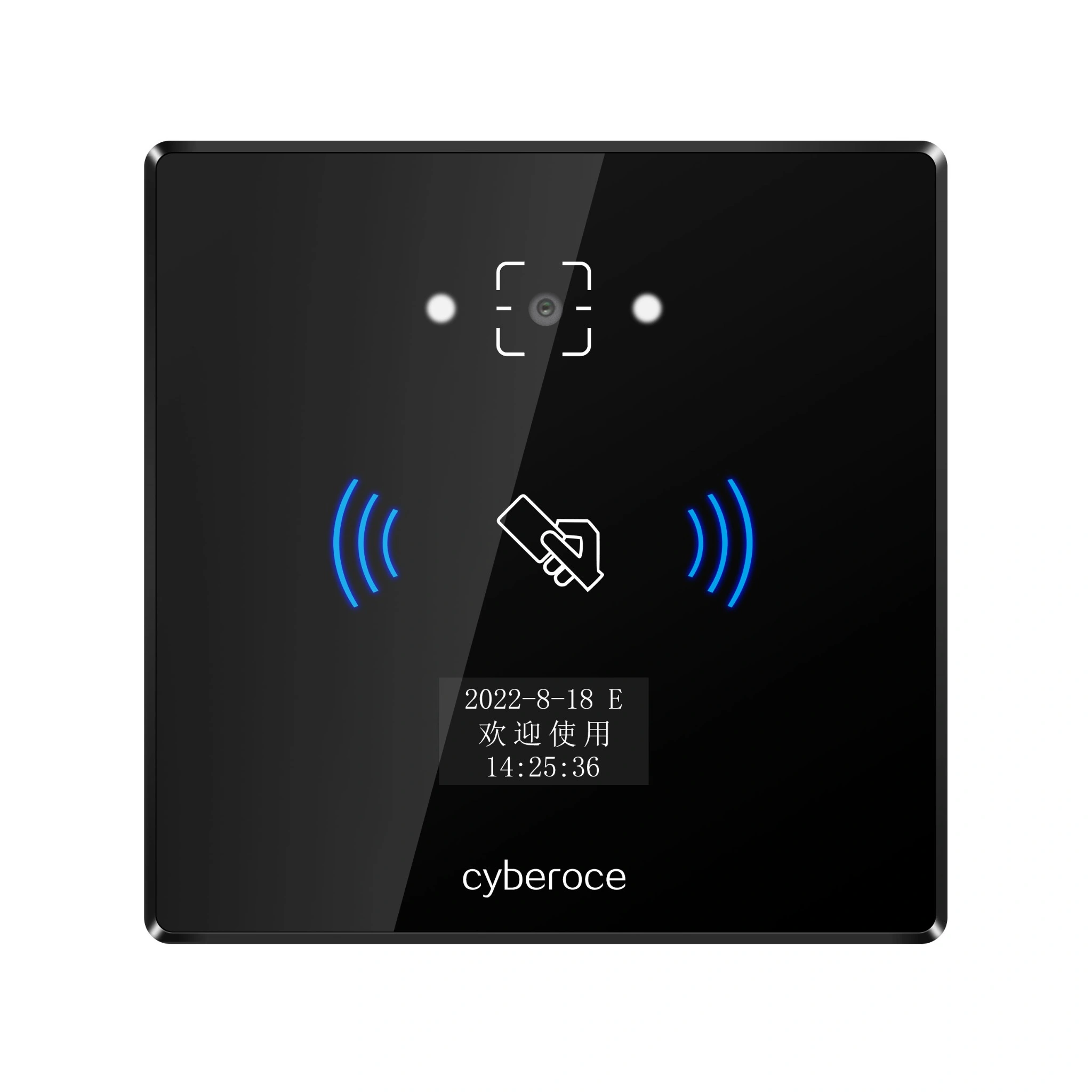


Front view of the CR06EU QR code access control terminal

CR06EU QR Code Access Control Terminal Manufacturer for Door and Gate Integration

Bring QR, barcode and MIFARE entry to a networked access point. CR06EU combines Ethernet communication, local credential and record storage, relay control and a compact 86 × 86 mm front panel.

QR and RFID credentials · Online or configured offline verification · HTTP, HTTPS and MQTT integration

CR06EU Specifications

CR06EU is a networked access control terminal that reads QR codes, selected barcodes and MIFARE cards, checks permissions through the configured system or local data, and operates a connected lock or gate through its relay. It is intended for projects that need a terminal at the entry point, rather than a reader that only passes credential data to a separate controller.

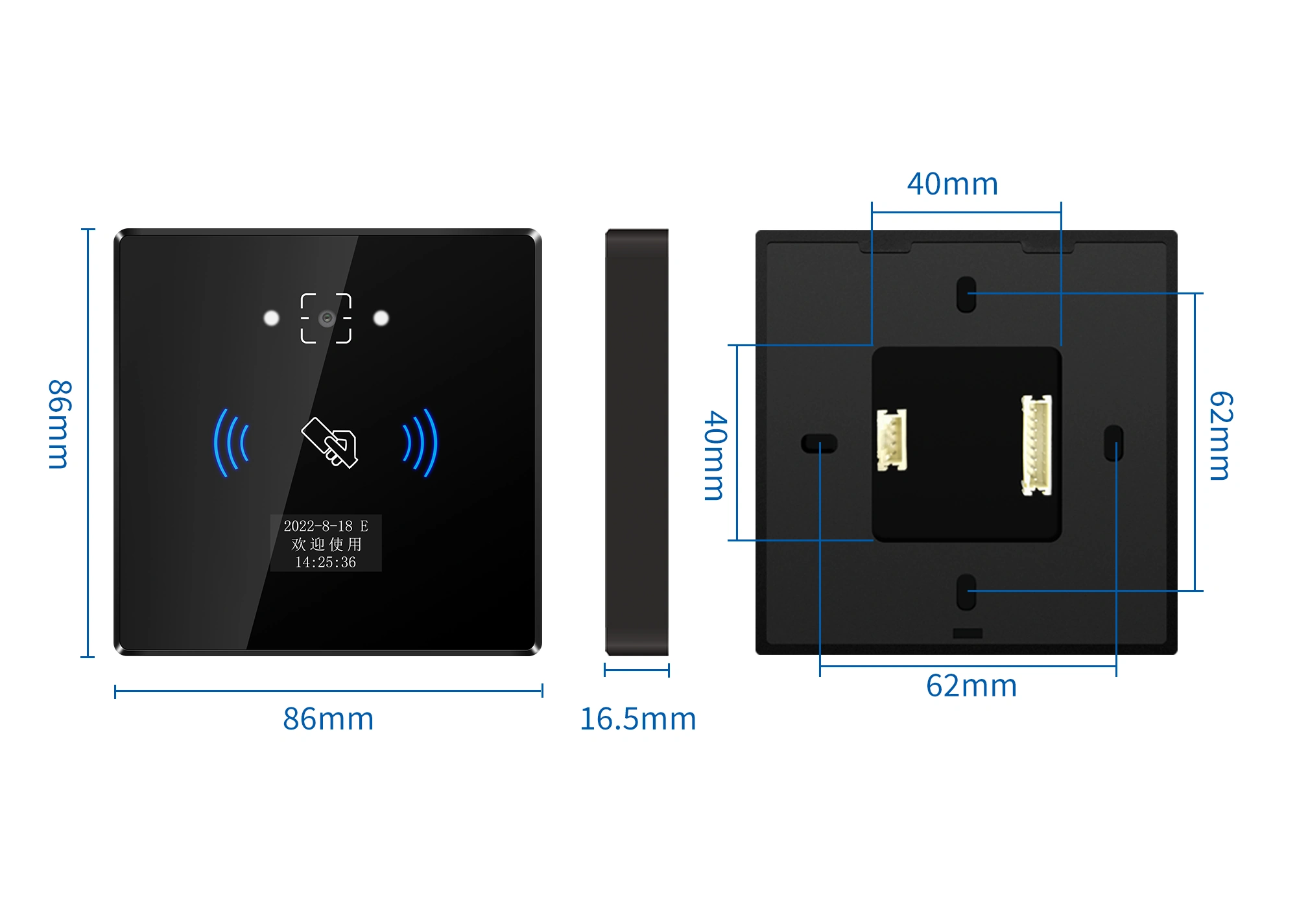
CR06EU terminal dimensions and front, side and rear views
Model CR06EU
Credential types QR code, supported barcodes and 13.56 MHz MIFARE card; 125 kHz EM card is optional
Network Wired Ethernet; Wi-Fi is optional on supported configurations
Server protocols HTTP, HTTPS and MQTT
Verification Online or locally configured offline verification
Local capacity 100,000 offline users and 100,000 offline records
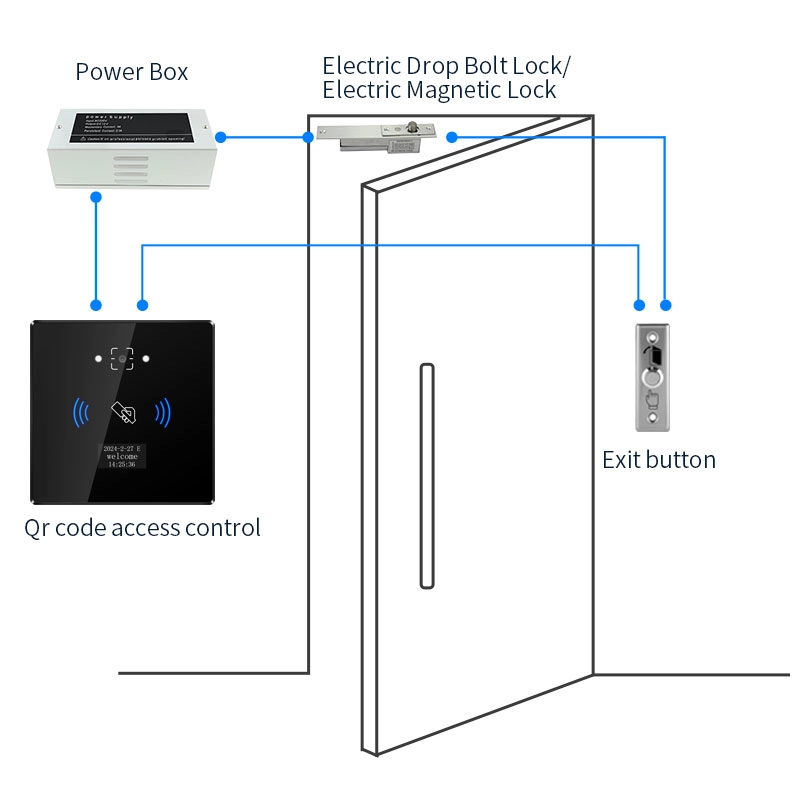
Access output One relay output, rated at 1 A
Additional inputs Two inputs for functions such as exit button and door sensor
Extended output Wiegand output or RS-485, mutually exclusive; Wiegand is the specified default
QR reading distance 5–20 cm
Display 0.96-inch status display
Power DC 6–25 V
Dimensions 86 × 86 × 16.5 mm
Front materials ABS and tempered glass
Water ingress rating IPX7
Operating temperature −20°C to 60°C

The selected network, card and output configuration should match the controller, software and installation conditions of the project.

CR06EU QR Code Scanning Demo

See how a QR code is presented to the CR06EU scanning area.

Match the Terminal to the Entry Workflow

Typical project fit

Office and shared-facility doors, visitor entrances and compatible turnstile control points are sensible starting applications. Final fit depends on mounting, network availability, credential format, lock or gate interface and exposure to weather and glare.

Visitor codes alongside staff cards

A visitor may present a code on a phone or a printed pass while regular users continue to use MIFARE cards. CR06EU reads these credential types at the same entry point. The visitor or access platform must still issue credentials and define their validity rules.

A networked door or gate endpoint

Ethernet communication, HTTP/HTTPS or MQTT integration, two inputs and a 1 A relay give an integrator the device-side functions needed for a connected entry point. Check the server exchange, exit button, door sensor, lock power and gate input before installation.

Continuity during network interruption

CR06EU supports locally configured offline verification and local records. The offline permission set, operating mode and record upload behavior must be tested with the selected firmware and customer platform before deployment.

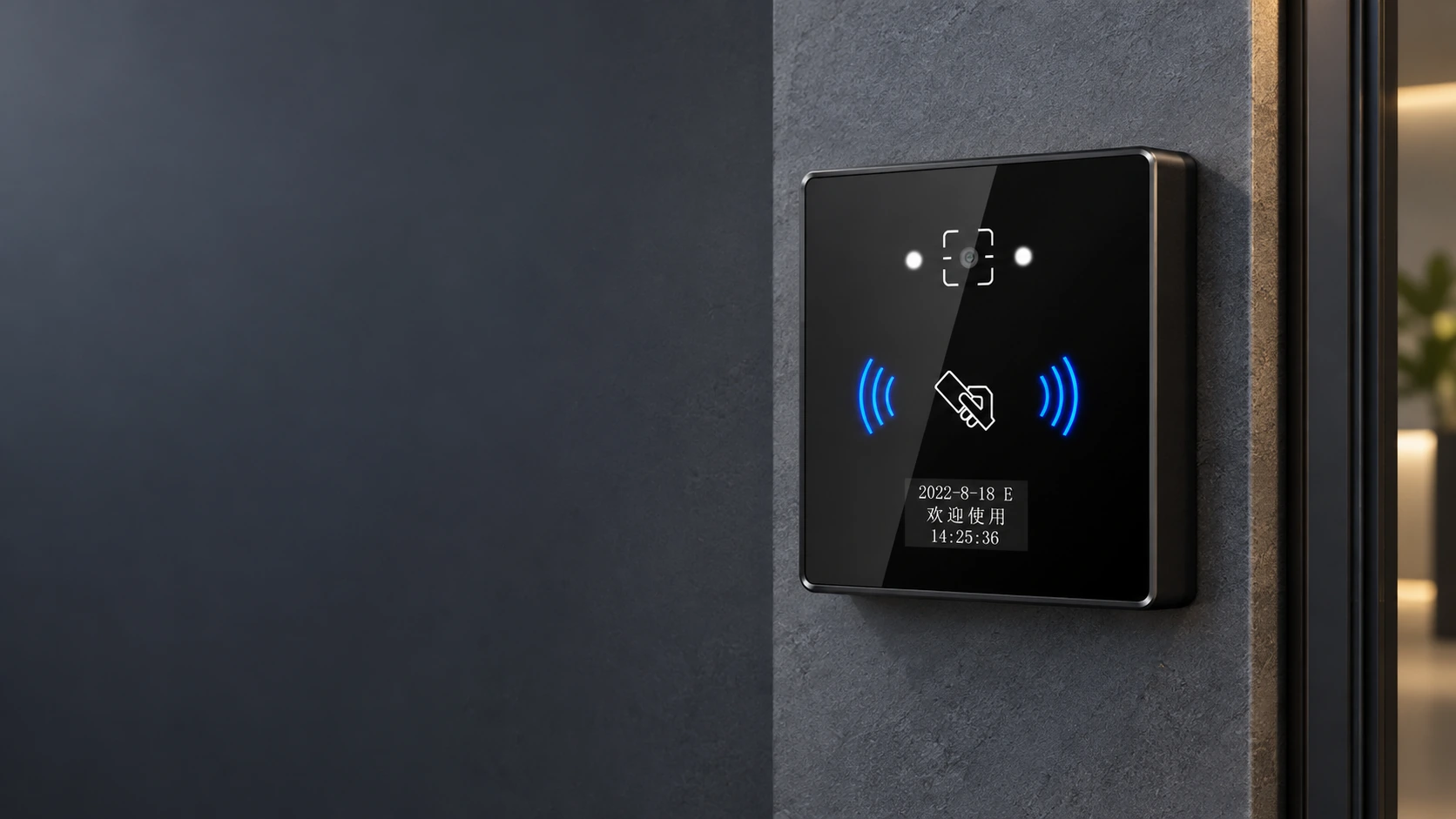
CR06EU installed at an office entrance

How CR06EU Works with an Existing Access System

The customer’s access or visitor system defines who may enter and how long a credential remains valid. CR06EU captures the code or card at the entrance. In online mode, the configured backend checks permission and returns a result. In offline mode, the terminal uses locally provisioned permission data and stores access records for later upload according to the project configuration.

Choose the Right Connection Before Integration

Integration Area Configuration Checkpoint
Platform connection Use Ethernet as the specified wired network path. Check optional Wi-Fi availability against the exact configuration and site network.
Application exchange Align the platform’s validation flow and data fields with the terminal’s HTTP, HTTPS or MQTT integration.
Existing controller input Wiegand and RS-485 are alternative output configurations, not simultaneous outputs. Confirm format and receiving device before ordering.
Door actuation Check the 1 A relay rating and use a suitable access-control power arrangement for the actual lock or gate.
Offline operation Provision eligible users or permissions locally and test network-loss, restoration and record handling in the intended mode.

A successful QR scan does not by itself mean that access has been granted. Credential recognition, permission validation and door actuation are separate steps.

Plan the Power, Lock and Scanning Position Together

Allow for the 86 × 86 × 16.5 mm device size and a natural presentation distance of 5–20 cm for QR codes. Provide a DC 6–25 V supply within the selected installation design. The terminal relay is rated at 1 A; a higher-power electric lock needs an appropriate access-control power supply or intermediate relay rather than direct loading beyond that rating.

IPX7 describes water ingress protection; it is not a dust rating or a promise of unobstructed outdoor scanning. For exposed entrances, plan shelter from direct sun and rain on the scan window, keep the front panel clean and validate the actual phone and printed-code samples on site.

Power off before wiring. Check the delivered unit, connection diagram and lock or gate control method before commissioning.

CR06EU wiring and installation planning
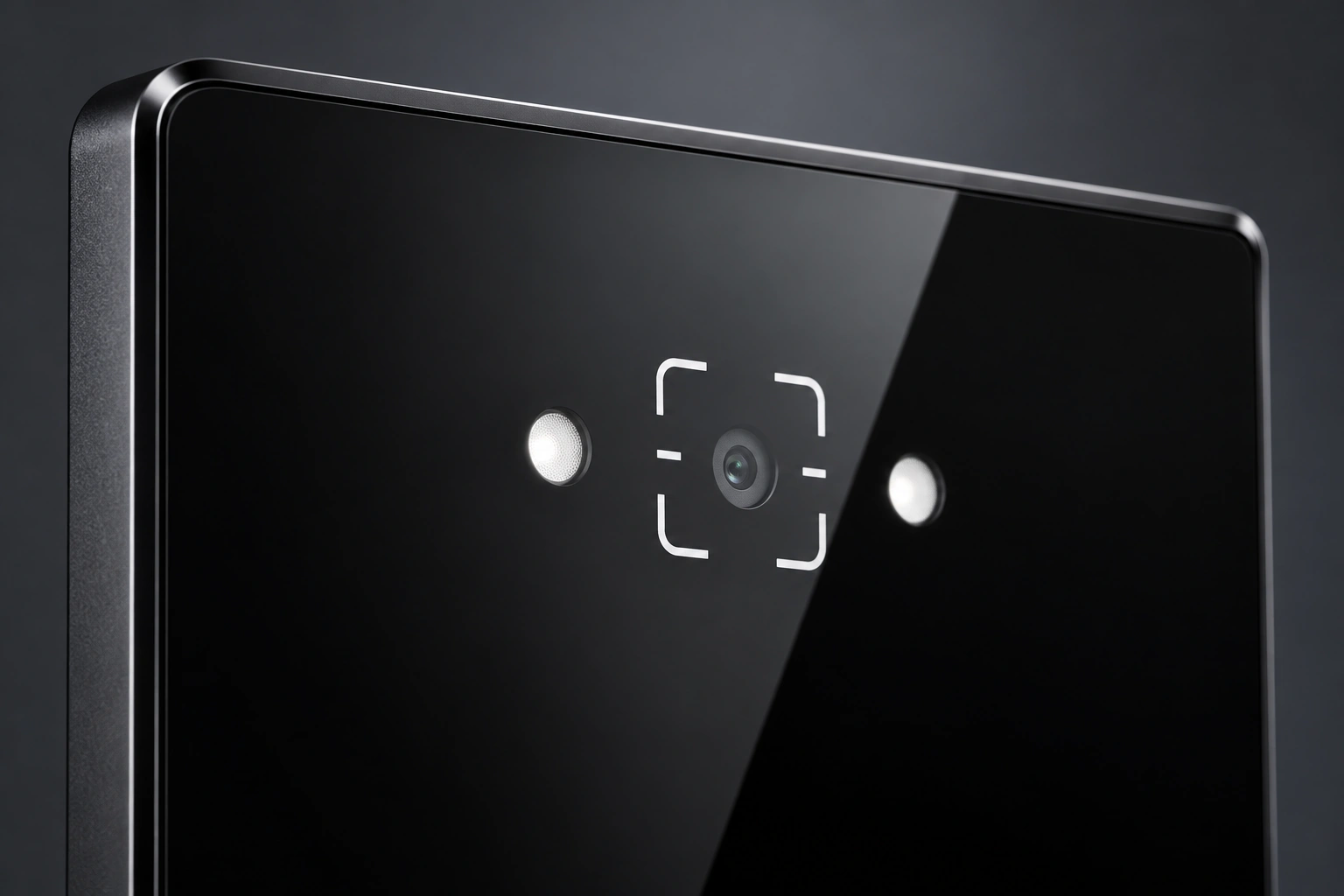
CR06EU terminal detail showing scanning lens and front panel

One Terminal, Clearer Integration Decisions

Credential choice at one entry point

QR and barcode reading can serve visitor or ticket credentials, while 13.56 MHz MIFARE supports card-based users. Optional EM card support must be specified for the chosen configuration.

Defined device-side interfaces

Ethernet, HTTP/HTTPS or MQTT, local records, two inputs and relay control let the integration team review the complete endpoint workflow instead of choosing a scanner by appearance alone.

Configuration and project support

Shenzhen Cerberus Technology Co., Ltd. supplies QR access hardware and supports project integration. During sample evaluation, the team can review credential samples, interface requirements and applicable display, voice or branding requests against the selected configuration.

CR06EU Compliance Documents

CR06EU and CR06EUW are named on an EU RED Certificate of Compliance, No. ZKT-2404093577C, and a UK requirements Certificate of Compliance, No. ZKT-2404093579C. Both documents are dated 14 May 2024 and state that the attestations were issued on a voluntary basis. Review the documents against the exact configuration and requirements of the destination market.

EU RED Certificate of Compliance naming CR06EU and CR06EUW
EU RED Certificate of Compliance
UK Requirements Certificate of Compliance naming CR06EU and CR06EUW
UK Requirements Certificate of Compliance

CR06EU Selection and Integration Guide

Is CR06EU a good fit for a small office entrance?

It is a practical candidate when the entrance needs QR or card access, a network connection and a terminal-side relay. First check whether the office already has an access controller. If that controller should keep making access decisions, a controller-connected QR reader may be the simpler hardware path. If the endpoint needs its own Ethernet connection and relay, evaluate CR06EU against the lock, platform and mounting conditions.
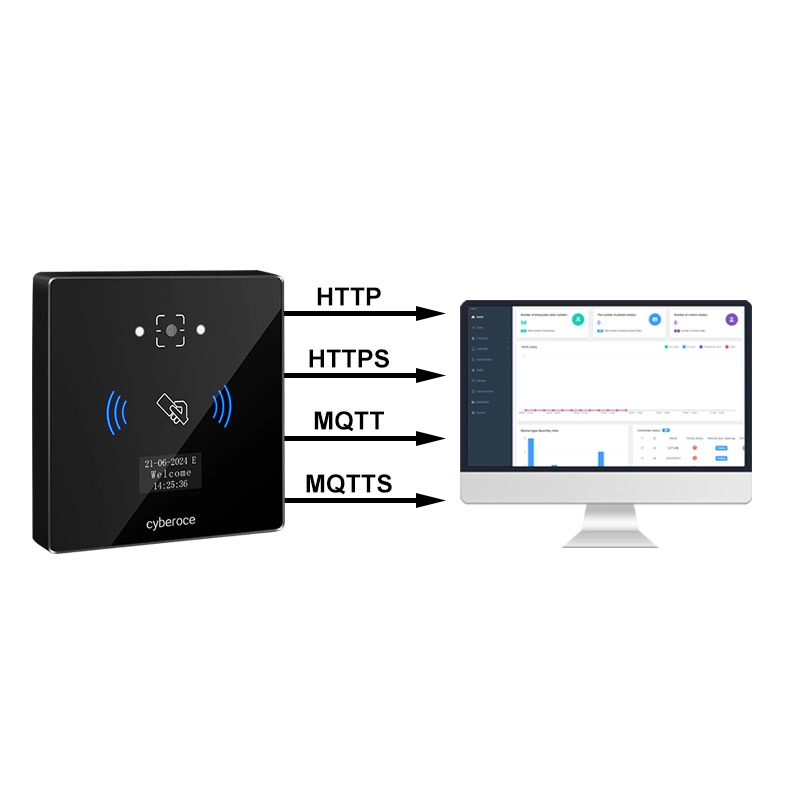
How does CR06EU connect to an existing security or visitor system?

The system creates and manages the credential and access rules. CR06EU reads the credential, exchanges validation data through its configured HTTP, HTTPS or MQTT connection, or checks locally provisioned permissions in an offline mode. Integration testing should cover code format, server responses, relay timing, event records and the exact Wiegand or RS-485 output choice if an external receiving device is involved.

System Connection Diagram

What happens if the network connection is lost?

A configured offline mode can use locally stored users or permissions and retain access records. The specified local capacity is 100,000 offline users and 100,000 offline records. Confirm how permissions are provisioned, how long an offline credential remains valid and how records are handled after reconnection in the selected project setup.

What should be checked before installing CR06EU at an office door?

Check the mounting area, DC 6–25 V supply, lock or gate load, Ethernet route, exit-button and door-sensor needs, and a comfortable 5–20 cm QR presentation distance. For an exposed entrance, control glare and shelter the scan window. Use the delivered unit’s connection diagram and disconnect power before wiring.

Why might a QR code scan without opening the door?

Separate the fault into three stages. First check code visibility, presentation distance, screen brightness and reflections. Next check whether the credential is valid in the online or local permission set and whether the server connection is available. Finally check the configured relay action, lock power and gate input. A recognized code can still be denied by the access rules.

What determines the cost of a QR entry project?

The terminal is one part of the project. Compare the number of entrances, existing controllers and locks, Ethernet or optional Wi-Fi requirements, power and cabling, credential formats, platform integration, offline rules, mounting protection and any OEM work. Review the complete entry architecture before comparing device quotes alone.

Discuss Your CR06EU Entry Project

Share the door or gate type, existing access platform, QR or card format, preferred network connection and installation environment. If you have a wiring drawing, credential sample or interface requirement, attach it for the configuration review.

Contact Information

Supported formats: PDF, JPG, PNG, STEP, IGES, STL, DWG (Max 20MB)