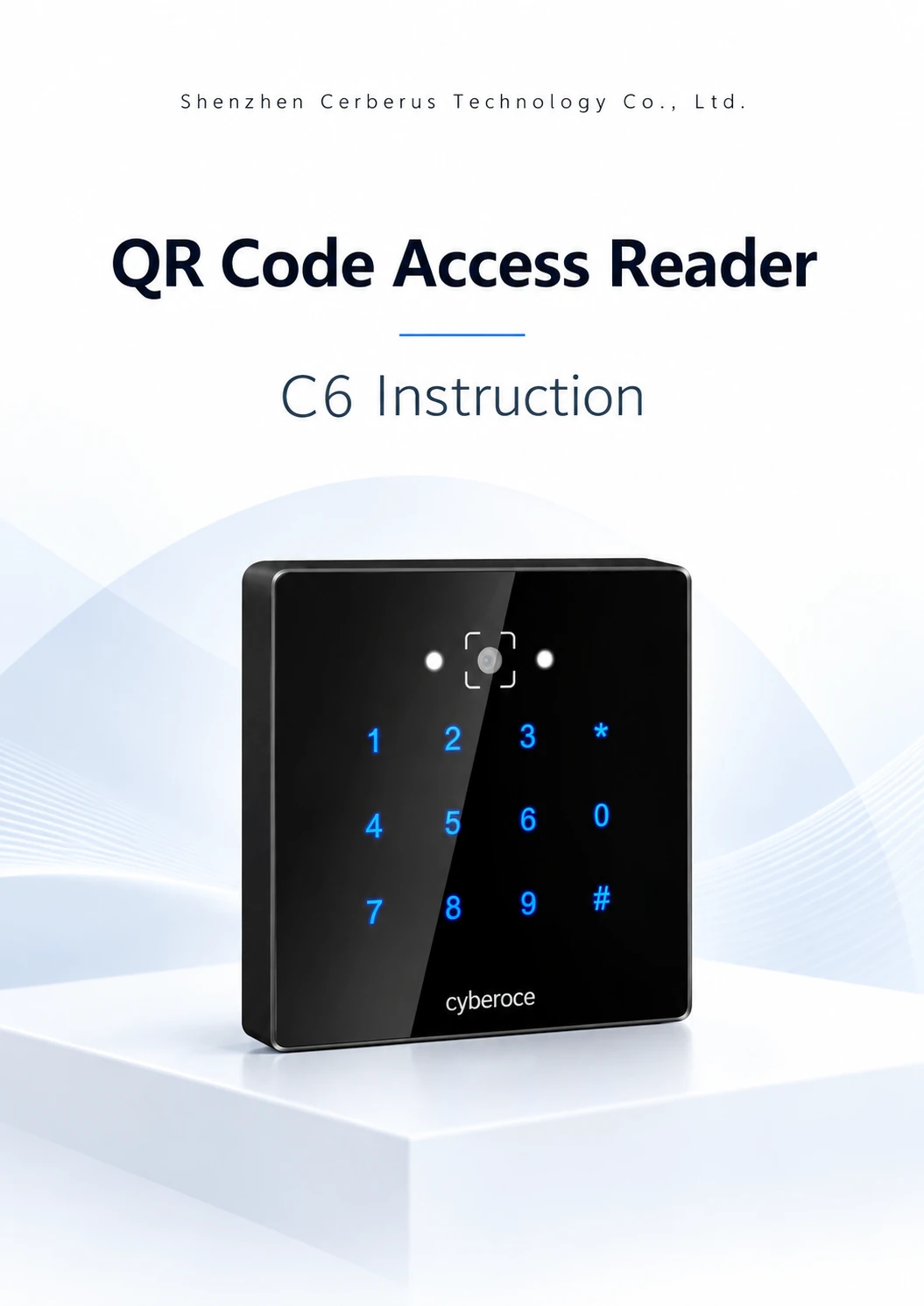
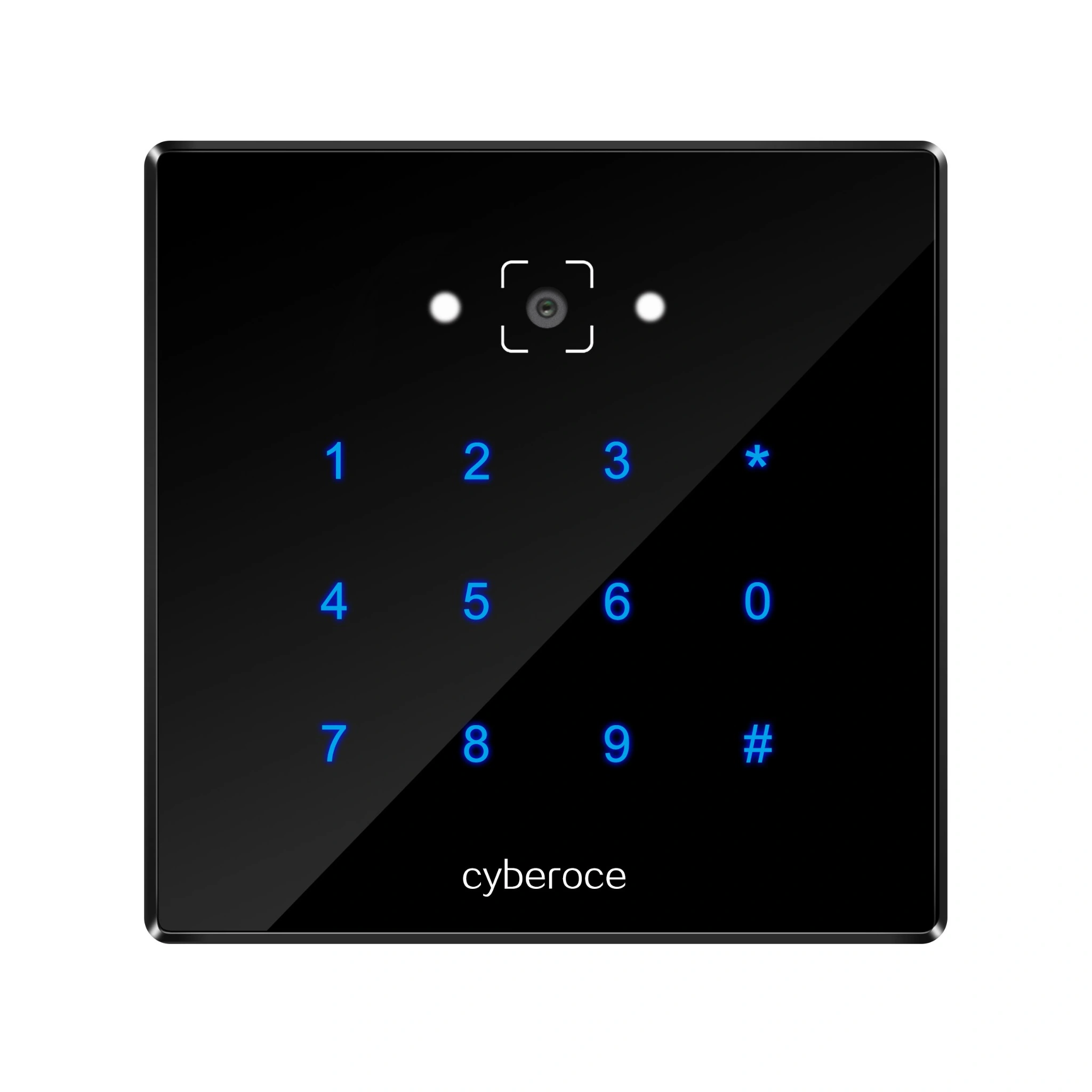
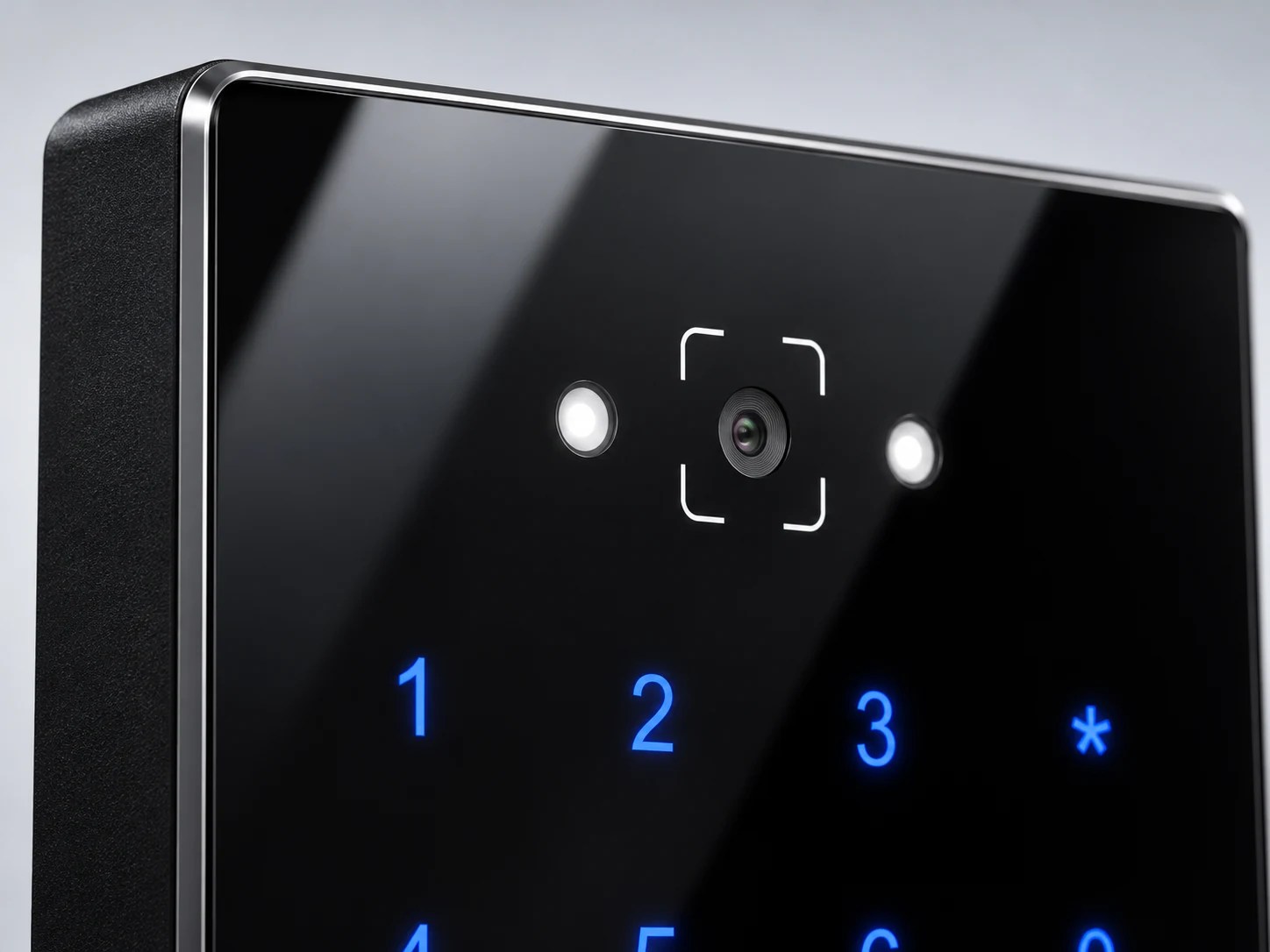
Front view of the C6 QR code access reader with keypad and scanning window

C6 QR Code Access Reader from a Shenzhen Manufacturer

Bring QR codes, 13.56 MHz cards and PIN input to a controller-based access system. The C6 combines an 86 × 86 mm wall-mounted format with Wiegand and RS-485 outputs for projects that need to fit new credentials into an existing control architecture.

QR + RFID + PIN Wiegand and RS-485 86 × 86 mm panel

C6 Specifications

C6 is a controller-connected reader for QR credentials, 13.56 MHz RFID cards and keypad entry. It sends credential data through Wiegand or RS-485; the connected controller and access software determine the final entry decision. This distinction matters when choosing hardware for an existing door or visitor system.

Front view of the C6 QR code access reader with keypad and scanning window
Item C6 specification
Product type Controller-connected QR code access reader
Credential inputs QR code, RFID card and PIN
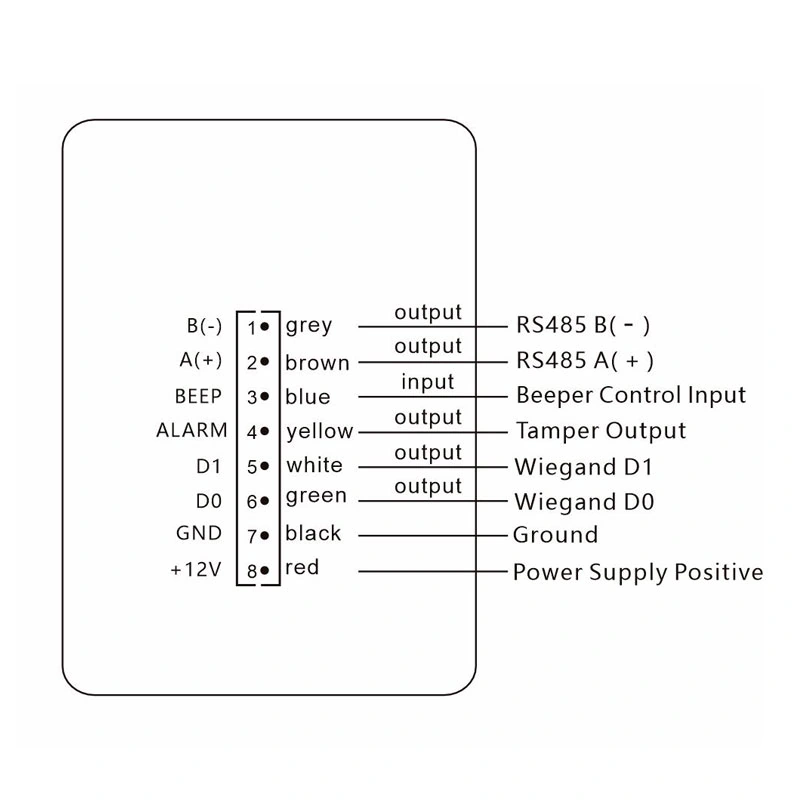
Reader outputs Wiegand and RS-485; output assignment can be configured by credential type
Card frequency 13.56 MHz
Supported card protocols ISO 14443 A/B
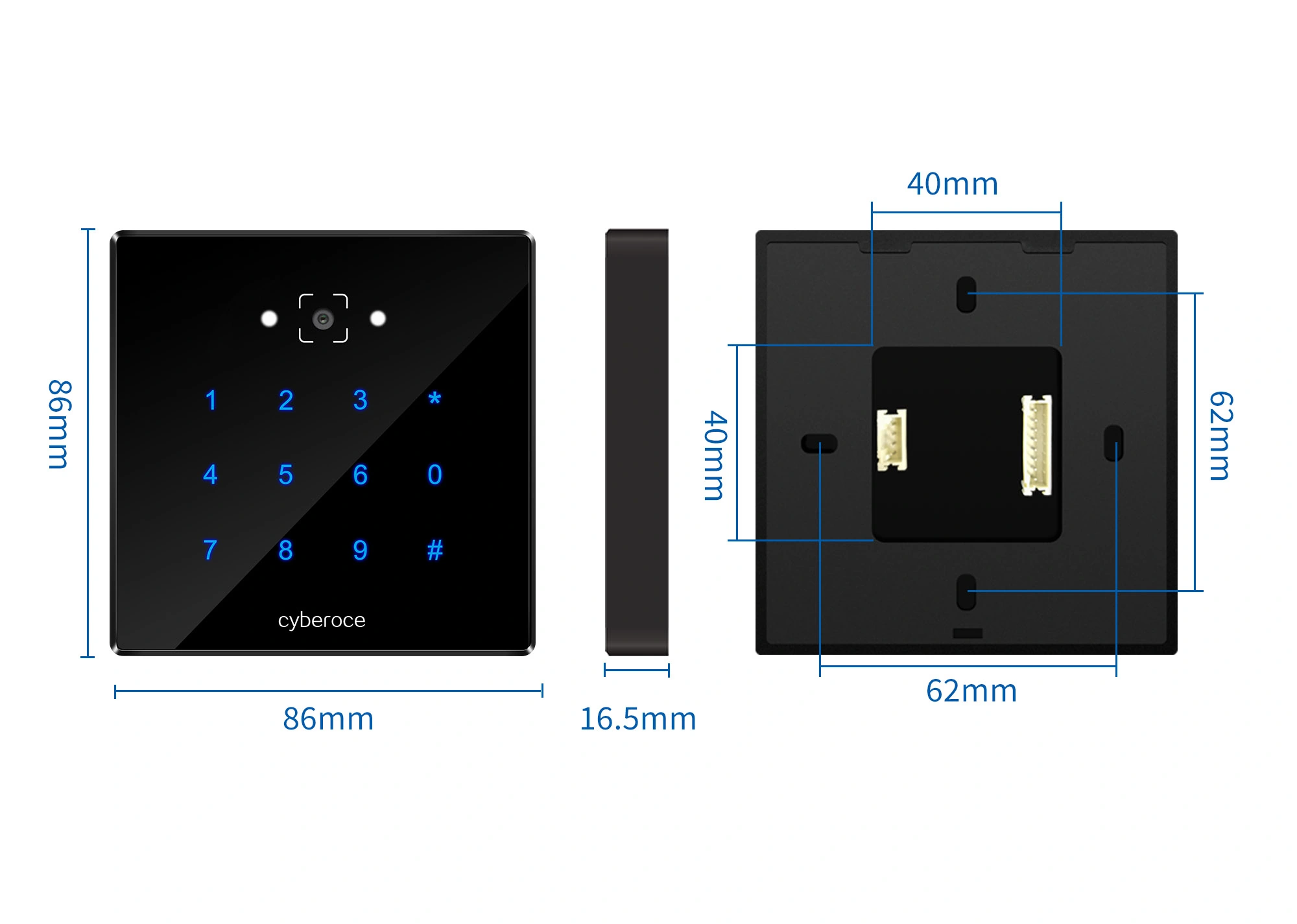
Dimensions 86 × 86 × 16.5 mm
Materials ABS housing and tempered-glass front panel
Operating voltage DC 5–30 V; at least 4.8 V at the device end
Current at 12 V 120 mA operating; 80 mA standby
Operating temperature −20°C to 60°C
Protection rating IPX7 stated in the C6 V4.0 specification
QR reading distance

Plan the Controller Connection Before Installation

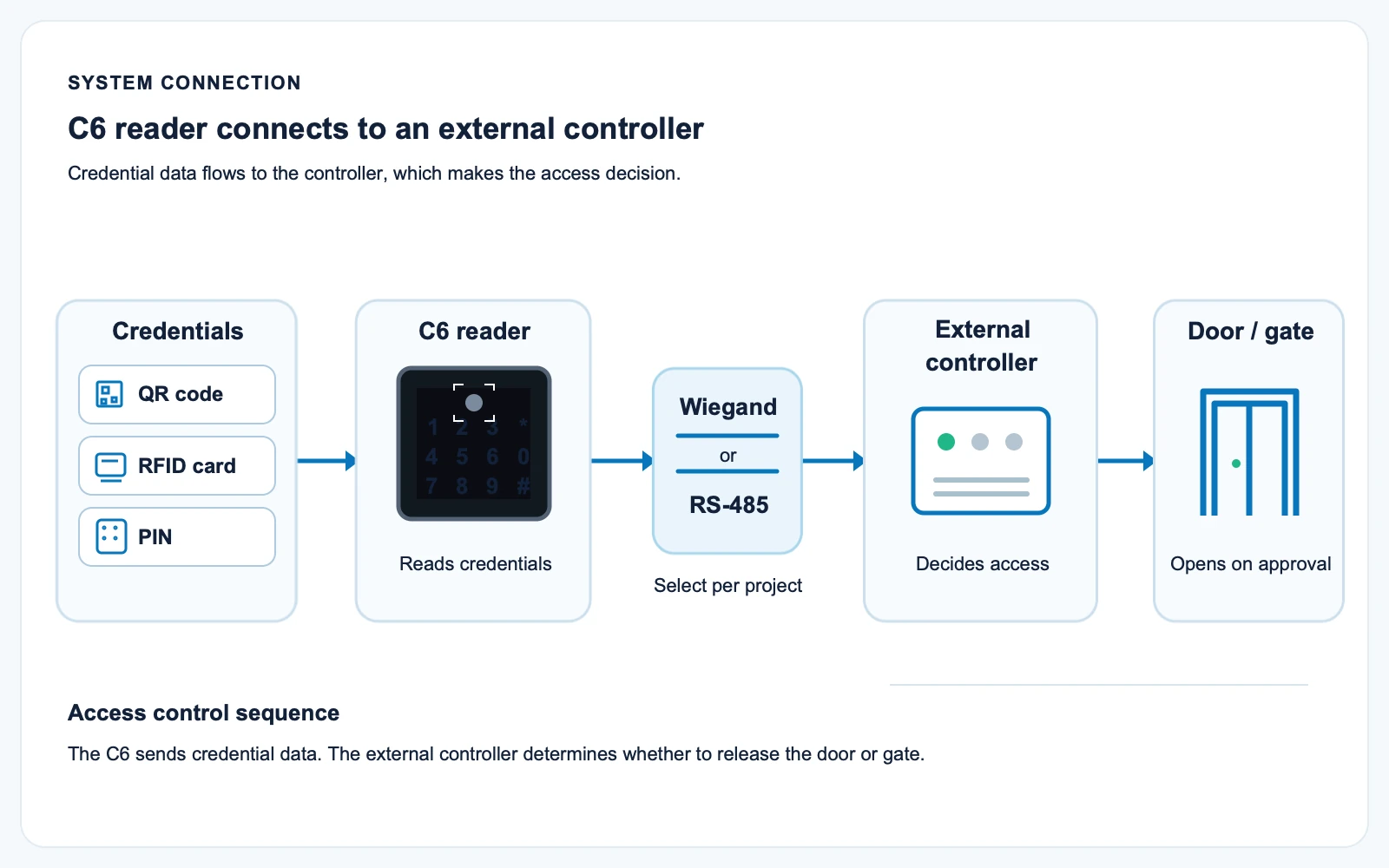
C6 is suitable when the access decision already belongs to a door controller, visitor platform or other host system. Select Wiegand or RS-485 according to the controller input, then confirm credential data format, card-number order, baud rate where applicable and the expected response at the door.

1

Choose the input path

Check whether the controller accepts Wiegand or RS-485 data and which credential format it expects.

2

Validate real credentials

Test the QR payload, card type and PIN workflow used in the project rather than assuming that a successful scan equals an accepted access event.

3

Commission the complete path

Verify reader power, output, controller interpretation and access decision together. The reader alone does not grant entry.

System relationship diagram showing QR, RFID, PIN to C6 reader, then Wiegand or RS-485 to external controller and door

A Practical Fit for Mixed-Credential Entrances

Visitors arrive with a phone code; regular users carry a card.
C6 puts QR and 13.56 MHz card reading on the same panel, so the credential mix can be assessed without adding a separate reader at the entrance.
A site needs keypad entry alongside scanning.
The C6 model includes PIN input. Define in the controller whether PIN is used alone or as part of a wider access workflow.
The controller is already installed.
Wiegand and RS-485 outputs give the integration team two documented connection routes. Final compatibility depends on the controller’s supported data format and project configuration.
Scanning conditions vary at the doorway.
Position the reader for a natural phone presentation, limit glare and verify the actual code design under site lighting before rollout.
C6 reader dimensional drawing showing 86 mm width, 86 mm height and 16.5 mm depth

Check the Panel, Cable Route and Reading Position

The 86 × 86 × 16.5 mm C6 panel combines the scan window, card reading area and keypad on one surface. Before fixing the back plate, allow space for concealed wiring and place the scanning window where a phone or printed code can be presented without awkward angles.

  • Disconnect power before wiring and follow the connection diagram supplied for the delivered hardware revision.
  • Check voltage at the device end, particularly when the power cable is extended.
  • Avoid direct glare and reflective surfaces; keep the front panel clean and remove protective film before testing.
  • For exposed locations, assess the mounting position and additional weather or sun protection against the actual delivered unit and site conditions.
Detailed view of the C6 86 by 86 mm tempered-glass front panel and ABS housing

Why Specify C6

Credential choice in one panel

QR, 13.56 MHz card and PIN input cover common visitor and regular-user workflows without presenting C6 as a complete access-control system.

Two controller output routes

Wiegand and RS-485 allow the interface to be matched to the receiving controller and the required credential-data format.

Compact, readable front panel

The 86 mm square format keeps the scan window and keypad together for wall-mounted entrances.

Configuration for integration

Output behavior and selected reader settings can be reviewed against the controller and credential samples before project deployment.

C6 Selection and Integration Guide

What makes a QR entry project more secure?

Start with credential issuance, validity rules and the controller’s access decision. A reader can scan and output credential data, but system security also depends on how codes are generated, checked, expired and protected against reuse. The C6 specification describes dynamic-code decryption and validity recognition; confirm the required firmware, code format and host-system workflow during integration.
How do I connect C6 to an existing access system?

First identify the controller’s available reader input. Match C6’s Wiegand or RS-485 output to that input, then test the QR payload, card-number format and PIN handling with the real controller. Building management software connects through the wider access system; do not assume the reader communicates directly with every building platform.

System relationship diagram from C6 reader Wiegand or RS-485 output to external access controller

What should be checked before wall installation?

Check the panel space, concealed cable opening, supply voltage at the reader, cable route and the position where users will present a phone or card. Test the intended mounting location under typical daytime and evening lighting before fixing the final position.

C6 reader dimensional drawing showing 86 mm width, 86 mm height and 16.5 mm depth

Why might a scanned code fail to open the door?

Separate the fault into four stages: the reader did not recognize the code; the reader recognized it but did not output it because of its configuration or repeated-code interval; the controller did not interpret the data; or the access rules rejected the credential. Also check power, wiring, QR size, screen reflections and whether the code is valid for the intended user and time.

When should I consider C6NK instead?

Choose C6 when keypad input is required. If the project needs QR and RFID reading without a PIN keypad, compare the C6NK model and its own specification before selecting the final panel.

Product Documentation and Project Review

Our Shenzhen team develops and supplies QR access hardware with model-specific product documentation and integration support. For C6 projects, the useful review starts with the current specification, the delivered hardware revision, controller input requirements and sample credentials. These checks help align the reader configuration with the system before wider deployment.

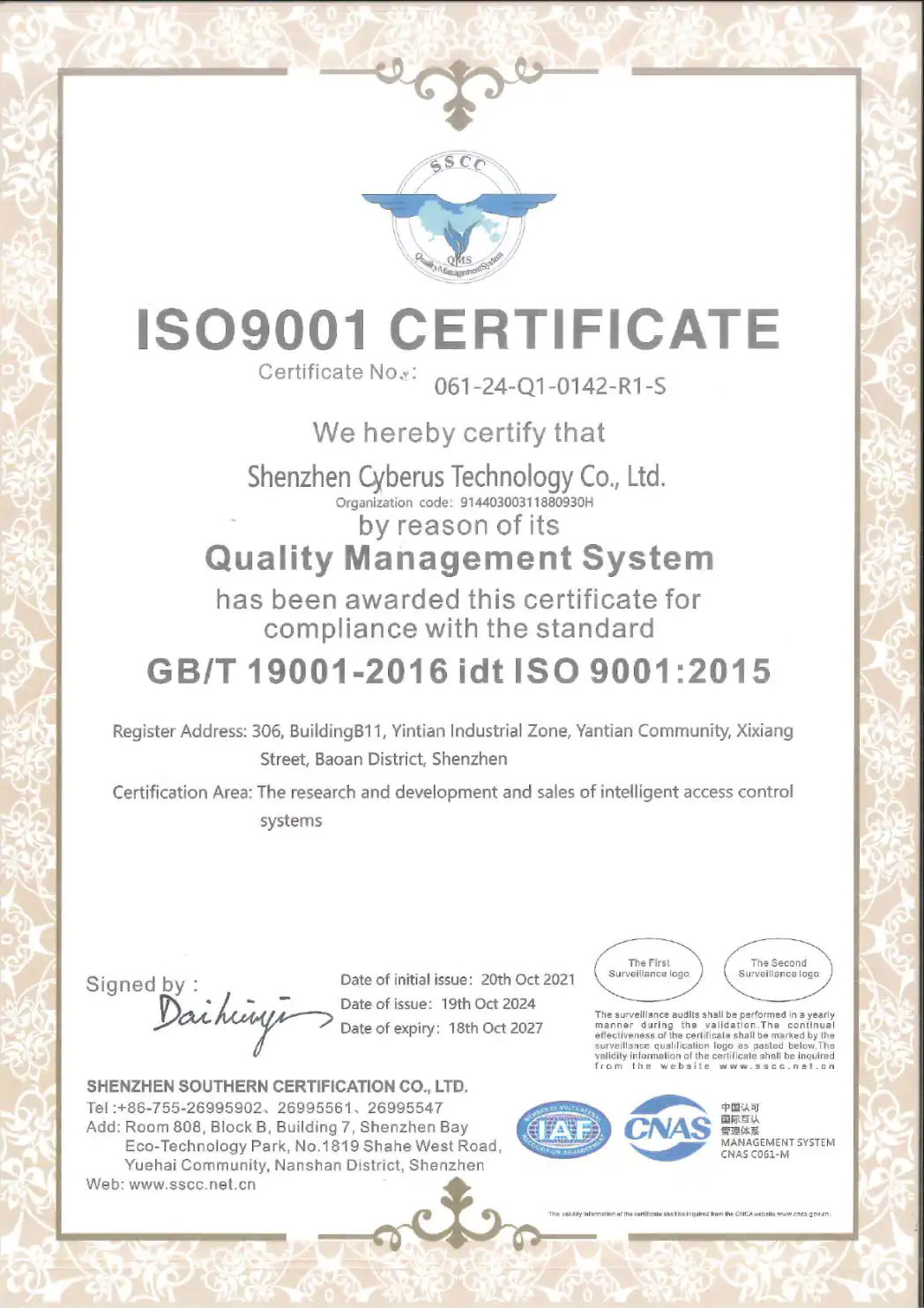
Our ISO 9001:2015 quality management certification covers the development and sales of intelligent access control systems. It is a management-system certification, not a product certification for C6.
C6 V4.0 QR code access reader specification document cover and front product view
ISO 9001:2015 quality management system certificate for Shenzhen Cerberus Technology Co.,Ltd

Compare the Next Hardware Choice

Discuss Your C6 Reader Project

Share the controller interface, credential format, installation environment and estimated project quantity. If you have a controller specification, wiring reference or sample QR code, attach it so the C6 configuration can be reviewed against the real system.

Shenzhen Cerberus Technology Co.,Ltd

Email: contact@sz-cerberus.com

Phone / WhatsApp: +86 137 2888 0920

Address: Room 306, Building B11, Yintian Industrial Park, Xixiang Street, Bao'an District, Shenzhen, Guangdong Province, China

Supported formats: PDF, JPG, PNG, STEP, IGES, STL, DWG (Max 20MB)