CR02EN QR Code Access Control Terminal Manufacturer
Connect mobile QR passes, printed codes and MIFARE cards to your indoor entrance. Cyberoce’s CR02EN combines Ethernet communication, local verification and relay control in a slim terminal for compatible doors, turnstiles and automatic doors.
A Slim Terminal with Reading, Verification and Door Control
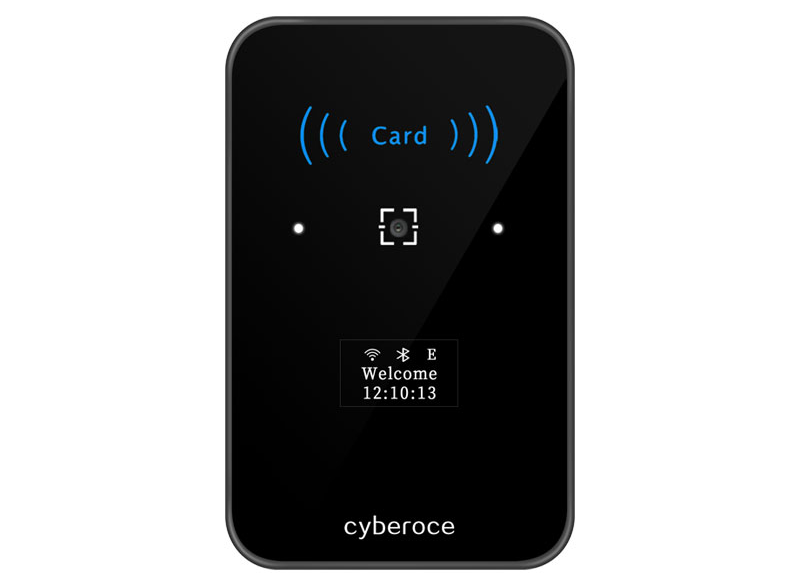
CR02EN is a networked access control terminal with an ABS housing and tempered glass panel. It reads credentials, communicates with your management platform and controls a compatible entrance through its built-in relay. A separate access controller is not required for a suitable terminal-controlled installation; the lock power supply and site wiring remain part of the entrance design.
01Wired EthernetNetwork connection
02QR + MIFARECredential reading
03Relay outputEntrance control
04Indoor useDry installation area
02 / Technical data
CR02EN Specifications and Credential Reading
Review the documented electrical, interface and credential reading parameters for the standard CR02EN configuration.
CredentialsQR Code / 13.56 MHz MIFARE
NetworkWired Ethernet
Operating voltageDC 6–25 V
Relay output1 A
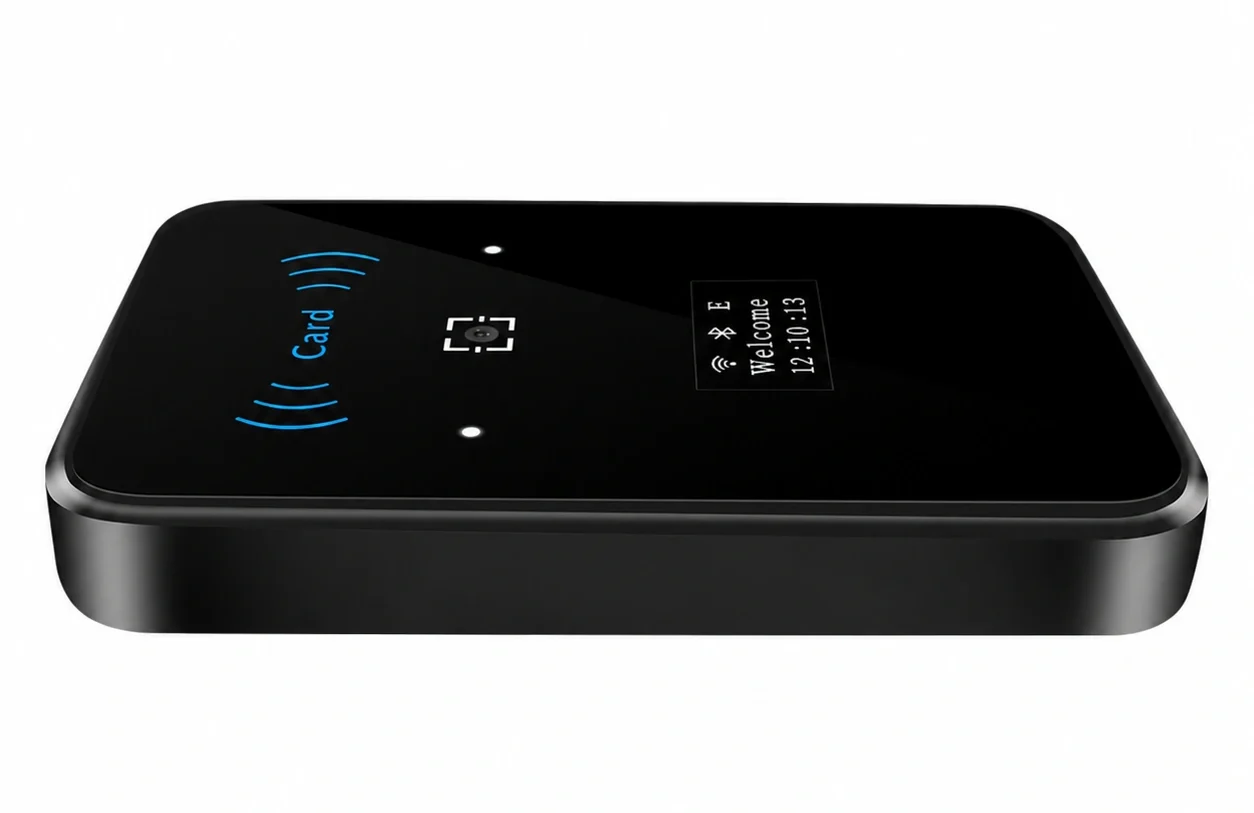
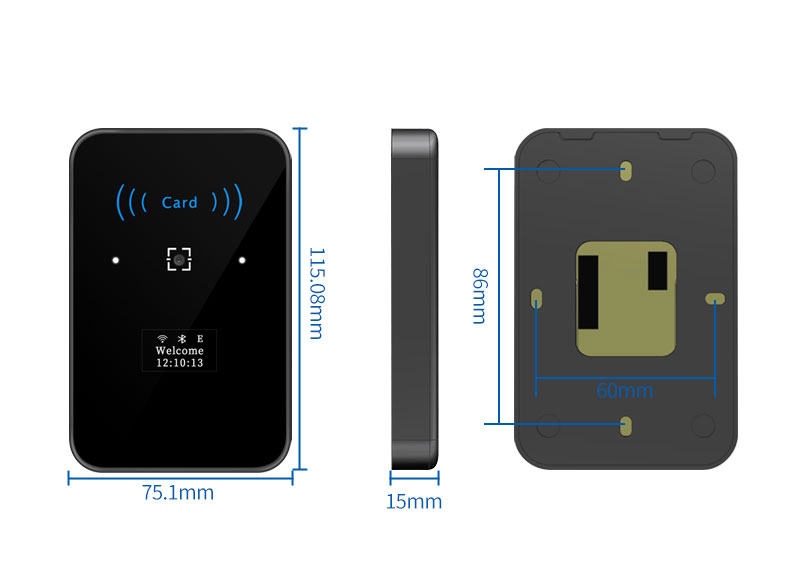
Front view CR02EN enclosureAngled view 15 mm enclosure depth
For technical review
Check the details that matter to your project
Review the core documented parameters below. Confirm optional interfaces and model suffixes before ordering.
01
Connection & Installation
Dimensions115.08 × 75.1 × 15 mm
Communication protocolsHTTP, HTTPS, MQTT
InputsExit button & door sensor
Extended outputWiegand or RS-485 (mutually exclusive)
Installation environmentIndoor, non-waterproof
02
Reading & Storage
QR reading distance5–20 cm
Offline QR users100,000
Offline MIFARE users100,000
Offline records200,000
Recognition time is separate from server verification and door-opening time. Test the complete access sequence with the actual credential, network and entrance equipment.
03 / Configuration
Choose the Correct Model Suffix
Compare the connection and credential options by suffix before confirming a sample or quotation.
Model
Network connection
Wireless or mobile credential capability
Selection cue
CR02EN
Ethernet
No Wi-Fi or BLE in the standard configuration
Choose for an entrance with a wired network connection.
CR02ENW
Ethernet and 2.4 GHz Wi-Fi, 802.11 b/g/n
Wi-Fi networking
Choose when the project requires a supported wireless network connection.
CR02EN-B
Ethernet
Bluetooth 4.0 BLE authentication
Choose when BLE access is part of the agreed credential integration.
Wi-Fi and BLE belong to different model suffixes. Optional EM card reading, tamper alarm and extended interface configuration must be specified for the ordered unit.
04 / Entrance fit
Match the Terminal to the Entrance
CR02EN reads mobile or printed QR passes and 13.56 MHz MIFARE cards at the same dry indoor entrance. The connected platform or configured local rules determine access permission.
One control point. Network communication, a relay output, an exit-button input and a door-sensor input give the platform a device-side reading and control point.
Planned offline access. Local verification can continue during a network interruption when permissions and rules have been provisioned in advance.
Connect Your Platform and Define the Verification Path
In online operation, the terminal sends credential data to the management platform and follows the returned verification result. In offline operation, the terminal checks locally configured permissions or rules. Approved access can then activate the relay connected to the entrance equipment.
Online and Offline Operating Modes
Mode
Verification behavior
Suitable starting point
Online First
Uses online verification when connected and switches to configured offline verification after network disconnection.
Projects where the platform normally makes the access decision.
Offline First
Checks local rules first and can request online verification if local verification fails and the network is available.
Projects designed around local decisions with an online fallback.
Offline Only
Uses local verification without initiating online verification requests.
Entrances with a defined local permission and maintenance workflow.
Offline access records are stored locally and uploaded after the network connection is restored. The permissions available during an outage depend on what has already reached the device. Include expired credentials, revoked permissions and record recovery in the integration test.
Match the Relay to the Entrance Equipment
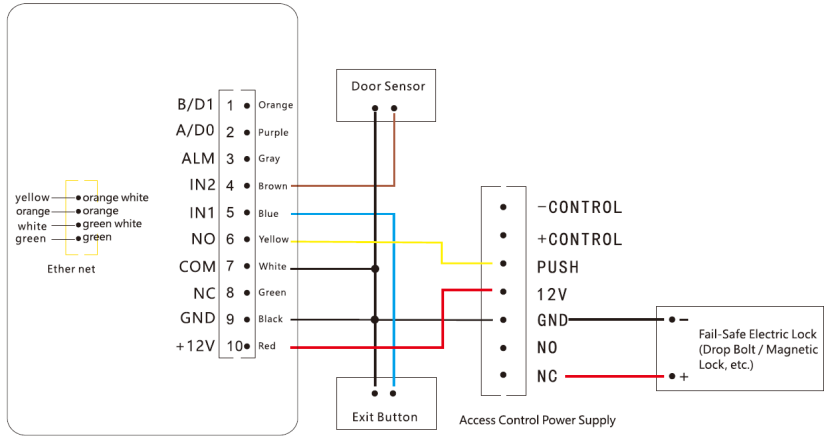
CR02EN provides one NO/COM/NC relay output rated at 1 A. A compatible turnstile or automatic door may use an NO/COM dry-contact opening signal. Electric lock wiring depends on the lock type and power arrangement; use a suitable access control power supply or intermediate relay when the load requires it.
IN1 is used for the exit button and IN2 for the door sensor by default. Wiegand and RS-485 are alternative output configurations, so select the interface required by the receiving system.
Final wiring must follow the delivered unit’s interface label, the entrance equipment requirements and the project wiring diagram.
CR02EN Integration Questions
Check compatibility, offline QR behavior, credential testing and installation before finalizing the project.
What makes CR02EN compatible with an existing system?
Compatibility depends on the complete credential and control workflow. A shared protocol name alone is insufficient. The platform and terminal must agree on credential data, request and response handling, access decisions and event records.
CR02EN supports HTTP, HTTPS and MQTT for platform communication. Its relay can provide the entrance-control signal, while a configured Wiegand or RS-485 output offers another integration route where required. These outputs must be matched to the receiving equipment.
Use sample QR codes, the intended firmware and the actual lock or turnstile to validate the connection. Review the applicable API documentation before treating another product or platform as compatible.
Can CR02EN verify dynamic QR codes offline?
Yes. CR02EN has a built-in clock and supports offline verification of dynamic QR codes under the configured project rules. The credential format, verification rules and device time must be aligned with the issuing system.
Credential Rules
+
Device Time
→
Local Verification
A changing QR image does not by itself establish one-time use, screenshot rejection or immediate revocation across disconnected devices. Define those behaviors within the project and test valid, expired, repeated and revoked credentials in the intended online and offline modes.
How should QR codes and cards be prepared for testing?
Use the credentials people will actually present at the entrance, including phone screens, printed passes and the intended card type.
Keep QR codes complete and clear, with sufficient screen brightness and limited reflection.
Present QR codes within the 5–20 cm reading range, adjusting position for code size.
Keep printed codes free from folds, damage and excessive glare.
Check Code 39, Code 128 or any additional configured symbology with real barcode samples.
Test MIFARE cards near the card-reading area; reading distance is less than 5 cm and varies with the card and installation.
Successful decoding and permission to enter are separate checks. Include both allowed and denied credentials when testing the full access sequence.
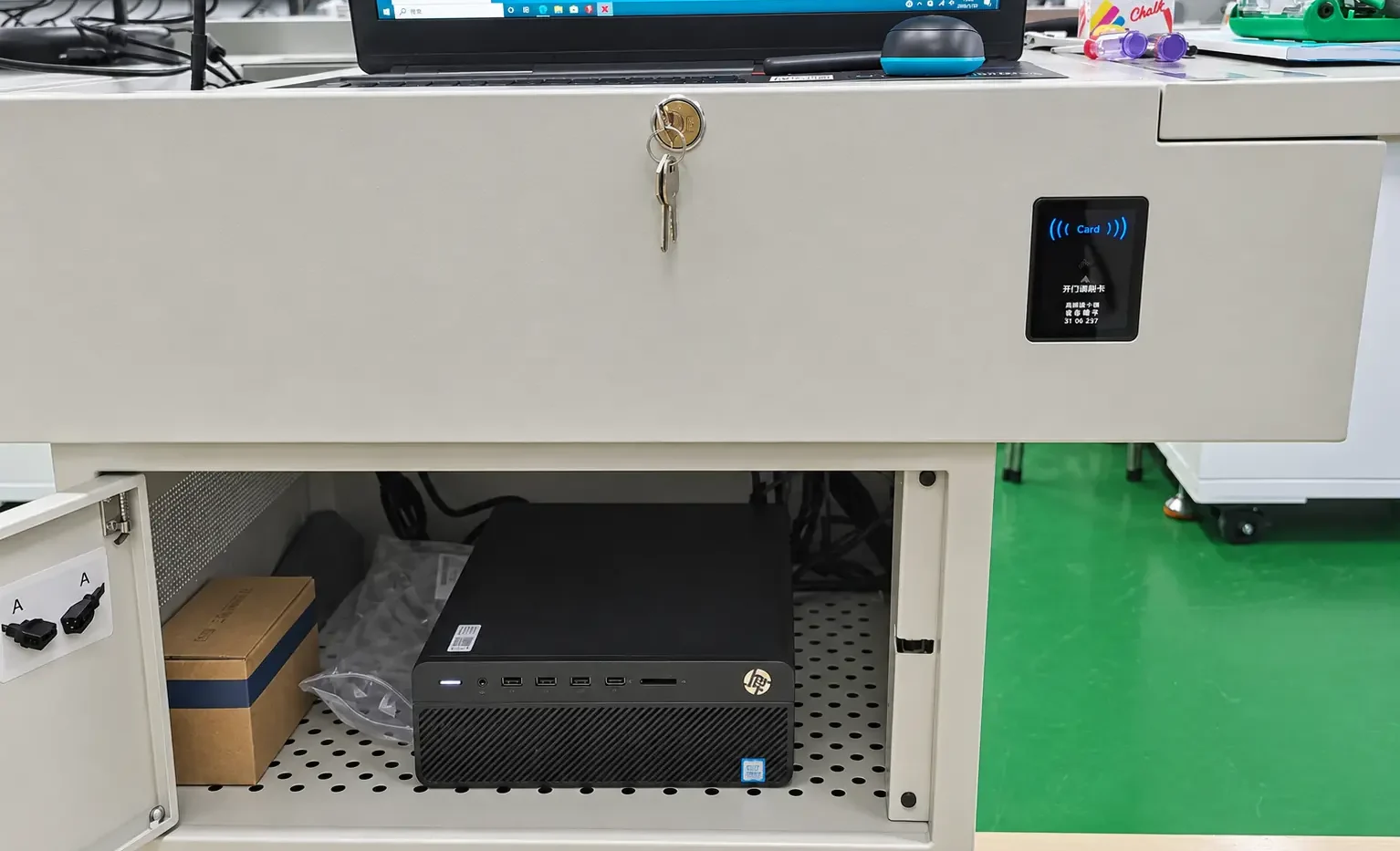
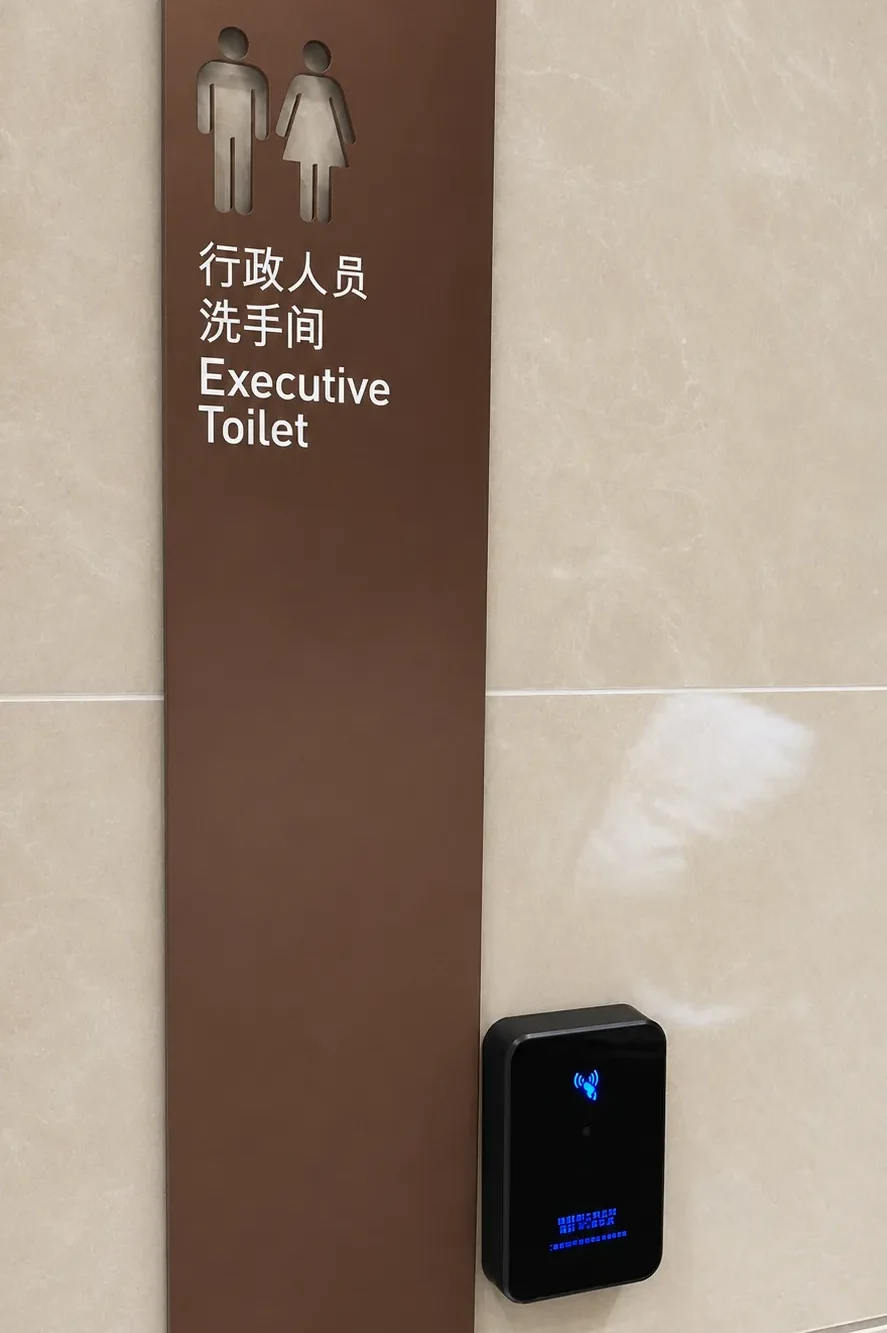
Choose a dry indoor position that allows natural scanning and card presentation. Avoid strong direct light, reflection and obstruction, and leave room for cabling and maintenance.
Check the mounting drawing, route the cables and secure the base. Disconnect power before wiring.
Connect a suitable DC 6–25 V supply, Ethernet and the project-specific relay, exit-button and door-sensor circuits.
Use the embedded Web interface to configure the required network and platform settings. CR02ENW requires a supported 2.4 GHz Wi-Fi network when wireless networking is used.
Test valid and invalid credentials, entrance actuation and the selected offline behavior before handing over the installation.
Use the manual and interface definition supplied for the exact hardware configuration. Do not assume that a connector marked for an optional function is present on every unit.
Share the entrance type, credential format and platform connection you need. We can review the CR02EN configuration and the integration points to evaluate before an order is finalized.
Include the preferred model suffix, quantity, destination country and lock or turnstile interface where available. Attach a wiring drawing, specification or reference file if it helps explain the project.
Documents for technical review
Ask for the CR02EN Datasheet V2.0, User Manual V2.0, dimensions and interface drawings when reviewing a sample configuration.
Request a Custom Quote
Partner with us for expert OEM/ODM QR code access control solutions. Tell us about your project requirements below.