
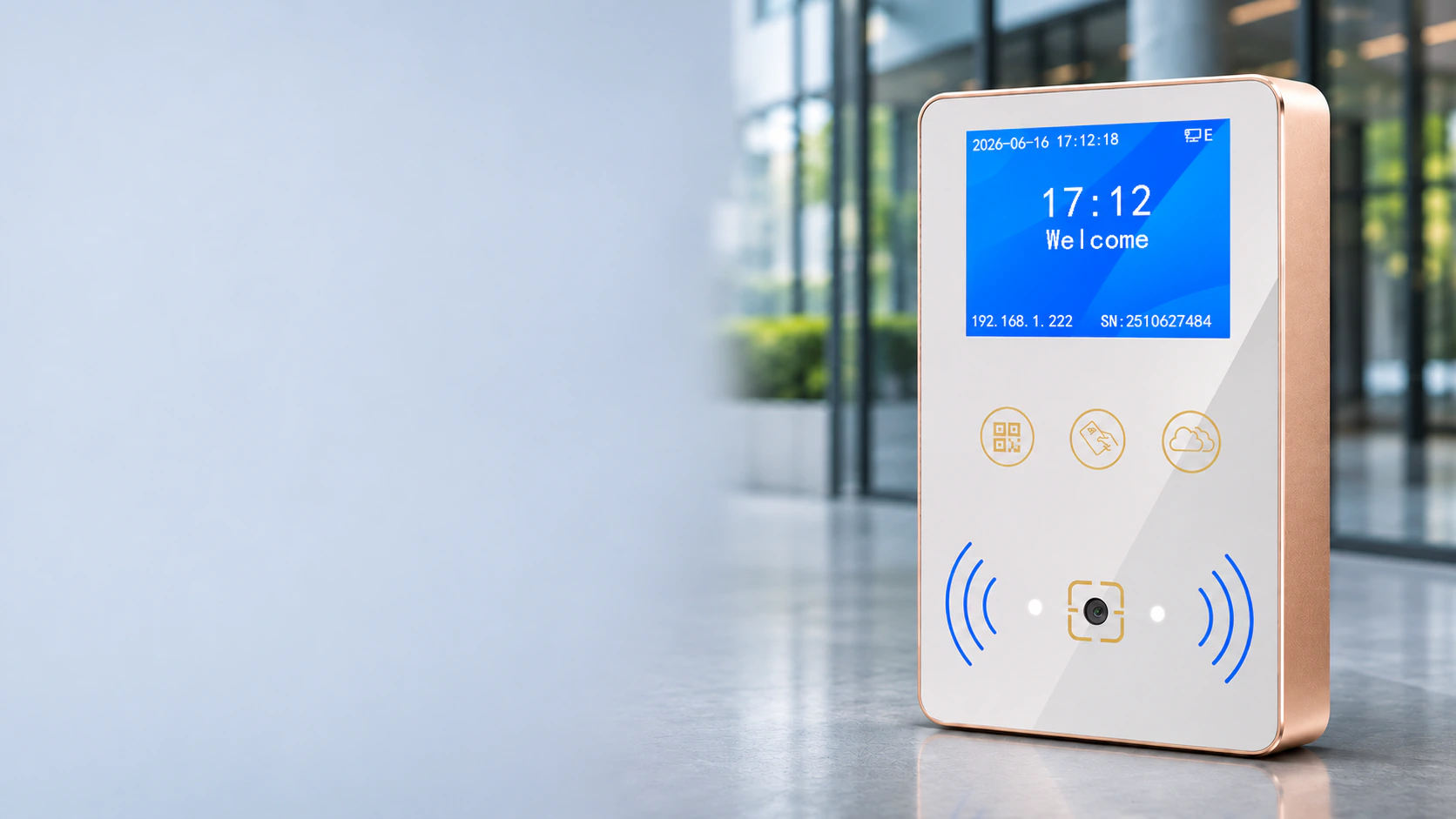
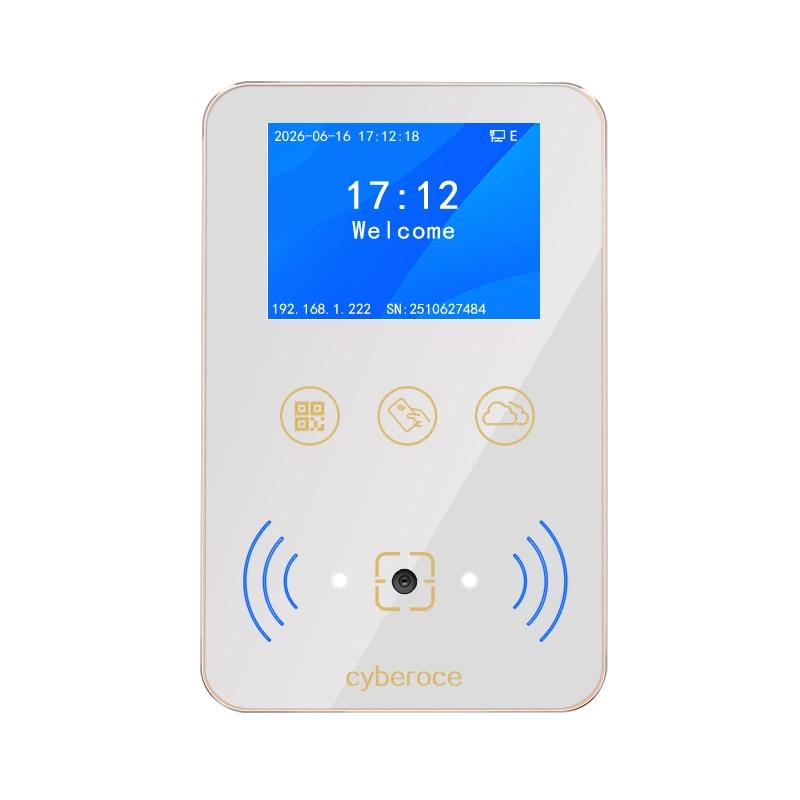
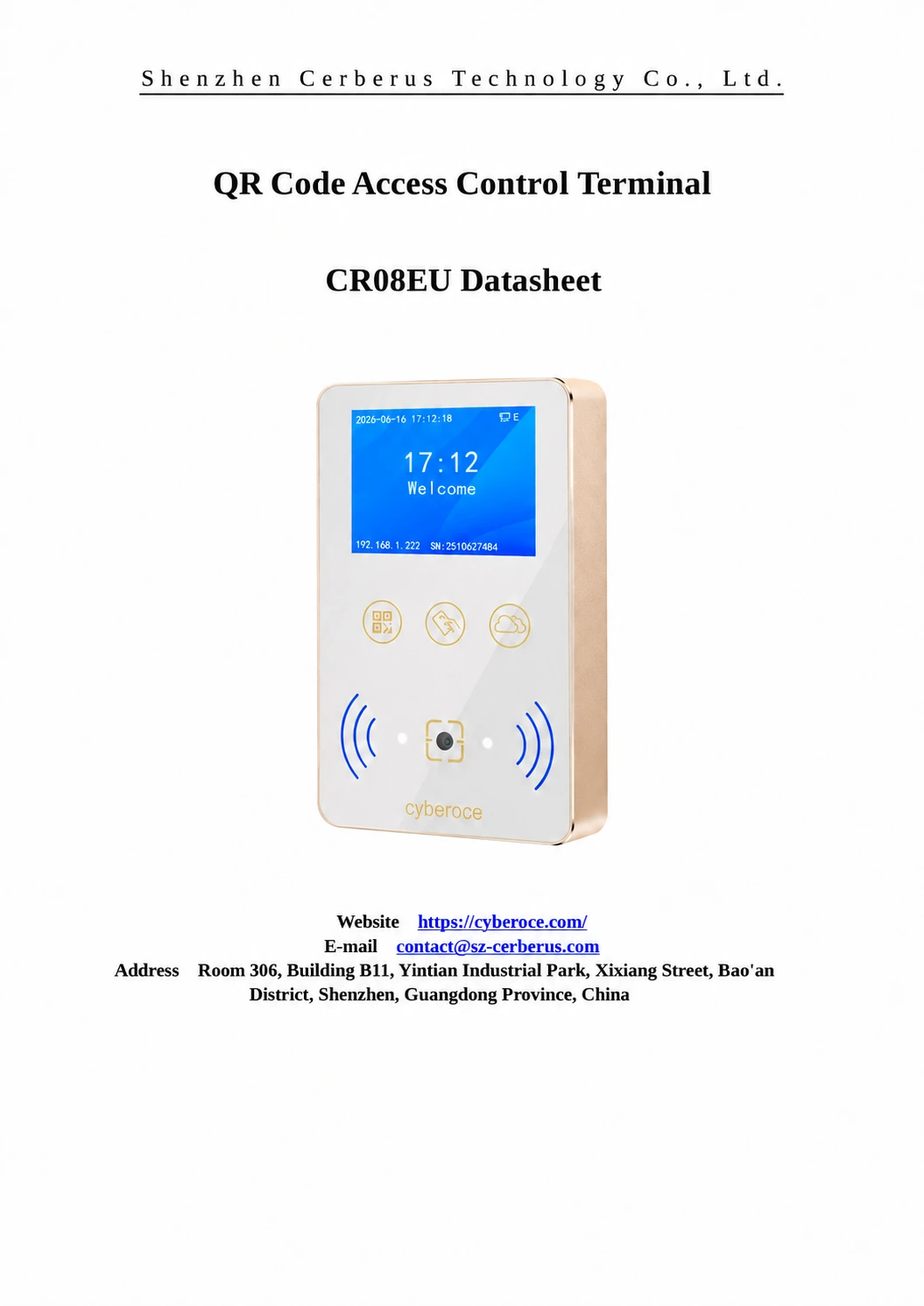
Front view of the Cyberoce CR08 terminal showing the display and scanning area

Cyberoce QR Access Hardware

CR08EU QR Code Access Control Terminal from a Shenzhen Manufacturer

Bring clear visual feedback and metal construction to your entrance. The CR08EUP configuration combines a 2-inch IPS display, QR and barcode reading, 13.56 MHz MIFARE card access and wired Ethernet. Connect it to your access platform and use the built-in relay to operate a compatible lock, turnstile or automatic door.

  • 2-inch IPS display and voice prompts
  • Aluminum alloy housing with tempered glass
  • Ethernet with HTTP, HTTPS and MQTT
  • Online and offline verification
View CR08EUP Specifications

CR08EUP Configuration and Specifications

CR08EUP is a wall-mounted, networked access terminal with local user storage and relay control. Its display and speaker communicate authentication results, while the configured online or offline verification path determines whether access is granted.

Front view of the Cyberoce CR08 terminal showing the display and scanning area
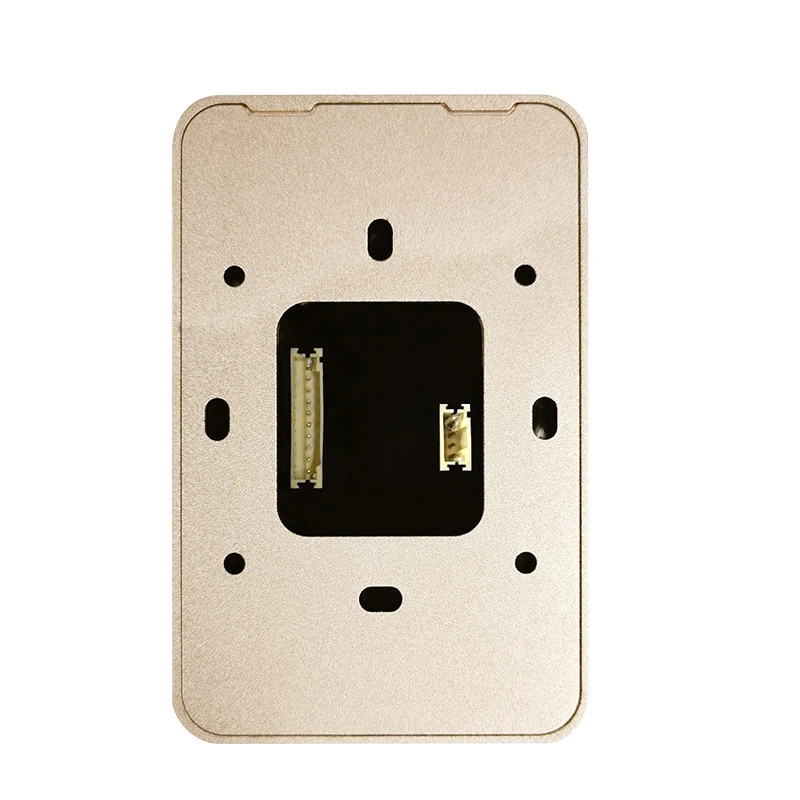
Secondary view of the Cyberoce CR08 terminal

Swipe horizontally to view the full specification table.

Item CR08EUP specification
Credentials QR code, supported barcodes and 13.56 MHz MIFARE cards
Network Wired Ethernet
Communication protocols HTTP, HTTPS and MQTT
Verification Online verification, offline verification and local record caching
Local capacity 100,000 offline users and 100,000 offline records
Display 2.0-inch IPS, 320 × 240 resolution
Display content Verification status prompts and customizable background images
Audio Built-in speaker; customizable audio files
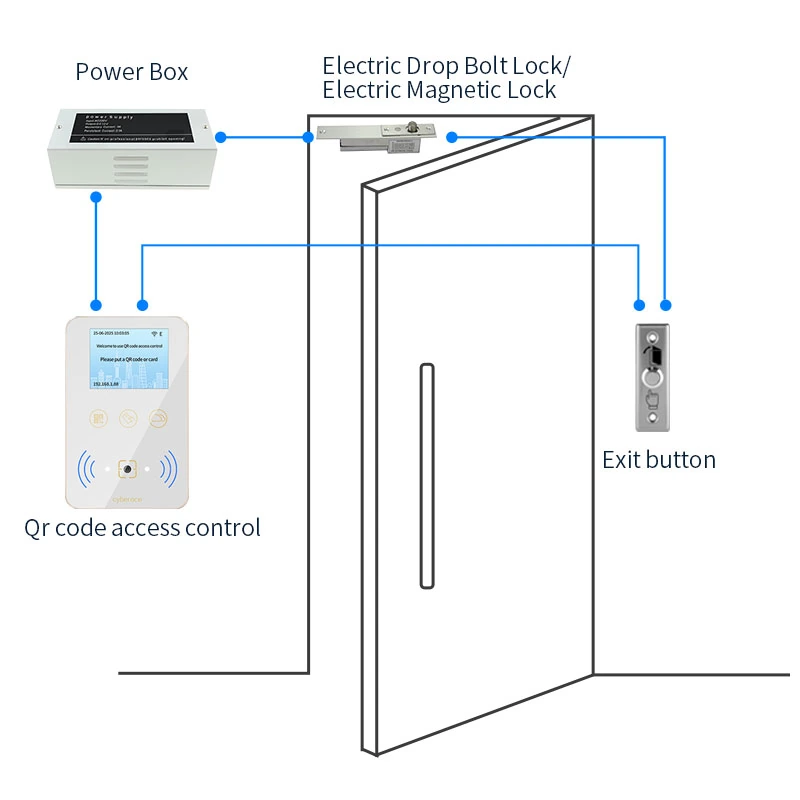
Entrance control One relay output; 1 A load capacity
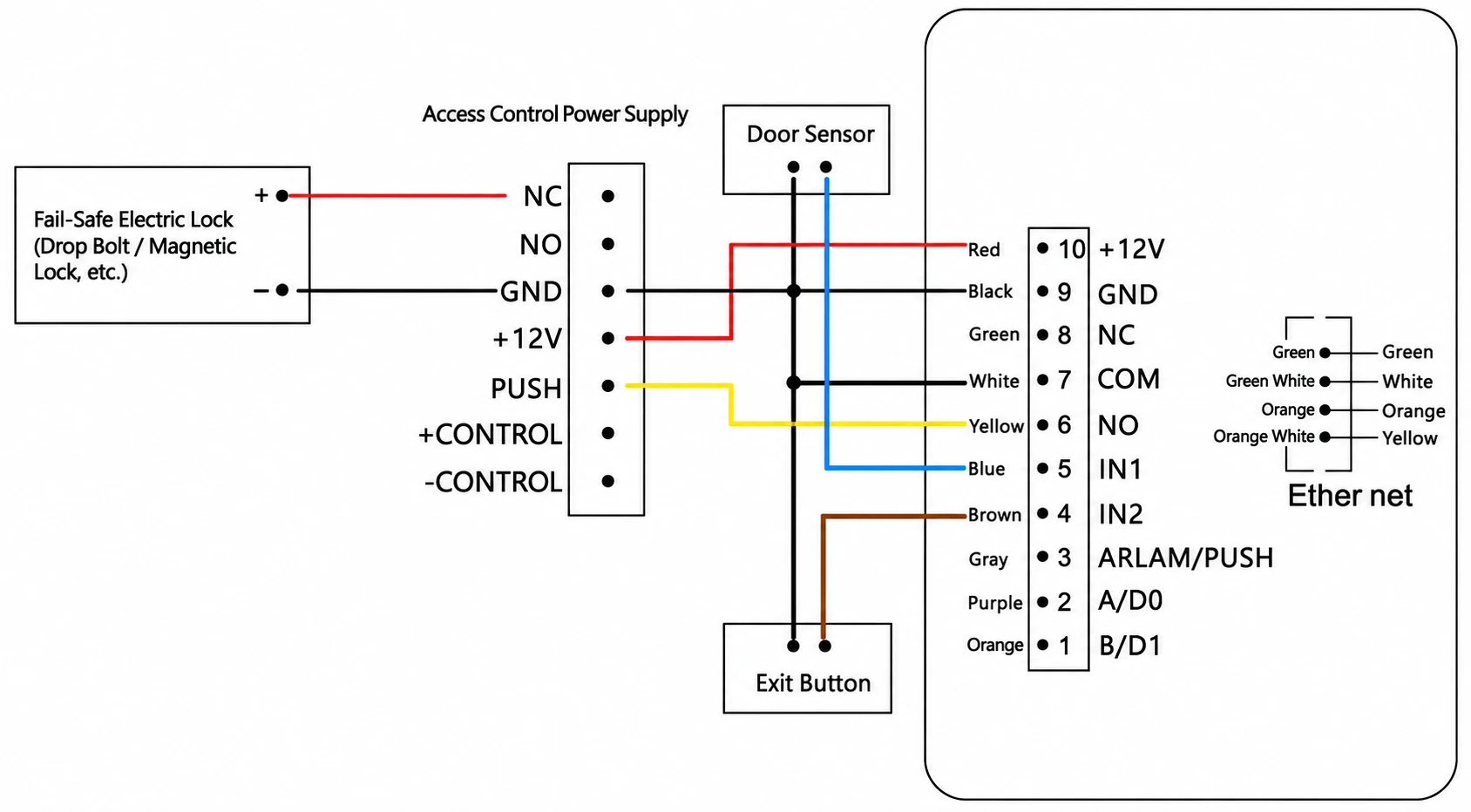
Inputs Two inputs, IN1 and IN2, for functions such as an exit button and door sensor
Extension interface Wiegand output or RS-485; mutually exclusive, with Wiegand output as default
Additional connection Supports connection to the AC037 security module
Housing Aluminum alloy and tempered glass
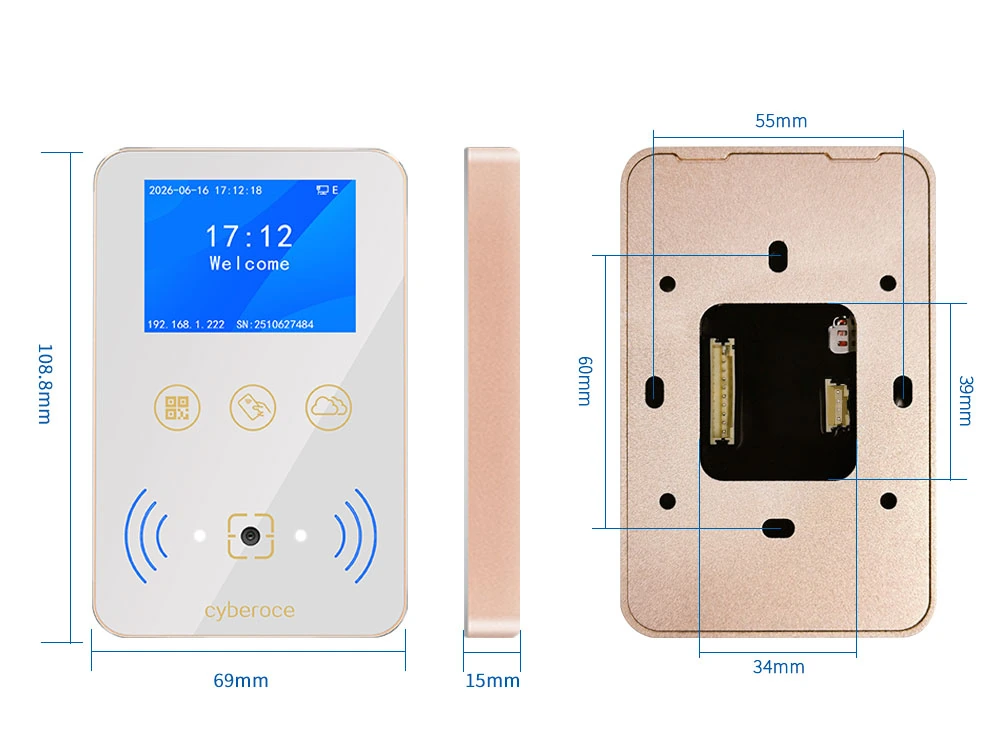
Dimensions 108.8 × 69.0 × 15.0 mm
Power input DC 6–25 V
Operating current 200 mA at 12 V
Standby current 150 mA at 12 V
Operating temperature −20°C to 60°C
Water-ingress rating IPX7

TTS voice broadcasting depends on the selected configuration. PUSH and tamper alarm share one multiplexed output, with availability checked against the delivered unit and rear label.

Credential Reading Details

Swipe horizontally to view the full credential reading table.

Item Specification or configuration
Default code formats QR Code, Code 39 and Code 128
Configurable 2D formats Data Matrix, PDF417 and Micro QR Code, among other listed formats
Configurable 1D formats EAN-13, EAN-8, UPC-A, UPC-E, Codabar, ITF-14 and Interleaved 2 of 5, among other listed formats
QR reading distance 5–20 cm
Minimum code resolution ≥ 7 mil
QR data capacity Up to 1,024 characters
Card frequency and protocol 13.56 MHz; ISO 14443 Type A/B
MIFARE sector reading Supported
Card reading distance Less than 3 cm, depending on the card and installation environment

Use the actual phone display, printed credential or card during evaluation. Code format, size, contrast, screen reflections and presentation distance all affect the reading conditions.

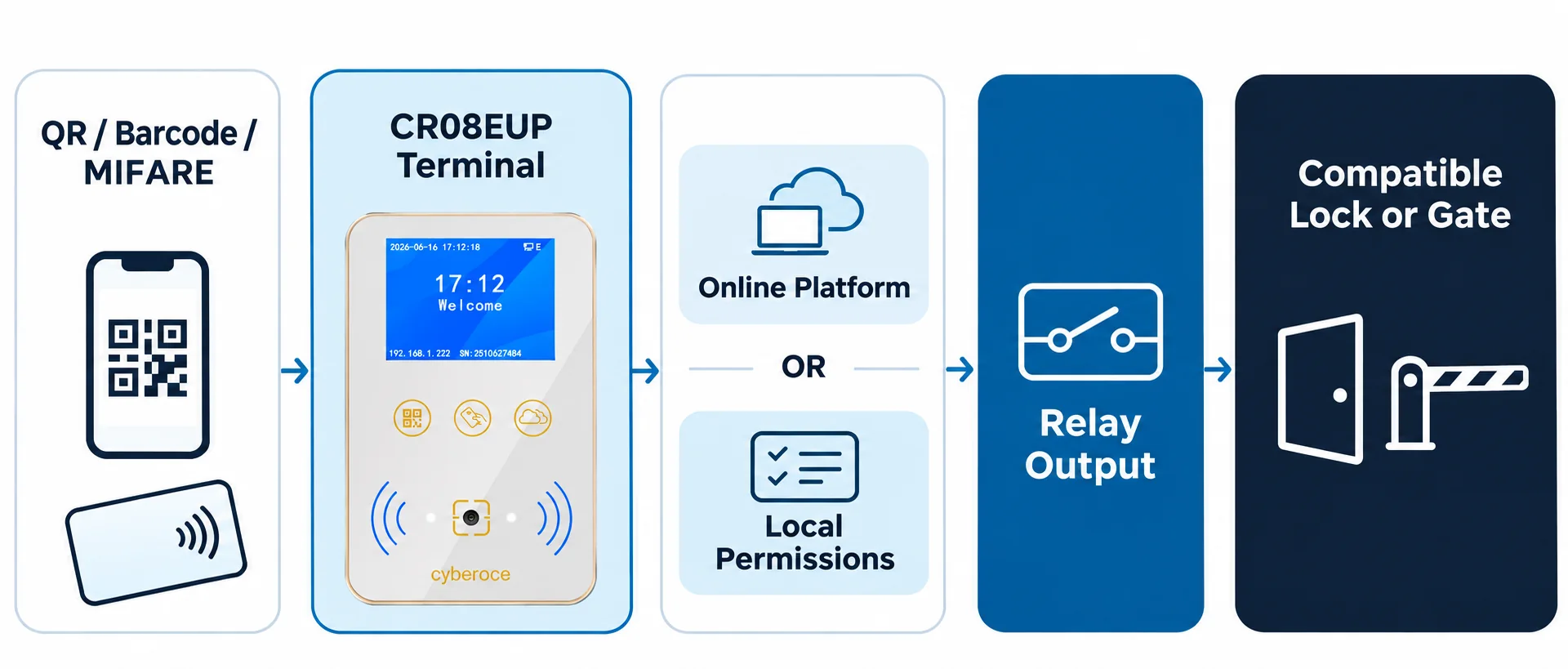
From Credential to Entry

QR codes Barcodes 13.56 MHz MIFARE cards

Experience a seamless, secure, and rapid access workflow. The terminal bridges the gap between digital credentials and physical security barriers with high-performance verification.

CR08EUP Terminal Lobby Environment
1

Present a credential

Visitors present a QR code or barcode; regular users can use supported cards.

2

Apply access rules

Verified by the online platform or issued local permissions according to configured rules.

3

Signal the entrance

Upon successful verification, the relay sends a control signal to compatible door locks or turnstiles.

Choose a Verification Priority

Configure your access control terminals to seamlessly handle network variability. Choose the verification mode that best aligns with your security infrastructure and connectivity reliability.

Online First

Prioritizes platform verification when the network is normal. If the connection drops, it automatically switches to the configured local verification path to ensure uninterrupted access.

Offline First

Checks local rules immediately for faster response times. If local verification fails but the network is available, the terminal will then request online verification from the platform.

Offline Only

Verifies access strictly according to local rules stored on the device. It operates entirely independently and does not initiate any online requests to the platform.

Important Note: Offline access depends entirely on the permissions already issued to the device. Permission updates, revocations, and record synchronization should be rigorously verified during actual platform integration. Do not assume all platform permissions will automatically be stored on the device.

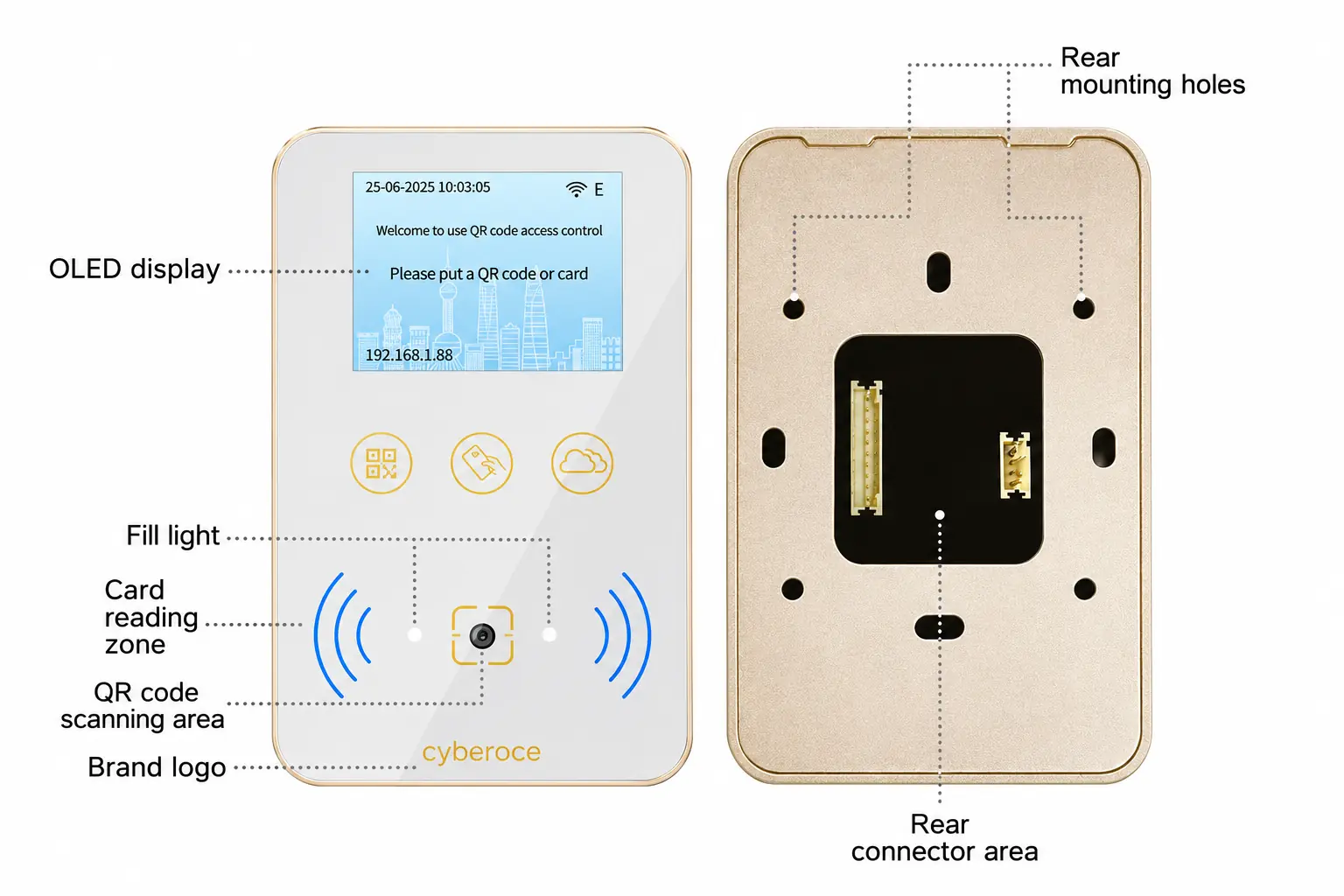
Match Each Interface to Its Job

CR08EU Dimensions and Appearance

Note: This image is intended solely to demonstrate device appearance and installation dimensions. It should not be used as a wiring guide.

Ethernet

Connects to the platform via project-agreed HTTP, HTTPS, or MQTT workflows.

Relay Output

Sends signals to compatible locks, turnstiles, or gate devices; relay load rated at 1 A.

Wiegand or RS-485

Selected based on the receiving system; these two interfaces are mutually exclusive.

Entrance Inputs

IN1 defaults to exit button, IN2 defaults to door contact; project configurations may vary.

Implementation Tip

PUSH/tamper is a shared output and must be confirmed according to delivery configuration. Electric locks exceeding the relay load require a suitable access control power supply or interface. Final wiring is subject to the delivered device, device manual, and project drawings.

Plan the Mounting Position Around the Way People Enter

The 108.8 × 69.0 × 15.0 mm body provides a compact wall-mounted format with a 2-inch display. Leave room for cable routing and maintenance, and position the scanner where users can naturally present a phone, printed pass or card.

  • Provide a DC 6–25 V supply and wired Ethernet connection.
  • Allow for the stated 5–20 cm QR presentation distance.
  • Avoid strong direct light, reflections and obstructions at the scanning area.
  • Check the mounting base, fixing positions and cable outlet before installation.
  • Protect cable entries and external connections separately from the device enclosure.
  • Disconnect power before wiring, then test authentication and entrance operation before handover.
Front, side and rear dimensions of the CR08 terminal
Front, side and rear dimensions for mounting review.

Where This Configuration Fits

Swipe horizontally to view the application matching table.

Entrance Why consider CR08EUP Site requirement
Offices and corporate buildings QR visitor passes, MIFARE employee cards and visible authentication results A compatible access platform, wired network and suitable lock-control arrangement
Commercial spaces and industrial parks Display and voice feedback at a controlled entrance Validated credential rules, mounting position and door or gate signal
Residential communities Resident card access alongside a configured visitor QR workflow Defined visitor permissions, offline policy and entrance equipment
Turnstiles and automatic doors Relay signaling with status feedback at the entry point A compatible control input and an appropriate wall or adjacent mounting position

CR08EUP has an IPX7 water-ingress rating. Evaluate the complete installation, including cable protection, exposure, condensation and scanning conditions; the rating does not establish a dust-protection level.

Metal Construction, Visible Results and Defined Integration Choices

Front view of the Cyberoce CR08 terminal showing the display and scanning area

Clear feedback at the entrance

The 2-inch IPS display presents verification results, while the built-in speaker provides voice prompts. Customizable backgrounds and audio files let the selected configuration reflect the project’s identity and entry instructions.

A slim metal format

The aluminum alloy housing and tempered-glass panel combine a 15 mm body depth with a finished front surface for visible door-side installations. The dimension drawing helps assess mounting space before the hardware is fixed.

Reading and entrance control in one terminal

QR, barcode and MIFARE reading, Ethernet communication, local storage and relay output are combined in the CR08EUP configuration. This supports an entrance architecture built around a networked terminal, with online or local verification selected to suit the access policy.

Product Documentation and Manufacturer Support

Cyberoce’s company, Shenzhen Cerberus Technology Co., Ltd., develops and manufactures QR access hardware in Shenzhen. Our work covers access readers, networked terminals and project-based OEM/ODM requirements.

For this configuration, the CR08EUP datasheet defines the technical parameters, while the user manual covers mounting, wiring, power-on checks and basic operation. These documents provide a common reference for hardware selection and integration discussions.

Project support can include reviewing real credential samples, device-to-platform requirements and the proposed entrance-control arrangement. Branding, labels, screen backgrounds and audio requirements are reviewed against the selected hardware before the production configuration is agreed.

  • CR08EUP QR Code Access Control Terminal Datasheet V2.0
  • CR08EUP QR Code Access Control Terminal User Manual V2.0
  • Product dimensions and mounting reference

Match the complete model suffix, hardware and firmware configuration to the quotation and project documents.

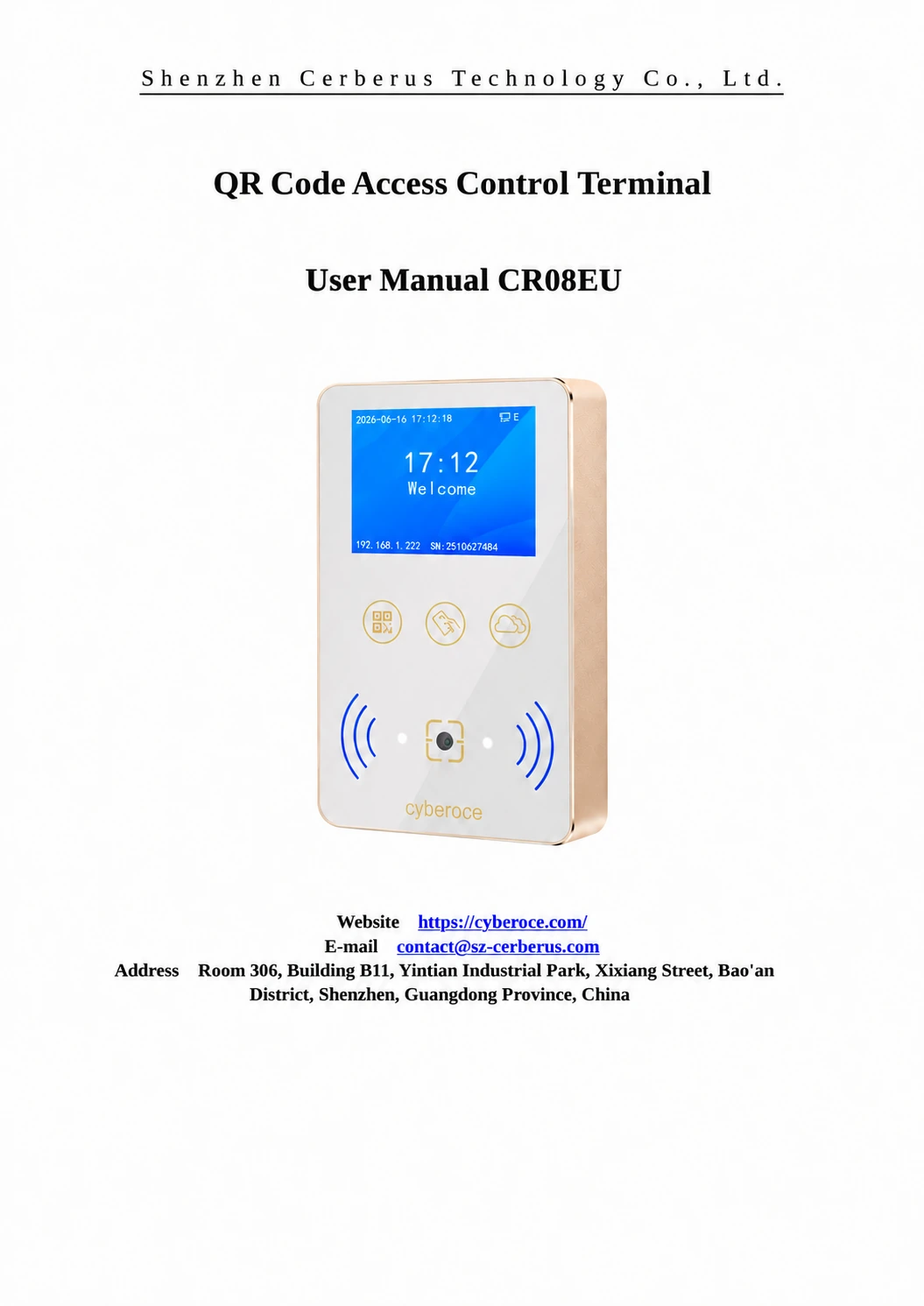
CR08EU QR Code Access Control Terminal User Manual Cover
CR08EU QR Code Access Control Terminal Datasheet Cover

CR08EU Selection and Integration Guide

Review the access policy, credential workflow and system architecture alongside the CR08EUP configuration detailed above.

How can QR access support building security?

QR access can connect an entry attempt to permissions managed by a platform or provisioned locally on the terminal. CR08EUP supports online and offline verification, local record storage and a door-sensor input, giving the project defined functions for authorization and entrance monitoring.

The security outcome depends on credential issuance, validity rules, administrator access, network configuration and the controlled door. A QR image alone does not prevent copying or repeated use. Time limits, one-time use and revocation must be enforced by the selected system and verified during integration.
How should temporary visitor QR passes be managed?

A visitor workflow needs an issuing platform, a defined validity period and rules for where and how the pass may be used. The terminal reads the presented code and follows the configured verification path; it does not replace the platform that creates and manages the visit.

For online operation, test valid, expired, revoked and repeated-use credentials against the server’s response. For offline operation, test which permissions are stored locally and what happens when a pass changes while the connection is unavailable. CR08EUP’s screen and voice prompts can communicate the resulting authentication status at the entrance.

How does QR entry compare with keycard access?

Swipe horizontally to view the credential comparison table.

Consideration QR or barcode pass Supported MIFARE card
Credential delivery Can be presented on a phone or printed pass Requires a physical card to be issued
Typical fit Visitors, appointments and temporary access workflows Employees, residents and recurring users
Presentation Needs a readable code with suitable size, contrast and positioning Requires the card to be presented close to the card-reading area
Permission changes Governed by the issuing system and verification rules Governed by card permissions and the verification rules
CR08EUP reading distance 5–20 cm for QR presentation Less than 3 cm, depending on the card and installation

CR08EUP supports both credential paths, so a project can retain card access while introducing QR passes. The appropriate choice depends on the user workflow and credential management policy; neither format establishes security by itself.

What software functions matter for integration?

The connected software should identify the device, interpret the credential, return an access decision and handle the resulting event. For a visitor workflow, it also needs to manage pass validity, revocation and any repeated-use restrictions required by the project.

CR08EUP supports Ethernet communication with HTTP, HTTPS and MQTT. Integration should define request and response fields, authentication outcomes, relay behavior, connection status and error handling. Where offline operation is required, include permission delivery and cached-record synchronization.

The embedded Web interface supports device configuration. A device configuration interface is separate from a complete visitor-management or multi-site administration platform; those functions depend on the connected software and agreed project scope.

Can this terminal replace a controller-connected reader?

A controller-connected reader mainly passes credential data to a separate controller. CR08EUP combines credential reading with network communication, local verification functions and a relay that can operate compatible entrance equipment.

It is a candidate when the system architecture assigns verification and entrance control to the networked terminal. Where an existing controller must remain responsible for access decisions, evaluate the selected Wiegand output or RS-485 path against that controller. Do not assume that a matching connector or interface name establishes full compatibility.

System Architecture Diagram
System Architecture Diagram (Enlarged)

How can I source the terminal for an overseas project?

Contact Cyberoce to review the complete model suffix, credential requirements, platform connection and entrance hardware. The technical configuration described here is CR08EUP; the quotation should identify the hardware, firmware, interfaces and any agreed customization.

For a US or other overseas project, include the destination country and required compliance documents in the inquiry. Product suitability, shipping arrangements and applicable documentation need model-specific review.

A useful evaluation combines the datasheet and manual with real credential samples, platform response tests and a lock or gate-control test. This gives the purchasing team practical acceptance criteria before a production configuration is agreed.

Discuss Your CR08EU Configuration

Share your entrance type, credential format and platform connection. We can review the CR08EUP configuration, relevant technical documents and any branding or device-side changes required for your project.

Useful details include the installation country, estimated quantity, phone or printed credential samples, network conditions, and the lock or turnstile control input.

Supported formats: PDF, JPG, PNG, STEP, IGES, STL, DWG (Max 20MB)