
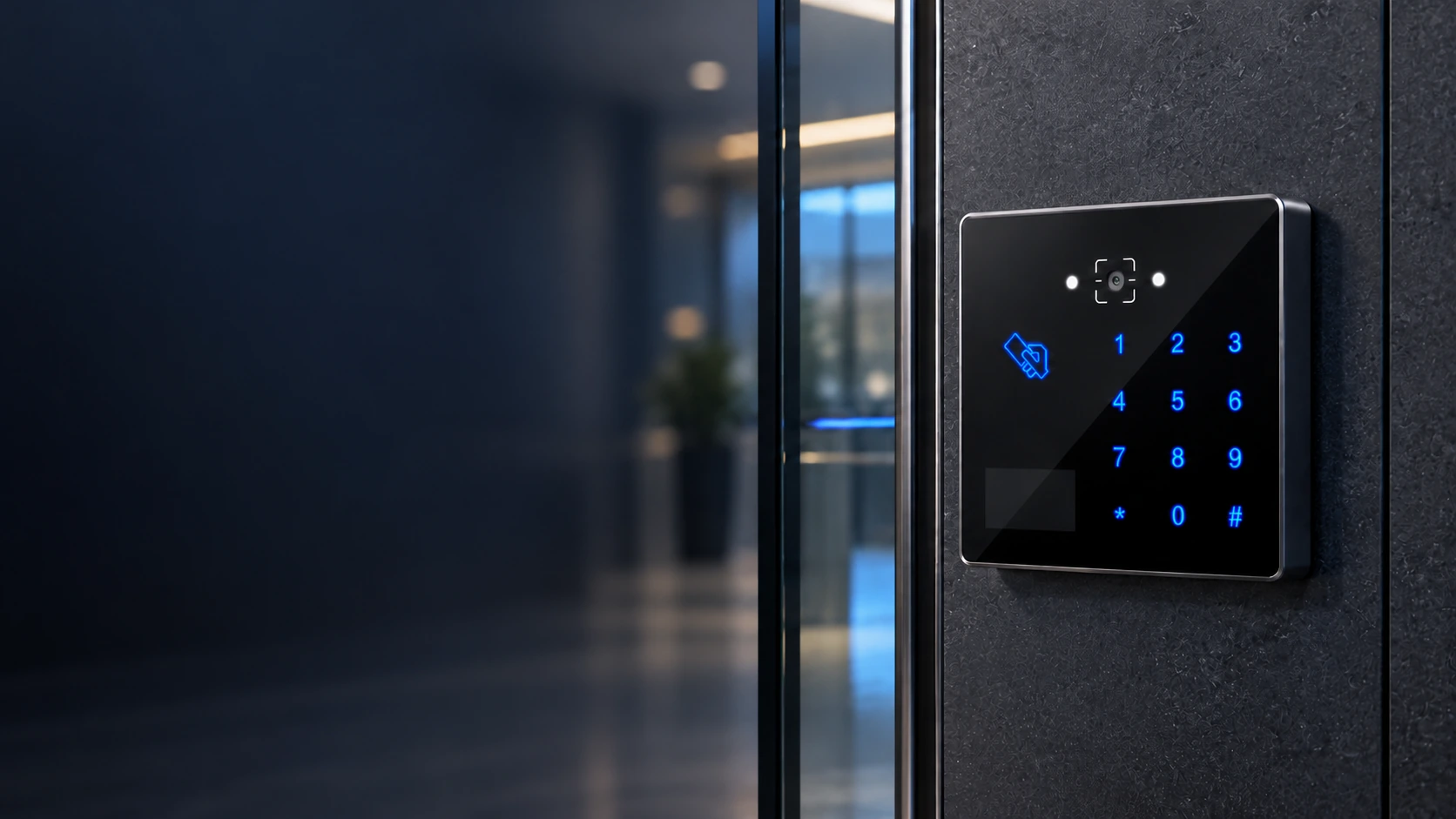
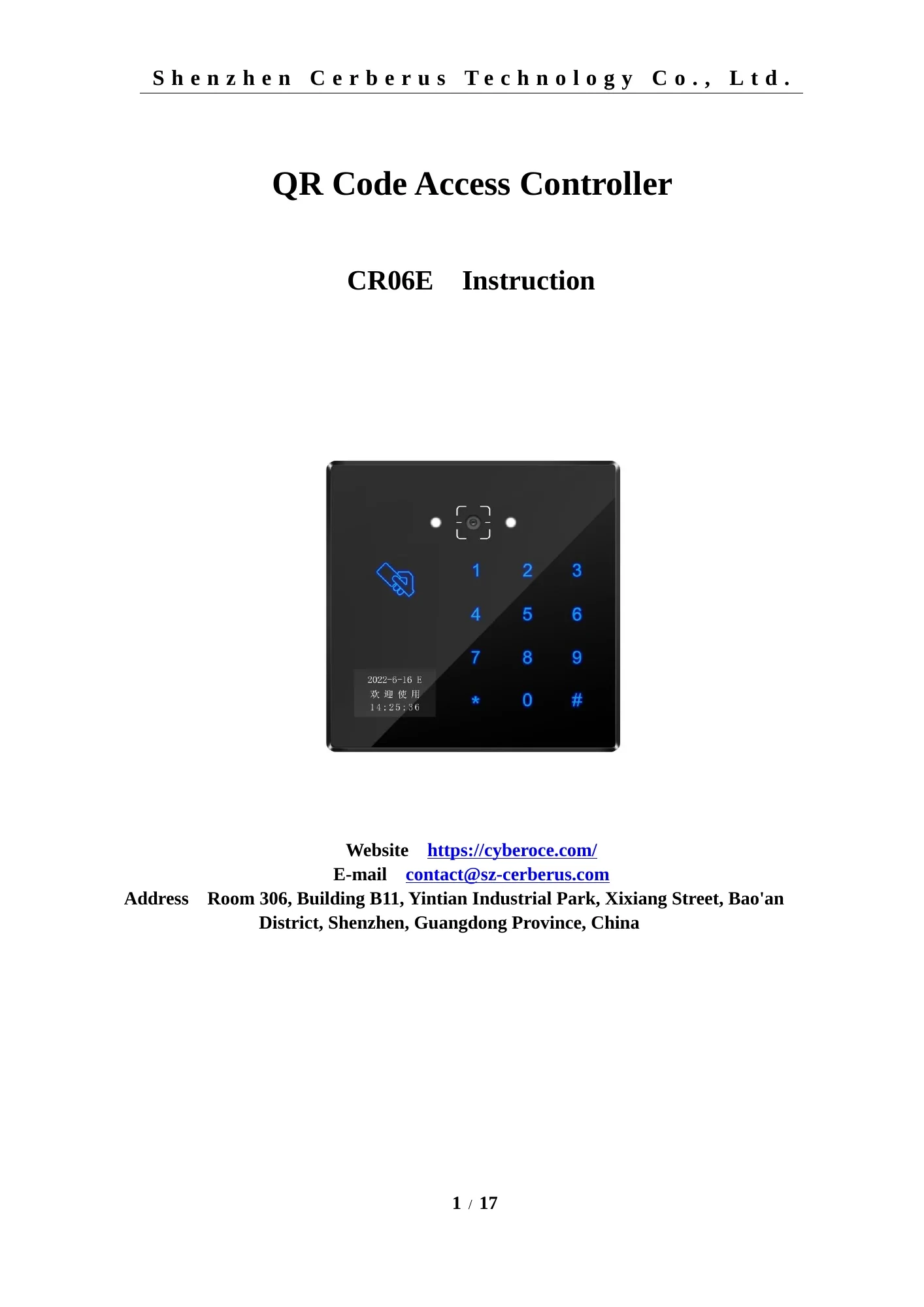
Front view of the CR06E QR code access control terminal with PIN keypad

CR06E QR Code Access Control Terminal from a Shenzhen Manufacturer

Bring QR codes, barcodes, MIFARE cards and PIN entry together at one access point. CR06E combines Ethernet communication, local verification options and relay control in a compact 86 × 86 mm terminal for doors, visitor entrances and compatible gates.

  • QR, barcode, 13.56 MHz MIFARE and PIN access
  • Ethernet connection with optional Wi‑Fi configuration
  • Online or local verification with relay output
View Specifications

CR06E at a Glance

CR06E is a networked access terminal with its own relay output. It can pass credentials to a connected platform for online decisions or use configured local verification rules. Select the credential mix and output interface before finalizing the device configuration.

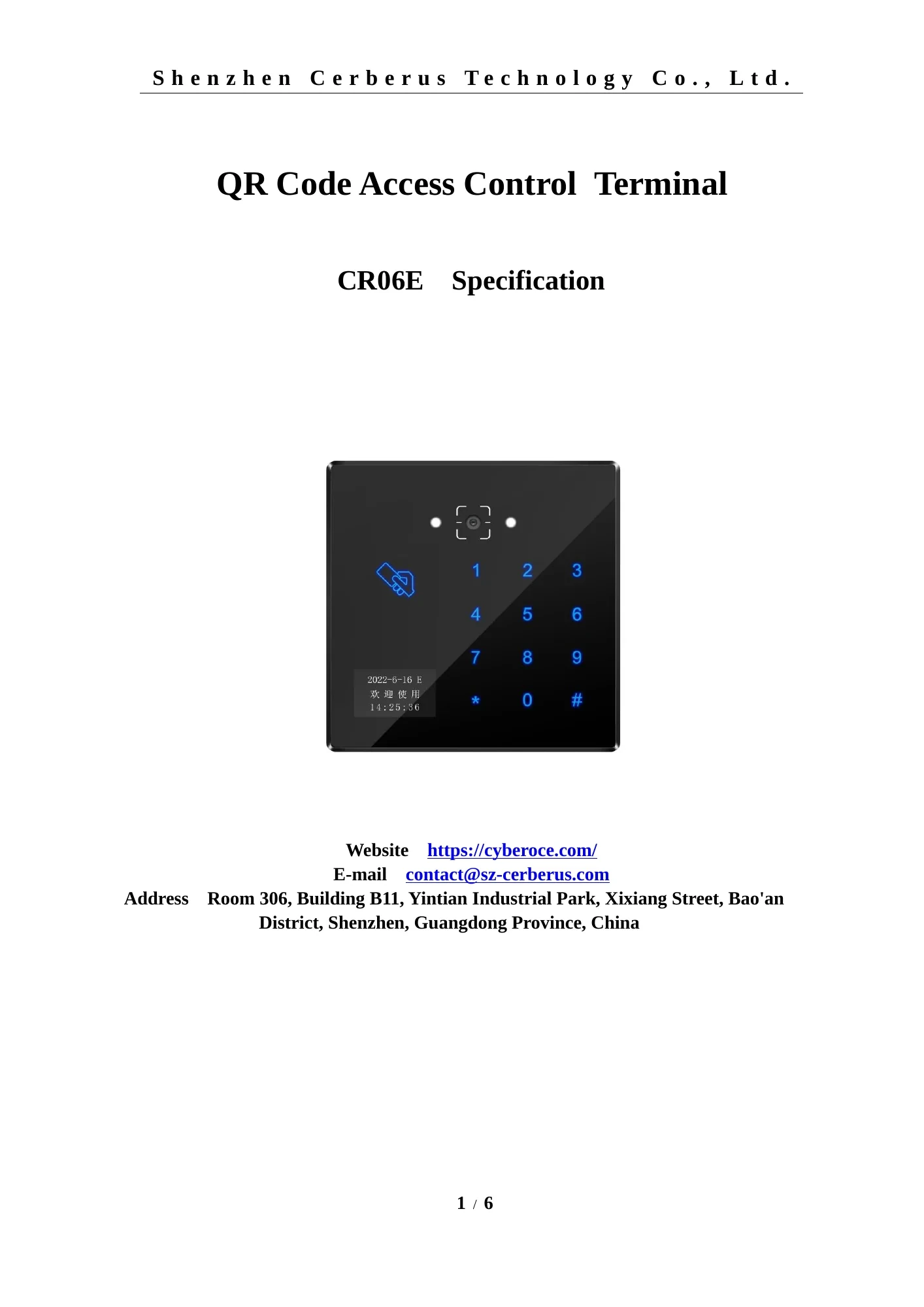
Front view of the CR06E QR code access control terminal with PIN keypad
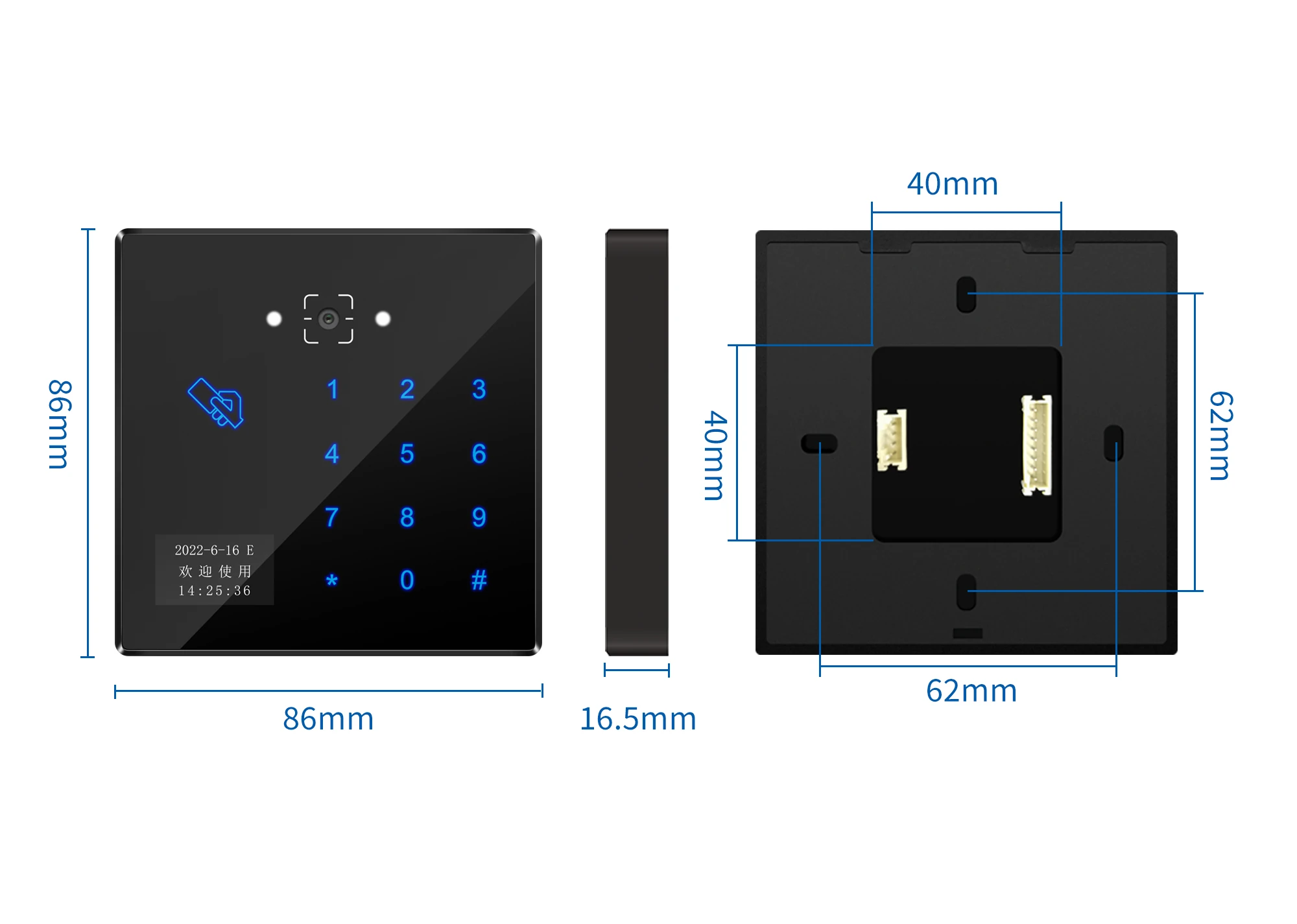
Width 86 mm
Height 86 mm
Depth 16.5 mm
CR06E front, side and rear dimensions showing an 86 × 86 × 16.5 mm housing

Mechanical dimensions: 86 × 86 × 16.5 mm housing in ABS and tempered glass.

Specification CR06E
Credentials QR code, barcode, 13.56 MHz MIFARE card and PIN; 125 kHz EM card optional
Network Wired Ethernet; Wi‑Fi optional on supported configurations
Application protocols HTTP, HTTPS and MQTT
Verification Online or configured offline verification
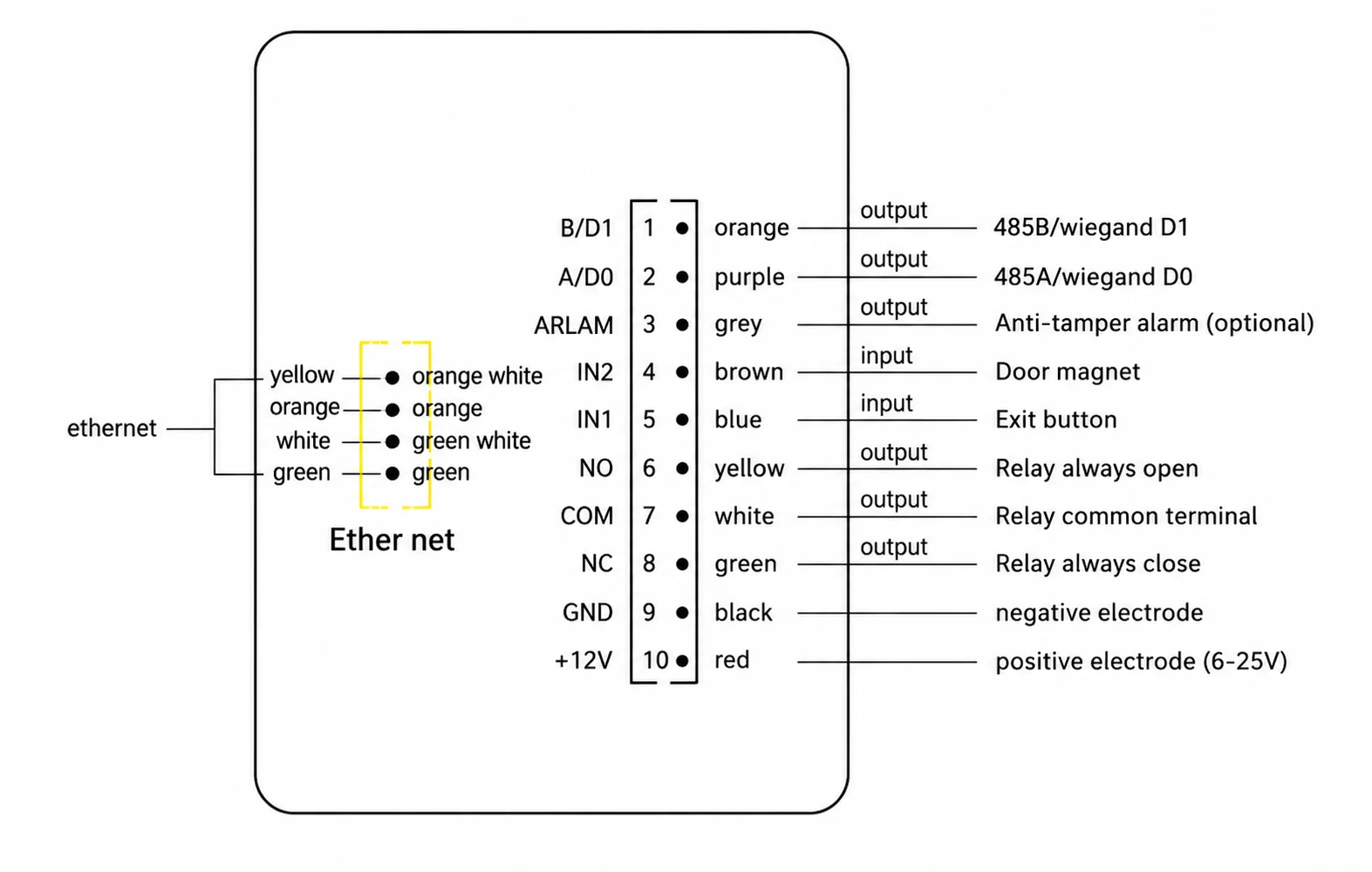
Outputs One relay; Wiegand output or RS‑485 output, selected as mutually exclusive options
Inputs Two inputs for functions such as exit button and door sensor
Local capacity 100,000 offline users and 100,000 offline records
Display 0.96-inch status display
Dimensions and housing 86 × 86 × 16.5 mm; ABS and tempered glass
Power DC 6–25 V
Relay load 1 A maximum
QR reading distance 5–20 cm
Operating temperature −20°C to 60°C
Ingress rating IPX7

Optional functions and the selected Wiegand or RS‑485 output should be confirmed against the hardware configuration supplied for the project.

One Access Point, Several Credential Paths

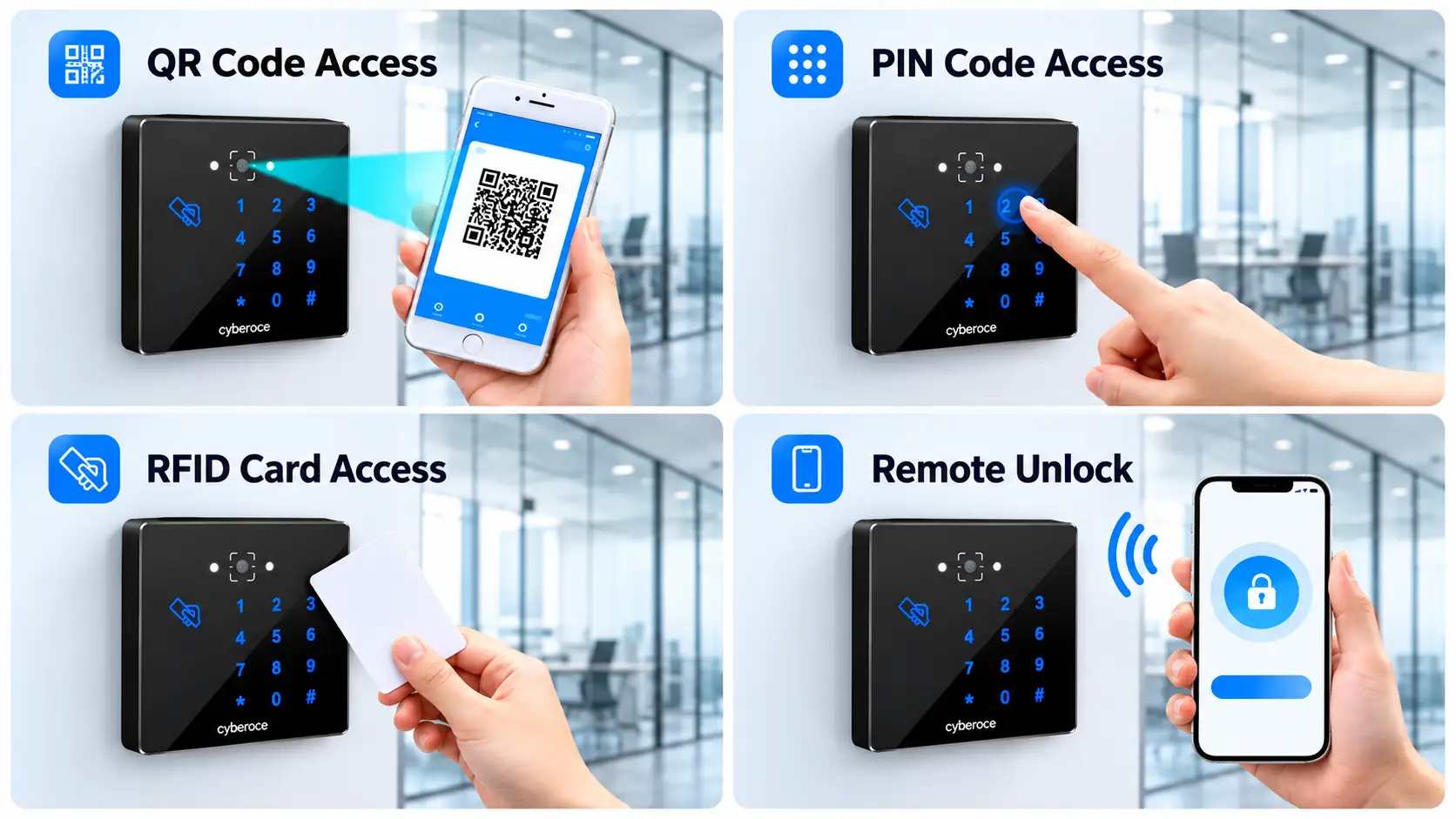
A visitor may arrive with a phone code, an employee with a card, and a service team with a PIN. CR06E supports these methods in one terminal, so the entry workflow can be designed around the credentials your project actually issues.

Mixed credentials at one entrance

Use QR or barcode credentials alongside 13.56 MHz MIFARE cards and PIN entry. Check actual sample codes and card types during system integration.

A door that needs a local control output

The built-in relay can operate a compatible lock or gate control input. Its 1 A rating must be checked against the load and power-supply design.

Network interruptions and access continuity

Configured offline verification and local record storage can support an approved local access workflow when server connectivity is unavailable. Permissions, synchronization and fallback rules remain part of the system design.

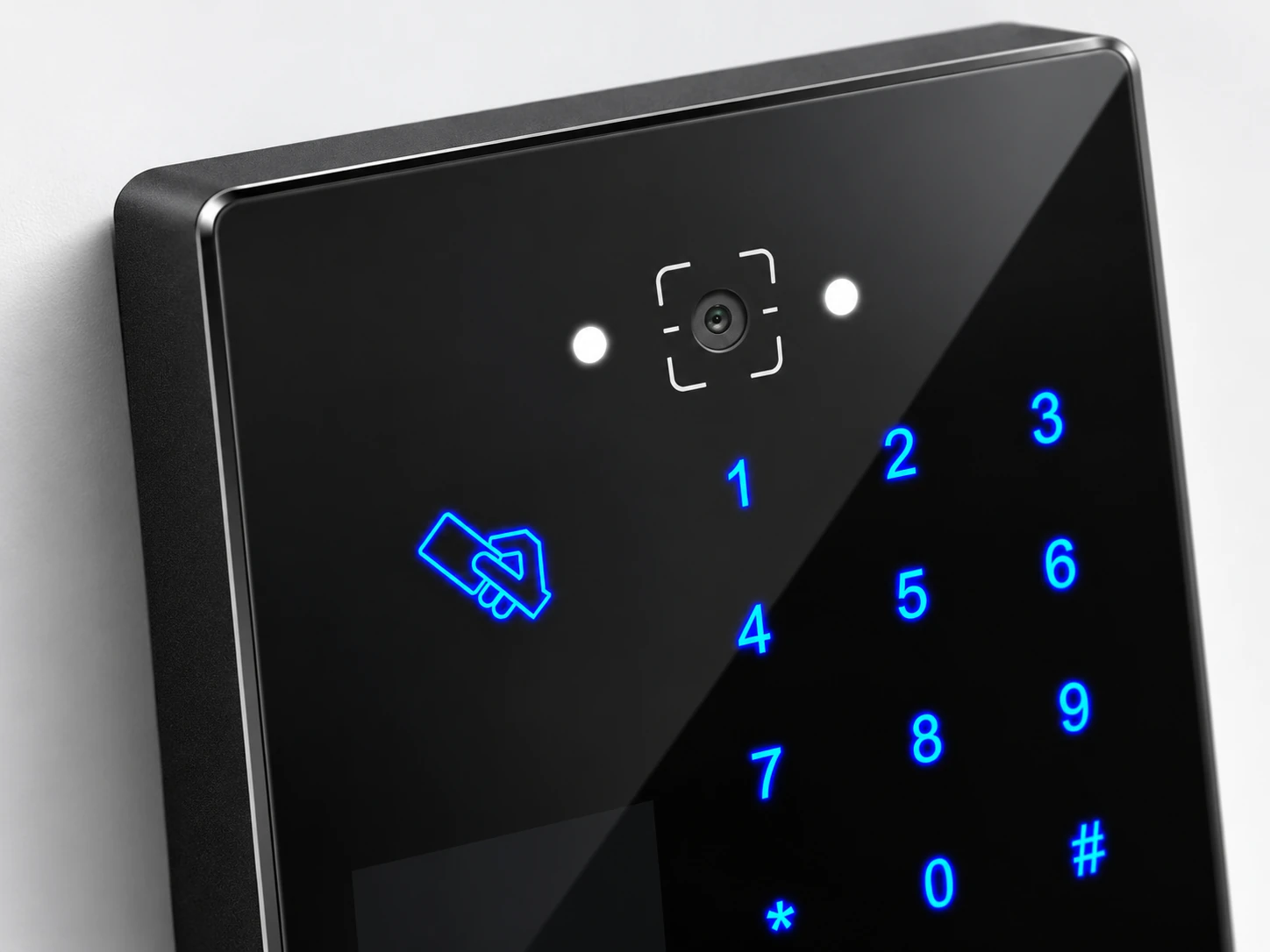
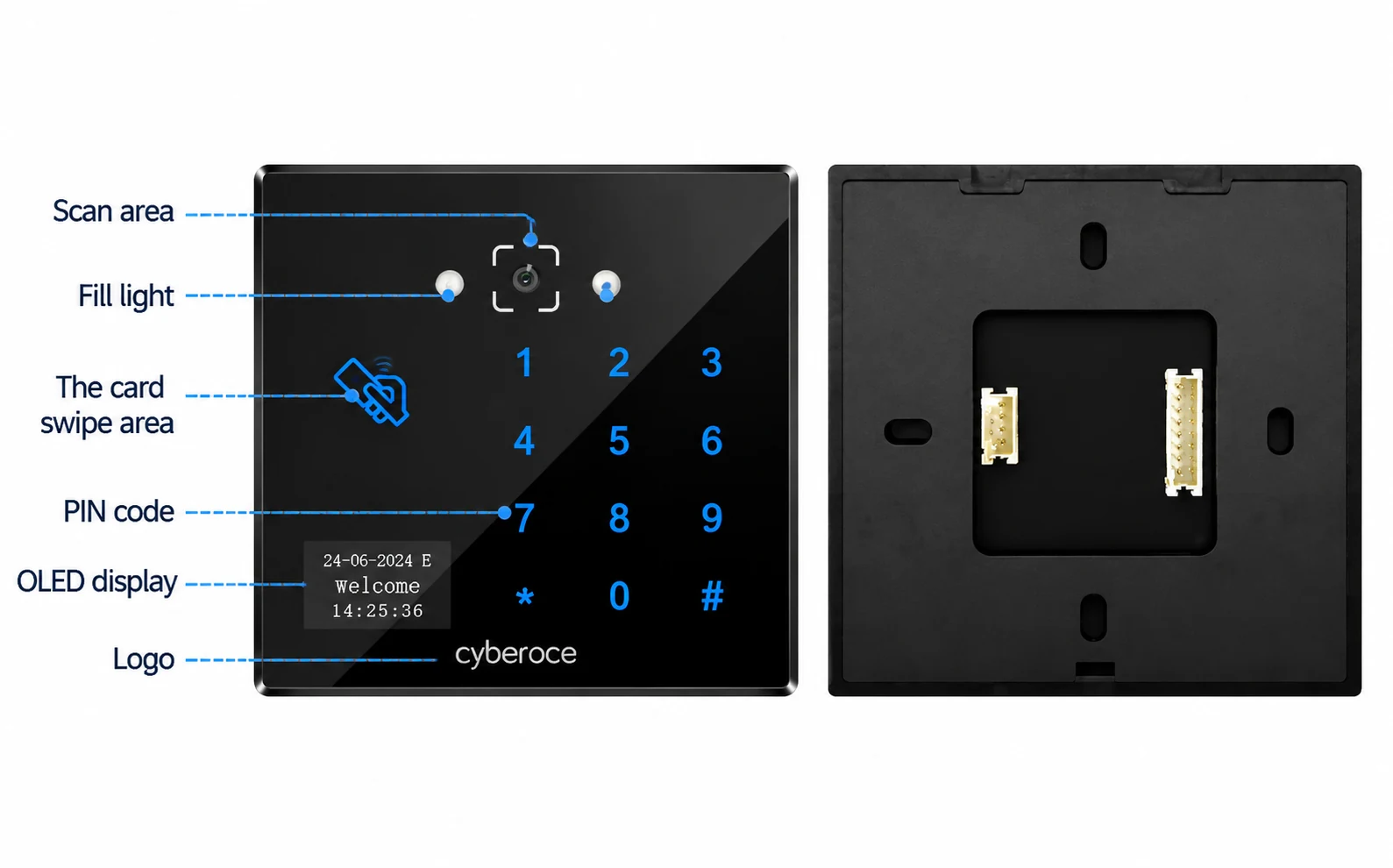
CR06E QR code access control terminal scan window and keypad detail
1. Credentials
QR code, barcode, 13.56 MHz MIFARE card, PIN (125 kHz EM optional)
2. Verification
Online via HTTP, HTTPS, MQTT or configured offline verification
3. Output
Built-in relay (1 A max), Wiegand output or RS‑485 output

Choose the Interface Before You Specify the Installation

CR06E supports more than one integration route, but these routes are not interchangeable. Match the terminal configuration to the control architecture already planned for the entrance.

Project condition Relevant CR06E route Check before ordering
A platform makes the access decision Ethernet with HTTP, HTTPS or MQTT integration Credential format, permission response and network behavior
The terminal verifies approved credentials locally Configured offline mode with local users and records Permission distribution, expiry rules and record synchronization
An external system needs credential output Wiegand or RS‑485 configuration Controller input and the selected output version
The terminal operates a compatible lock or gate input Built-in relay Load type, 1 A limit and power-supply arrangement
Network cabling is restricted Optional Wi‑Fi configuration Exact hardware option and 2.4 GHz site coverage

A QR code reader sends credential data to another controller; CR06E is a networked terminal with local verification options and a relay. That difference affects wiring, software integration and the parts required at the door.

Plan the Door, Power and Scan Position Together

The 86 × 86 × 16.5 mm format suits a compact wall-mounted entry point. Position the scan area where phone and paper codes can be presented within the specified 5–20 cm reading distance. The terminal uses DC 6–25 V power and provides inputs for an exit button and door sensor.

For an exposed entrance, IPX7 describes the device’s stated water-ingress rating; it does not remove the need to protect the scan window from rain, glare and prolonged direct sun. Confirm the lock power supply, relay load, cable routing and network connection against the delivered hardware and installation drawing.

  • Office and visitor entrances — combine issued QR credentials with staff cards or PIN access.
  • Compatible gate projects — evaluate the relay input and physical mounting position before deployment.
  • Mixed online and local workflows — define who issues permissions and how offline records return to the platform.
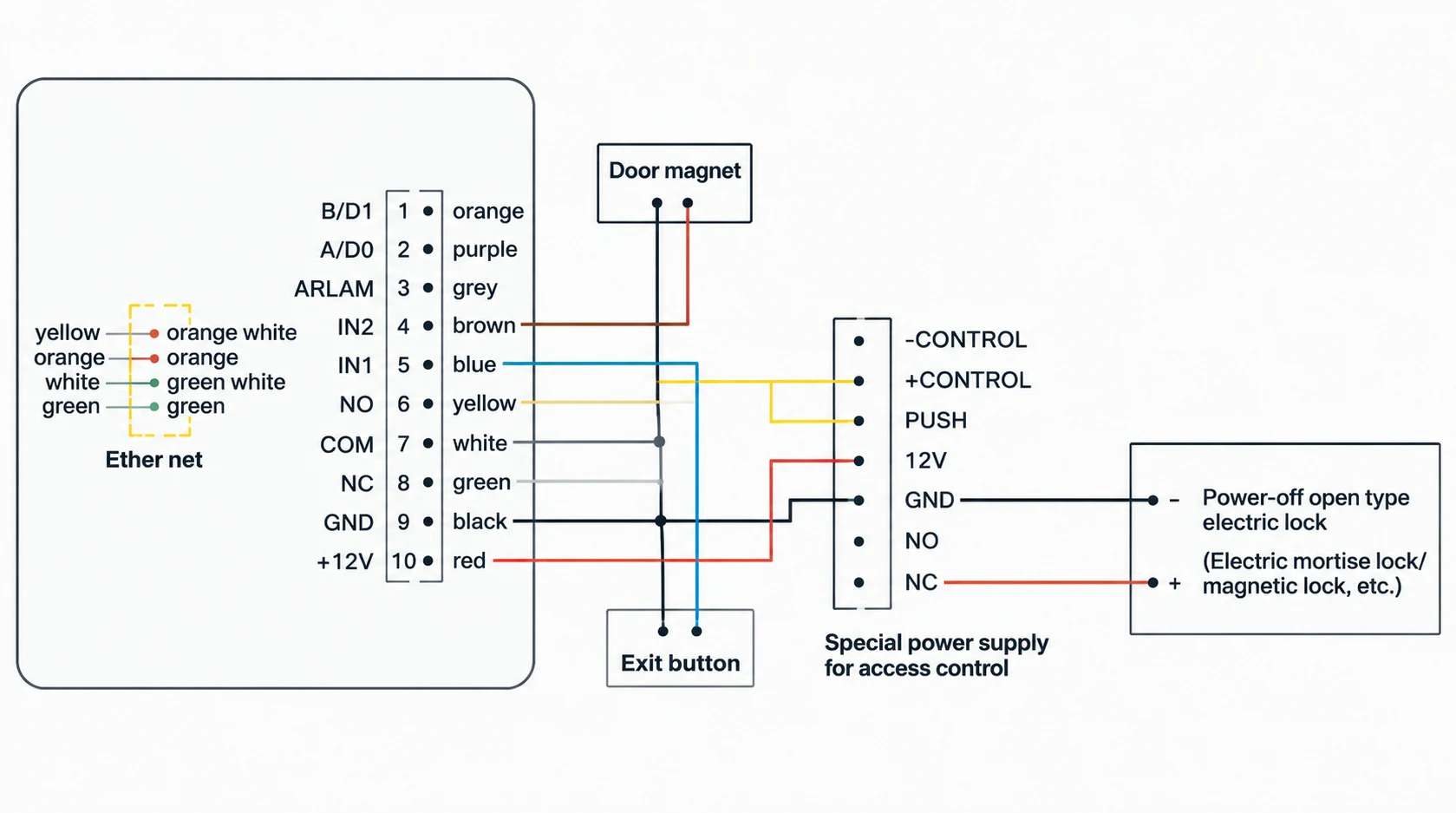
Typical system composition diagram for CR06E terminal installation

Refer to delivered hardware and corresponding manual for exact implementation.

Why Specify CR06E for a Connected Entrance?

A defined credential set

QR codes, common barcodes, MIFARE cards and PIN entry are covered by the CR06E specification, while EM cards remain an optional configuration.

A clear control boundary

Ethernet communication, local verification options and a built-in relay let the project team decide where permissions are checked and how a compatible door or gate is controlled.

Integration details to review early

The model specification, dimensional drawing and installation information give engineering and procurement teams concrete inputs for enclosure, power, output and platform discussions.

Our Shenzhen team develops and supplies QR access readers and terminals and supports OEM/ODM and project integration discussions. Branding, display content, credential samples and interface requirements can be reviewed against the selected hardware and firmware configuration.

CR06E QR code access control terminal hardware profile
CR06E dimensional drawing and interface specification layout

Product Details You Can Review Before Deployment

CR06E has a model-specific specification and installation instruction covering its physical format, power, interfaces, verification modes and wiring considerations. These details help your team compare the proposed terminal with the entrance design before committing to a project configuration.

Shenzhen Cerberus Technology Co., Ltd. focuses on QR access hardware and system integration support. For a CR06E project, the useful starting point is a review of credential samples, selected interface, door hardware and platform workflow.

CR06E front and rear housing views
CR06E Specification  Reference
CR06E V1.2 specification and installation documentation preview
CR06E  Installation Reference
CR06E front and rear housing views
CR06E V1.2 specification and installation documentation preview

CR06E Selection Guide

Does CR06E need a separate access controller?

CR06E includes a relay and can be configured for online or local verification, so a compatible door or gate does not automatically need a separate front-end access controller. The final architecture still depends on the lock or gate input, power design, permission workflow and any controller already required by the site.
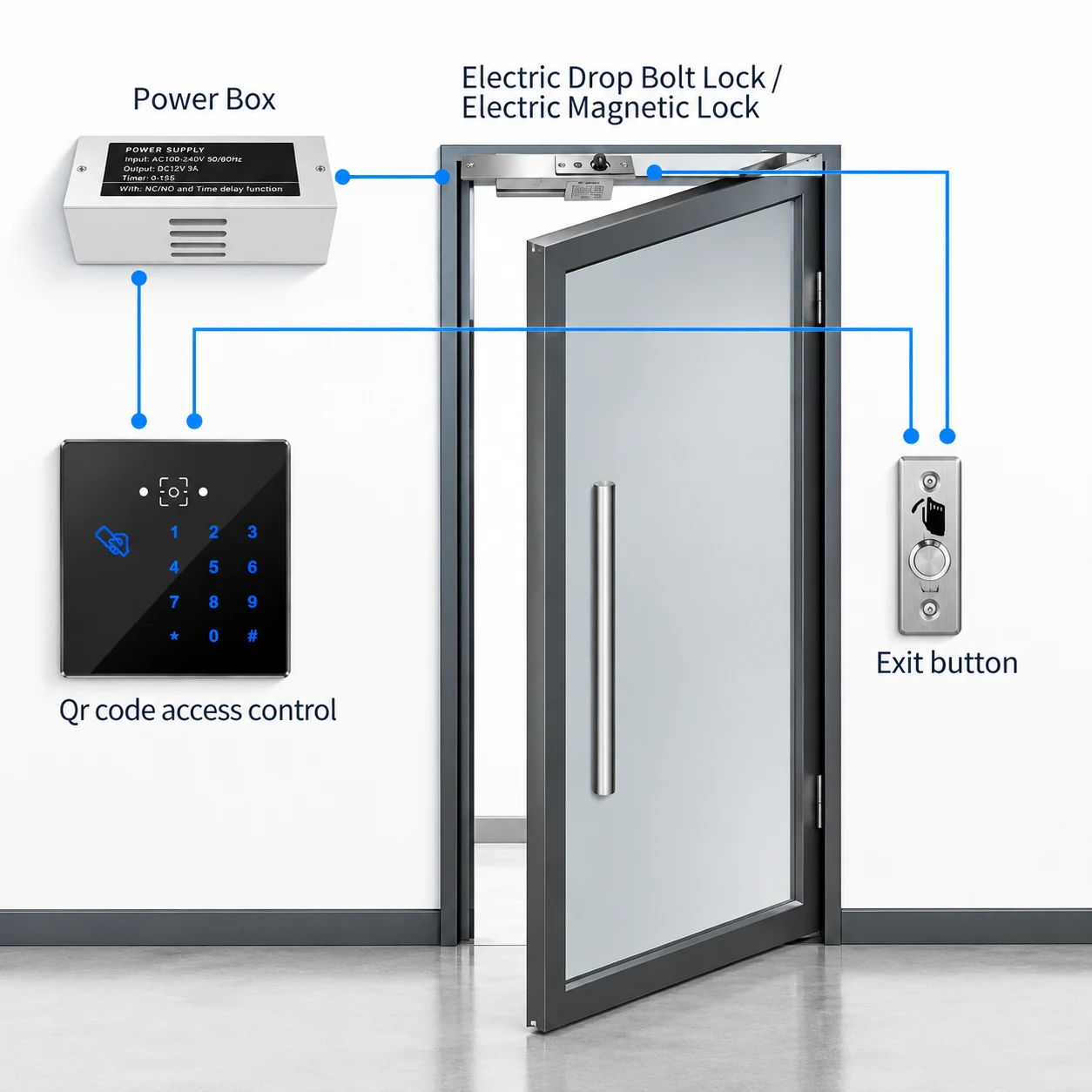
CR06E access controller setup illustration

How should online and offline verification be planned?

In online verification, the connected platform evaluates the credential and returns an access decision. In a configured offline workflow, the terminal checks locally stored permissions and keeps local records for later synchronization. Define credential expiry, permission updates and reconnection behavior with the platform team before deployment.

Online Verification Route CR06E ↔ Ethernet (Wi‑Fi optional) ↔ HTTP / HTTPS / MQTT Platform Decision
Configured Offline Route CR06E Local Check (up to 100,000 users & 100,000 records) → Later Record Sync

What should be checked for an office-building installation?

Check mounting space against the 86 × 86 × 16.5 mm housing, DC 6–25 V power, the relay’s 1 A limit, exit-button and door-sensor connections, network reachability and the 5–20 cm QR presentation distance. Verify the final wiring with the delivered unit and the corresponding installation instructions.

Is QR access inherently more secure than biometric access?

The credential method alone does not determine the security of an entrance. QR access depends on how codes are issued, protected, validated and expired; biometric access depends on capture, matching, enrollment and data handling. CR06E is a QR, barcode, card and PIN terminal, so projects requiring biometric identification should evaluate a different product and the applicable privacy and system requirements.

What determines the cost of a complete QR access installation?

The terminal is one part of the project cost. Locks or gate interfaces, power supplies, cabling, network availability, platform integration, credential issuance, installation work and any optional hardware affect the final scope. Compare proposals using the same configuration and integration requirements rather than a device price alone.

How should a supplier be evaluated for this project?

Ask for the exact model configuration, specification, mechanical drawing, applicable installation information and a plan for testing your real QR or barcode samples. Confirm which output interface is supplied, whether Wi‑Fi or EM-card support is required, and how the terminal will exchange access decisions with your existing system.

Discuss Your CR06E Configuration

Share the entrance type, credential format, preferred network connection and the door or gate hardware already in use. A sample QR or barcode and an interface description can make the configuration review more specific.

Manufacturer Shenzhen Cerberus Technology Co., Ltd.
Address Room 306, Building B11, Yintian Industrial Park, Xixiang Street, Bao'an District, Shenzhen, Guangdong Province, China
Configuration interests

Supported formats: PDF, JPG, PNG, STEP, IGES, STL, DWG (Max 20MB)